Renaming UI Elements
CT Mobile allows using custom labels to rename its interface elements, including menu items, modules, some buttons and labels. If the label attribute is set for a menu item or a module, the mobile application will use it.
Labels may contain the following format specifiers:
-
%d is a number, for example, in the Errors(%d) label;
-
%@ is a string;
-
\n is newline.
Do not remove them from labels.
Rename Interface Element in Custom Labels
To rename a custom label:
-
Go to Setup → User Interface → Custom Labels → click the Name of the menu item or module mentioned in the tables below.
-
Create or override translation:
-
In the Local Translations / Overrides section, click the New Local Translations / Overrides button to create a new translation.
-
In the Package Translations section, click Override next to the required language to override translation.
-
-
Click Save.
The selected label is renamed.
The table of available menu items:
| Menu Item | Name |
|---|---|
CTM_MainMenu_Tab_Errors |
|
CTM_MainMenu_Tab_Home |
|
CTM_MainMenu_Tab_GlobalSearch |
|
CTM_MainMenu_Tab_Settings |
The table of available modules:
| Menu Item | Name |
|---|---|
CTM_MainMenu_Tab_Calendar |
|
CTM_MainMenu_Tab_Chatter |
|
CTM_MainMenu_Tab_LinkList |
|
CTM_MainMenu_Tab_NearbyAccounts |
|
CTM_MainMenu_Tab_RecentItems |
|
CTM_MainMenu_Tab_Routes |
The table of available buttons and labels:
| Button/Label | Name |
|---|---|
Start button (on a record layout) |
CTM_Layout_Button_StartActivity |
Finish button (on a record layout) |
CTM_Layout_Button_FinishActivity |
Determine Location item (in the Actions combo menu) |
CTM_Layout_Button_GetGeoposition |
Photo item (in the Actions combo menu) |
CTM_Layout_Button_TakePhoto |
Send button (while sending an email) |
CTM_Layout_Button_SendEmail |
Share button (while sharing a file) |
CTMobile.FileShare.Mail (for sharing by mail) CTMobile.FileShare.Apps (for sharing by other apps) |
All Activities per day label for the Calendar widget |
CalendarWidget |
The table of available UI elements on mobile layouts:
| Mobile Layout UI Element | Name |
|---|---|
Detailing tab in custom related list |
CTM_Layout_Tab_CustomRelatedList |
Main tab of mobile layout |
CTM_Layout_Tab_GeneralTab |
CTM_Layout_Section_MAPS |
|
CTM_Layout_Section_CHATTER |
|
CTM_Layout_Section_APPS |
|
CTM_Layout_Section_QRCODE |
|
Mobile Layouts: Dashboards, the Chart section |
CTM_Layout_Section_CHARTS |
xref:ctmobile-ios:: |
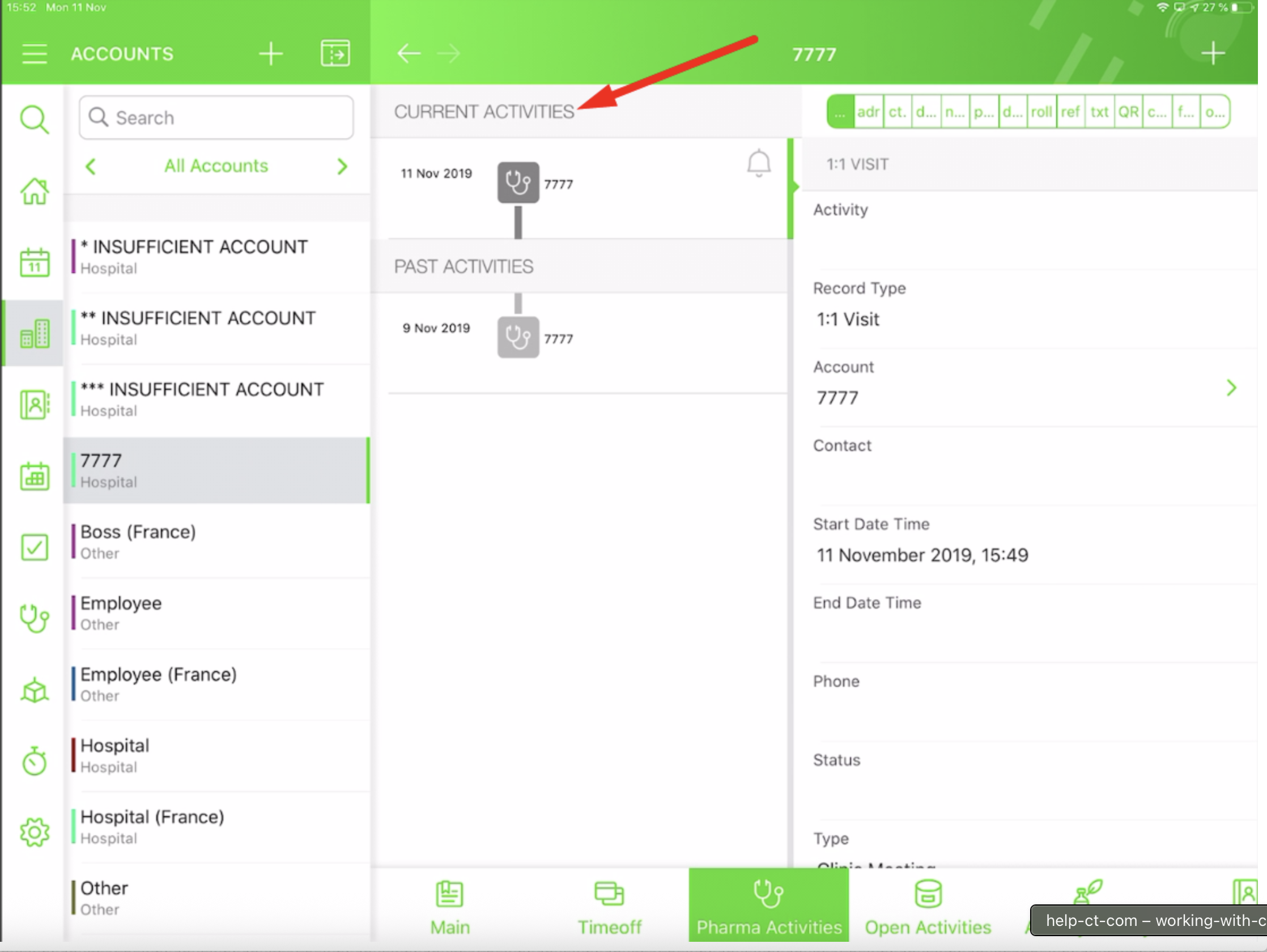
CTM_Layout_TimelineHeader_CurrentActivities |
xref:ctmobile-ios:: |
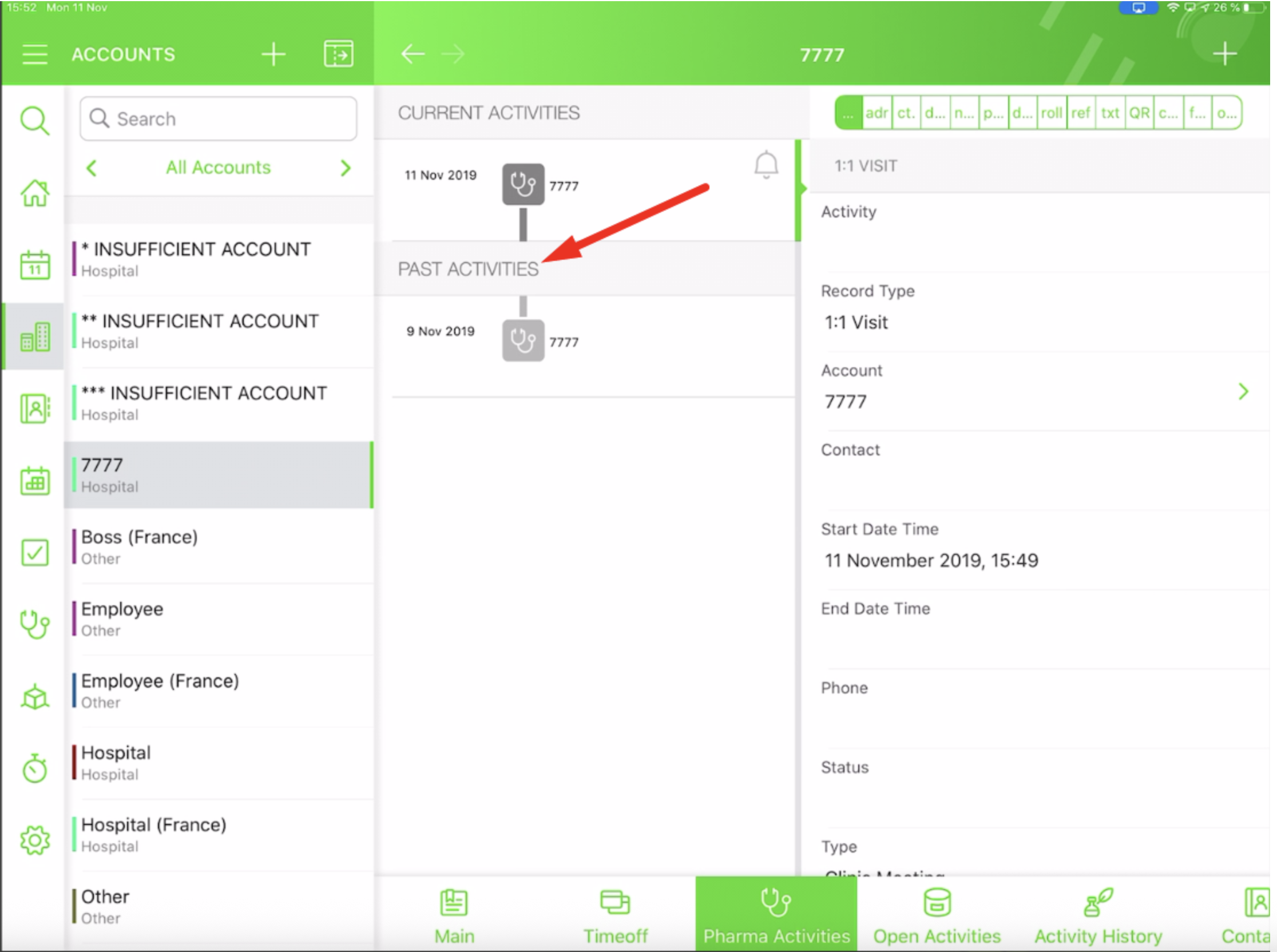
CTM_Layout_TimelineHeader_PastActivities |
Rename Modules in Rename Tabs and Labels
To rename Applications, Libraries, and Quizzes modules:
-
Go to Setup → User Interface → Rename Tabs and Labels → click Edit next to Applications, Libraries, or Quizzes.
-
In the Plural field, enter a name.
-
Click Save.
The selected module is renamed.