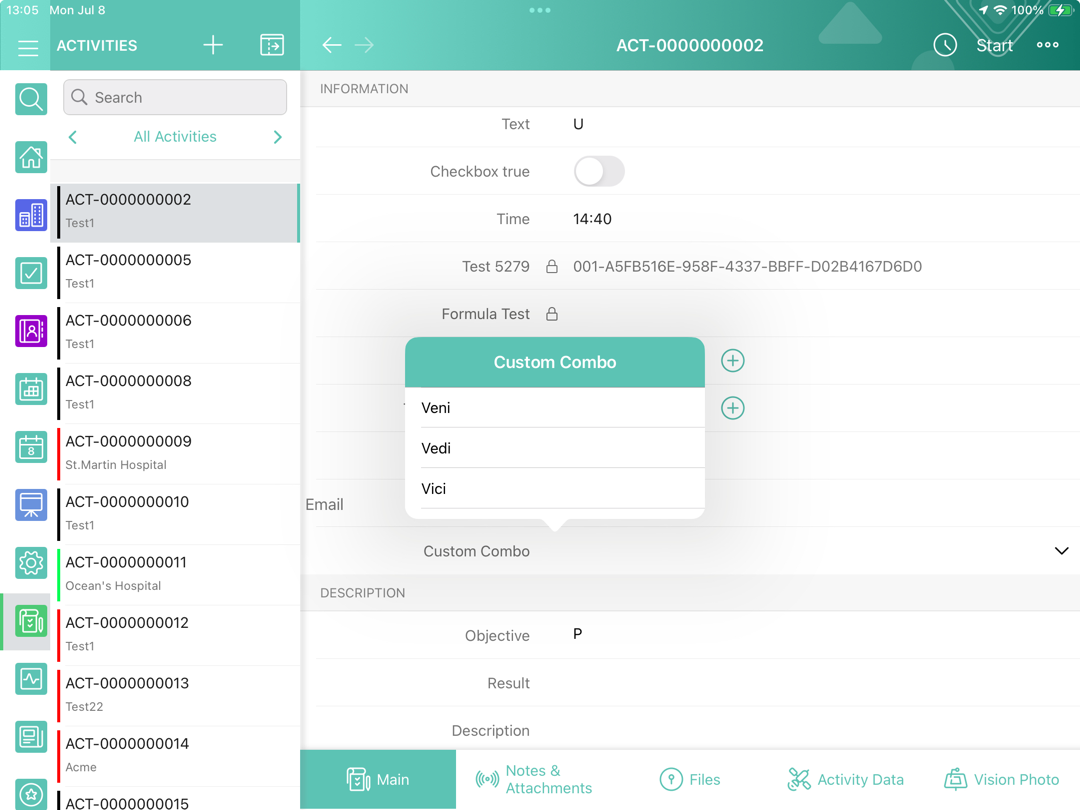
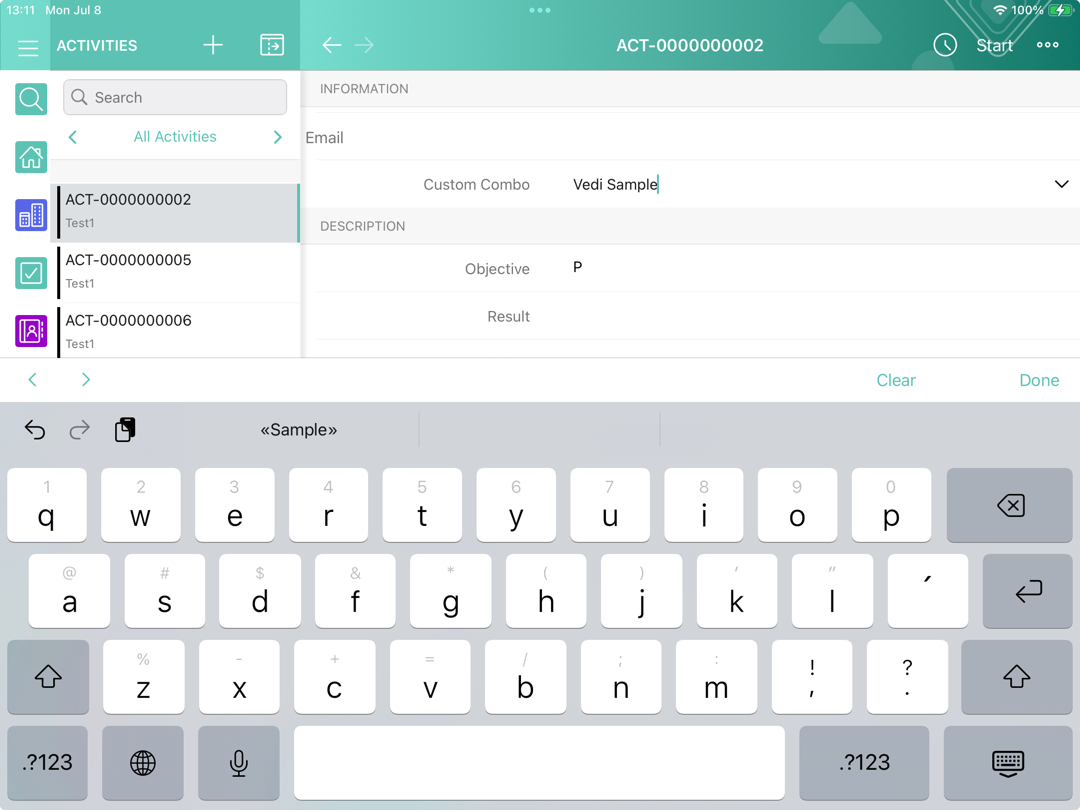
Combobox
Set up a display of any field as a drop-down list with predefined values but with the possibility to manually input any value.
To enable this option, specify the following in the field description, refresh metadata archive (refer to CT Mobile Control Panel: Tools / CT Mobile Control Panel 2.0: Tools) and launch mixed synchronization.
ctmobile.combobox(value1,value2,..,value[n])Where value is the predefined text for the field. The custom labels of $Label.LabelAPIName type can be used as a value.
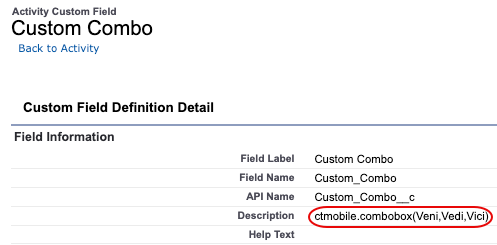
The setup is complete.
|
→ |
|