Examples of Filtering Offline Objects
Here are examples of using SOQL filters for Offline Objects:
Filtering Offline Orders for CT Order Module
Filtering Offline Orders Created in Specified Period
In this example, you need to synchronize only Offline Orders, which are created not earlier than in the current month to reduce volume of data during every synchronization:
-
In CT Mobile Control Panel
-
In CT Mobile Control Panel 2.0
-
In the Selected list, click on CT Order object. If it is not in the Selected list, drag it from the Available list.
-
In the Object Permission section, click the setup icon
 next to the offline object.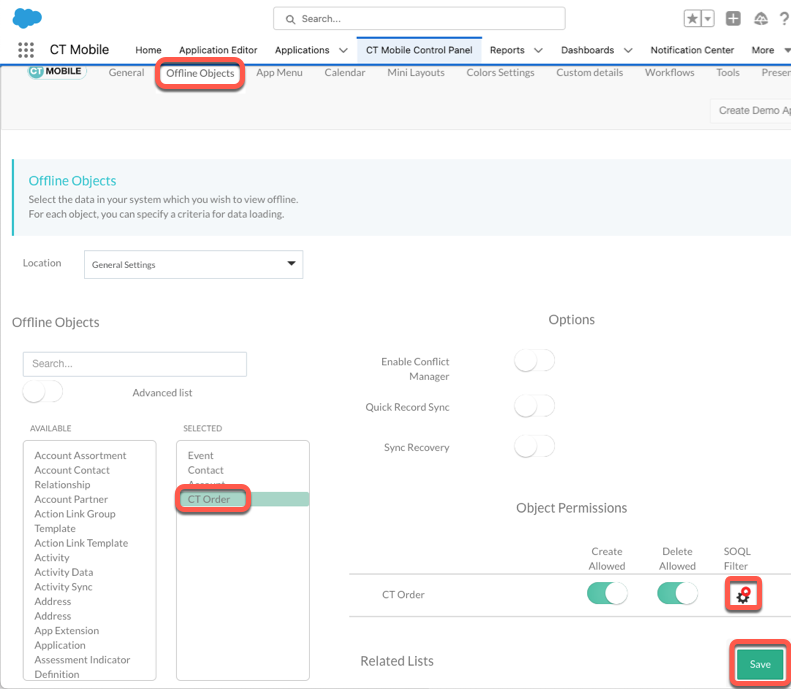
-
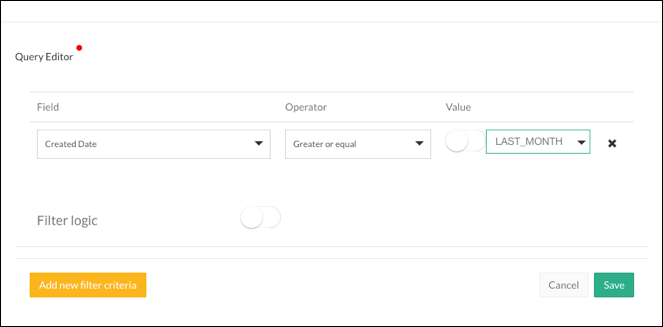
In the Query Editor window, add criteria:
-
Field: Created Date;
-
Operator: Greater or equal;
-
Value: LAST_MONTH.
-
-
Click Save in the Query Editor window and on the Offline objects page.
-
Launch Full Synchronization for the new filter to take effect.
-
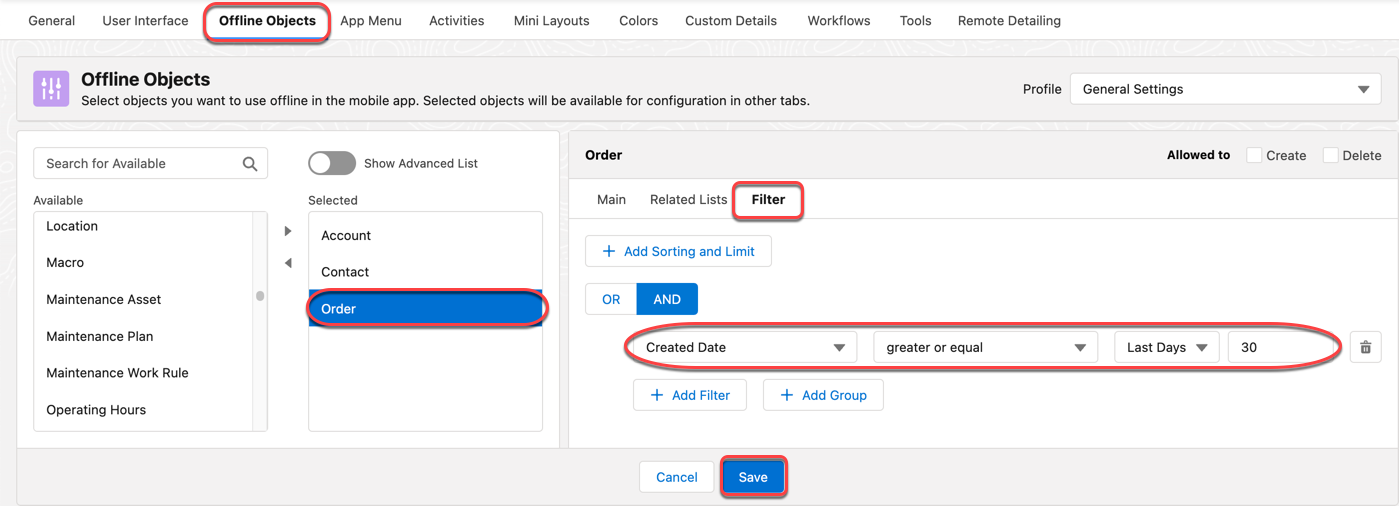
In the Selected list, click on CT Order object. If it is not in the Selected list, move it from the Available list.
-
Click the Filter tab and then Add Filter button.
-
Specify the following filter criterion:
-
Field: Created Date
-
Operator: greater or equal
-
Value: Last Days (30)
-
-
Click Save.
-
Launch Full Synchronization for the new filter to take effect.
Filtering Offline Orders Created in Specified Period and Specified Stage
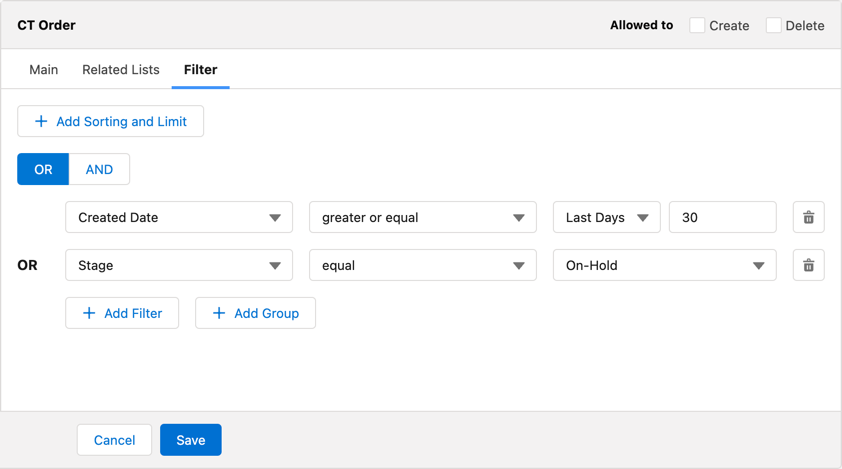
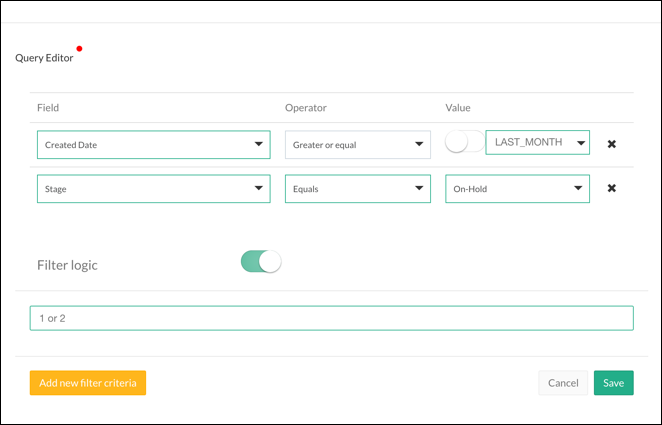
In this example, you need to synchronize only Offline Orders, which are created not earlier than in the current month plus Offline Orders in stage On-Hold disregarding their creation date:
-
In CT Mobile Control Panel
-
In CT Mobile Control Panel 2.0
-
Create the same filter as described in the previous example.
-
In the Query Editor window, add additional criteria:
-
Field: Stage
-
Operator: Equals
-
Value: On-Hold
-
-
Enable the Filter Logic.
-
In the field below, type 1 or 2.
-
Click Save in the Query Editor window and on the Offline objects page.
-
Launch Full Synchronization for the new filter to take effect.
-
Create the same filter as described in the previous example.
-
On the Filter tab, click Add Filter to add additional criteria:
-
Field: Stage
-
Operator: equal
-
Value: On-Hold
-
-
Switch logic to OR.
-
Click Save.
-
Launch Full Synchronization for the new filter to take effect.