Historical Activities
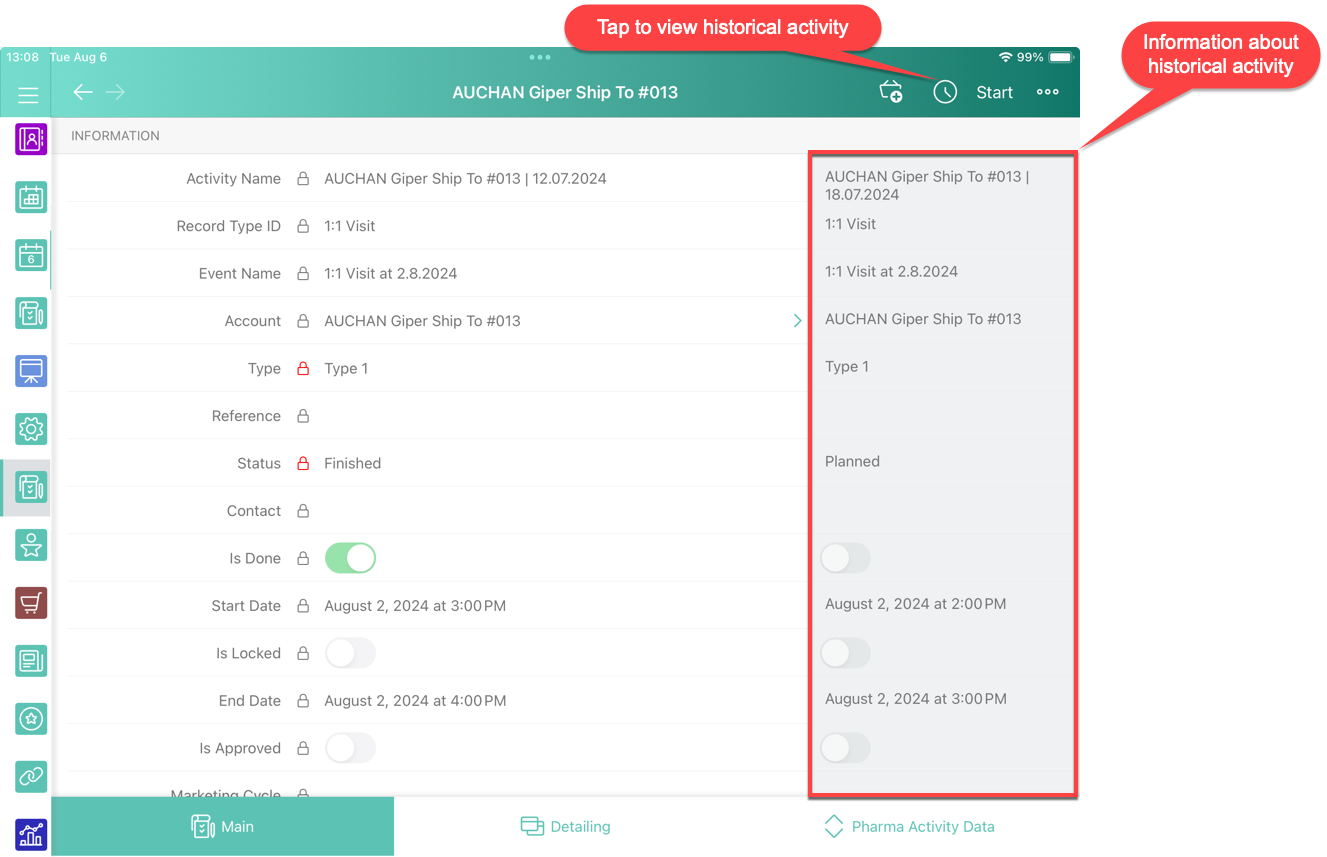
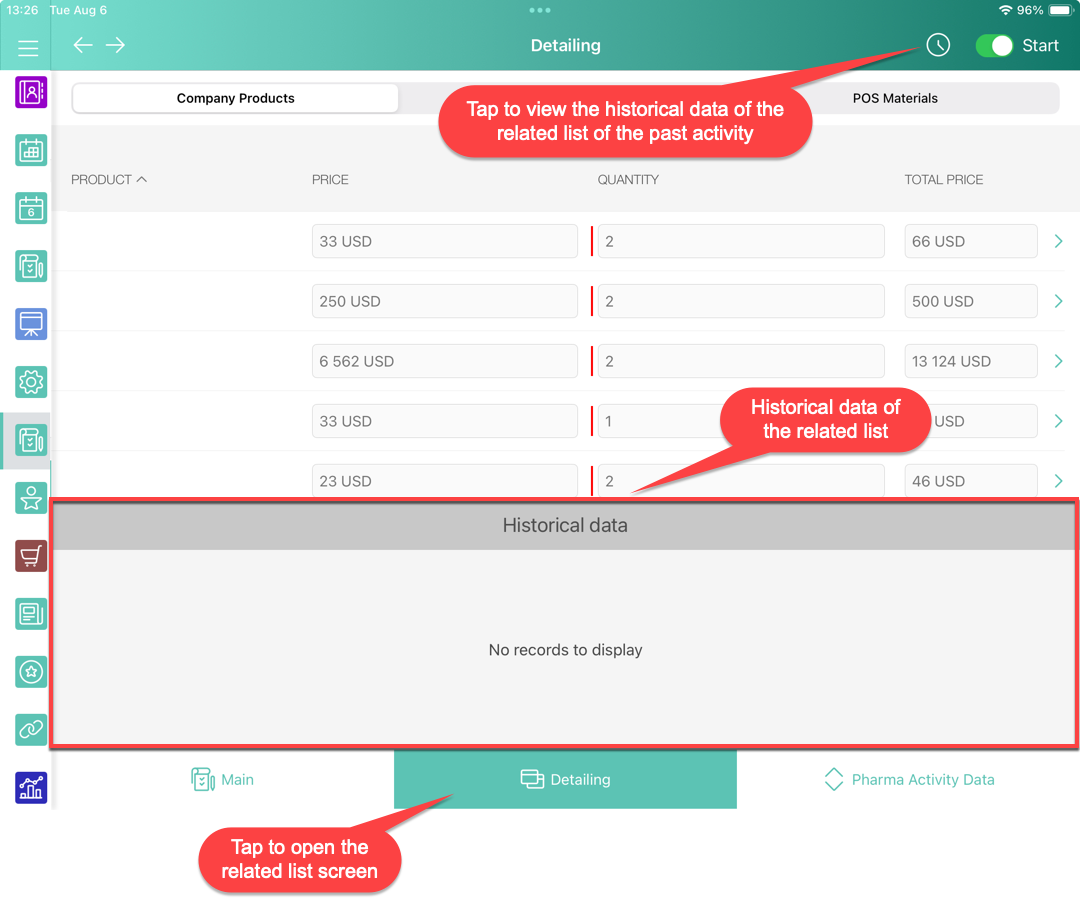
If the previous activities are related to the current one, view information on previous activities accessing it from the current Activity record screen.
The following rules are used as search criteria for historical data:
-
The same record type of Activity records.
-
The values of the required fields that were filled out on the mini layout are the same.
-
The start date of the historical activity is prior to that of the currently open one.
For the standard Event and Task objects, the historical activity will be searched following all the criteria listed above, as well as the values in the WhoId and WhatId fields if they are specified.
| Use the clm__ActivityDoneAPI__c attribute of Mobile Application Setup as a checkbox field to indicate that the activity has been completed. It can help with a possible cut-off of canceled or unfinished activities in the past. |
-
The Record screen
-
The Detailing tab