Dashboards
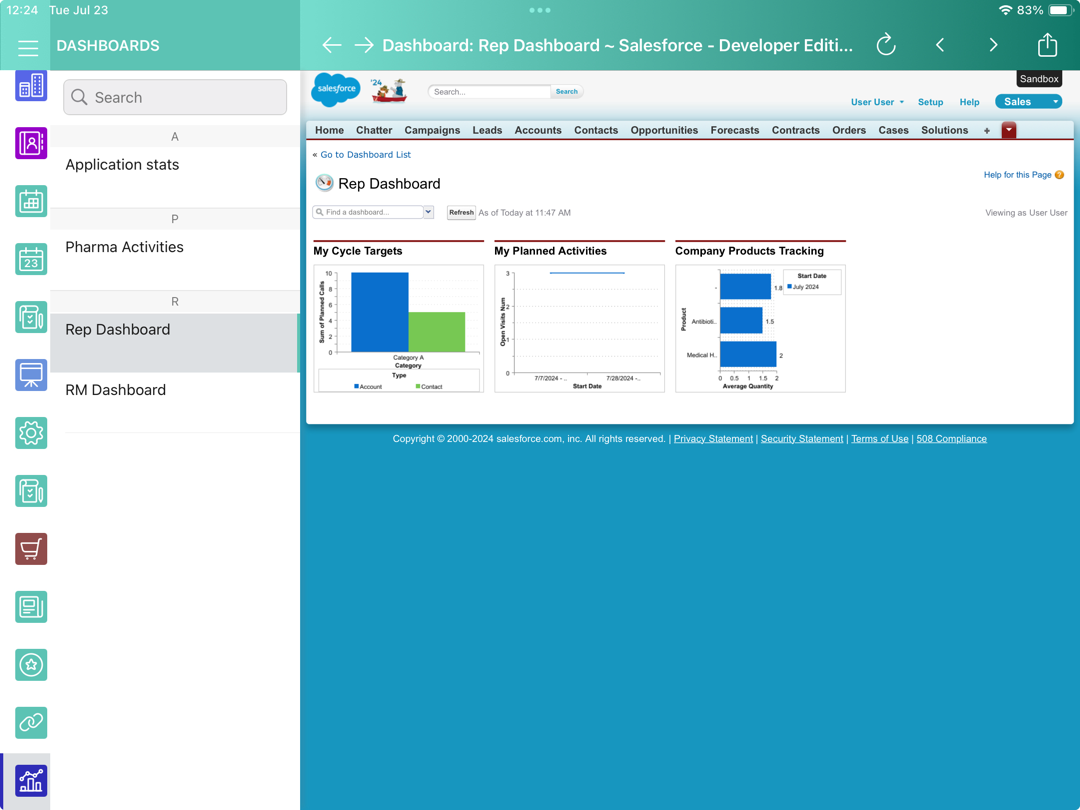
The Dashboards module allows viewing online dashboards available to the mobile user.
-
Dashboards display in the Lightning Experience or Salesforce Classic mode according to the selected mode for the mobile user in the Salesforce organization instance. To enable this option for CT Mobile versions below 2.3, contact the Customertimes team.
-
Using the Fiscal year criterion in filters and in reports and dashboards criteria is working as a Calendar year.
-
The availability of dashboards depends on the profile permission settings in Salesforce.
-
The mobile user can view the related report, as well as modify the report criteria.
-
Tap Refresh to update the dashboard.
-
Add the dashboard to the mobile layout.
Adding Dashboard to the Menu
To add the Dashboards module to the app menu:
-
In CT Mobile Control Panel
-
In CT Mobile Control Panel 2.0
-
Go to CT Mobile Control Panel: App Menu tab.
-
Select the required profile in the Location picklist. To apply settings to all the profiles, select General Settings.
-
Click the
 button to open the Add menu item tool.
 -
Select the Dashboards item.
-
Click Add to close the Add menu item tool.
-
Click Save.
-
Go to CT Mobile Control Panel 2.0: App Menu tab.
-
Select the required profile in the Profile picklist. To apply settings to all the profiles, select General Settings.
-
Click Show Module Menu.
-
On the All or Application Modules tab, select the Dashboard item.
-
Click Save.
The setup is complete.