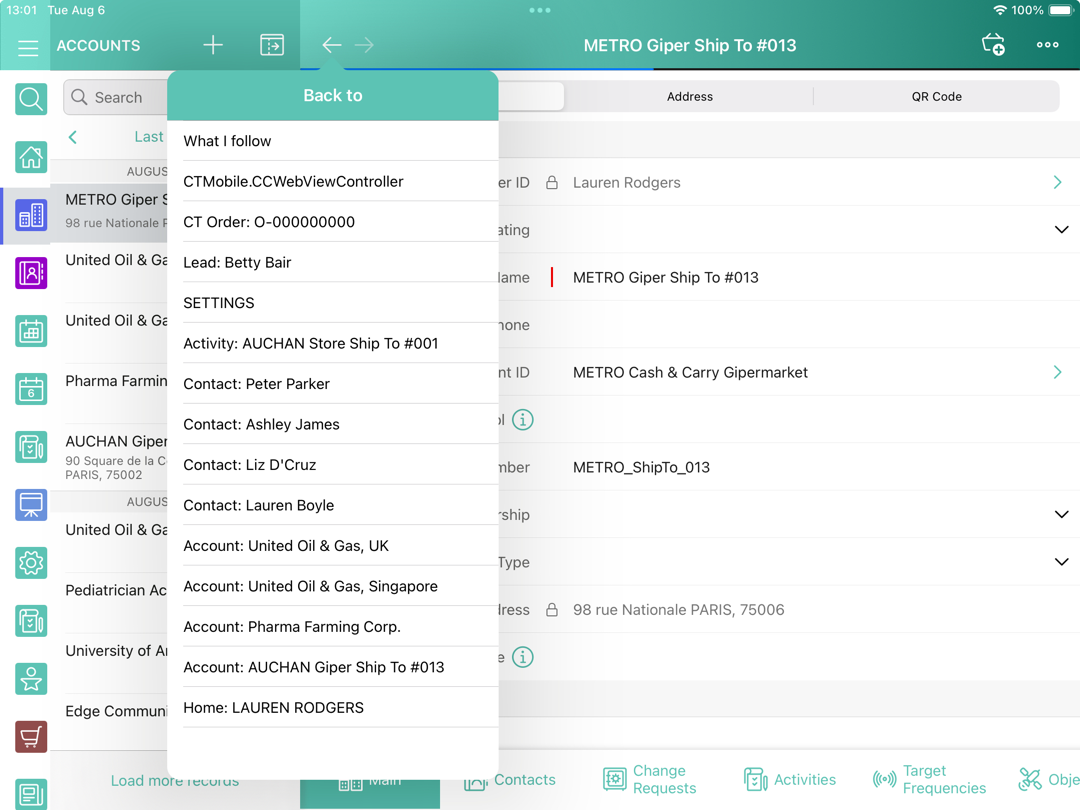
History Buttons
Use back and forward buttons to switch between screens.
-
Long tap the Back button to view the list of the previous screens.
-
Long tap the Forward button to view the list of the next screens.
-
Tap on a record in a list to move to the corresponding screen.
| The screens' history will be restored only after logging out. The sync processes do not affect the screens' history. |
You can move by buttons to the following screens:
-
Modules and menu items, for example, Home, Settings, Routes, etc.
-
Record screens, e.g.,Accounts, custom Activities, Tasks, etc.
-
Web view of the selected dashboard in the Dashboards module.
-
Web view of a link in the Links module.
-
CLM-presentations and tabs on the Applications module.
-
Files and folders on the Libraries module.
-
Feeds, groups, and people in the Chatter module.