CT Mobile Control Panel: Offline Objects
The Offline Objects tab is intended for managing offline objects and standard related lists.
According to the selected profile, settings on this tab will be saved in the records of the CTM Settings object with the Offline Objects and Standard Related List record type.
Click to view the interface
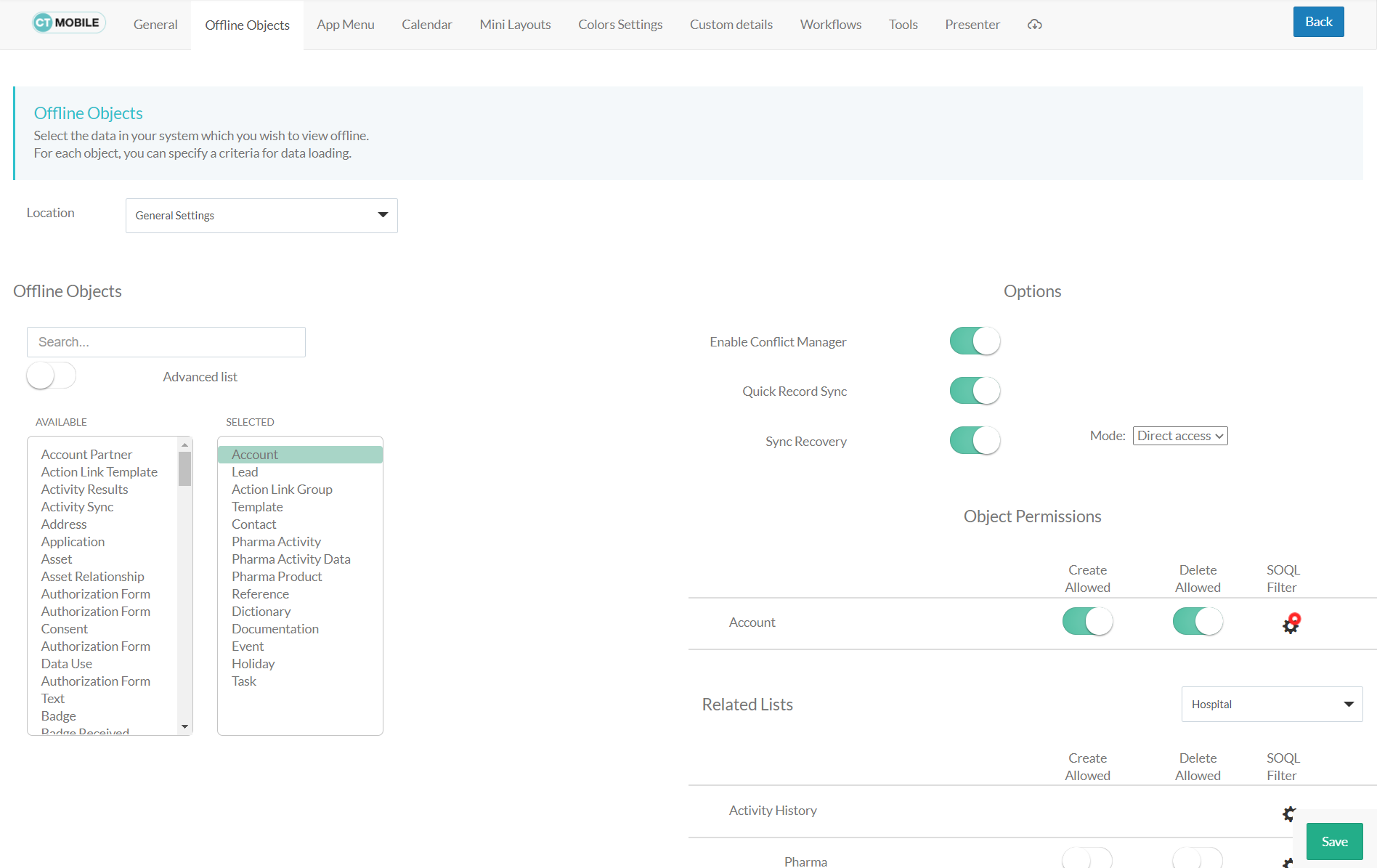
Location
Location is a picklist containing all configured and unconfigured profiles available in your Salesforce org. To apply settings to all the profiles, select General Settings.
To get started, select the desired profile in the Location field to configure it. To delete the configuration for the selected profile, click the  icon.
icon.
Offline Objects
-
Use the Advanced List option to display all objects in the Available list regardless of whether the object has a page layout.
-
Click the object name in the Selected list to set up the user’s permissions to work with this object and standard related lists.
Options
The options described below are not available for the number of CT Orders objects:
If turned on, the synchronization will result in an error.
Enable Conflict Manager
If enabled, the Conflict Manager will track changes made to the same record in CT Mobile and Salesforce. In the event of a conflict, the mobile user can choose which change to save.
Quick Record Sync
If enabled, a mobile user with the corresponding profile can sync a single record and its child records by applying the pull-to-refresh gesture on the record’s layout.
Sync Recovery
If enabled, records with errors will still be sent to Salesforce. Available values:
-
Empty value is set by default—Sync Recovery is disabled.
-
Use Direct access for pushing the changes directly to an object via the additional web service.
-
Use Proxy object for pushing the changes as a JSON file attached to the Sync Log record via the additional web service. In Salesforce, you can apply the custom logic for JSON files.
For more information, refer to Sync Recovery.
Object Permissions
Restrict the profile permissions to create or delete records of the desired offline object. Set up SOQL filters to download only the required records.
For more information, refer to Managing Offline Objects.
Related Lists
Restrict the profile permissions to create or delete records of the standard related lists that are added to the page layout of an offline object and available for the selected record type. Set up SOQL filters for using a toggle in the CT Mobile app to display all records or only records that match the criteria. Enable the timeline view instead of the standard view of standard related lists if needed.
For more information, refer to Managing Offline Objects. Also, get familiar with the information in the Standard Related Lists article.
To set up custom related lists of an offline object, go to CT Mobile Control Panel: Custom details.
See also: