Google Maps API Key
A Google Maps API key is a unique identifier used to authenticate a project making a call to the enabled API or SDK.
For building routes and displaying nearby accounts in the CT Mobile app, specify the Google Maps API key according to your device platform on the CT Mobile Control Panel: General / CT Mobile Control Panel 2.0: General tab. To obtain the Google Maps API key, go to Google Cloud Platform Console:
Create a Billing Account
Before you start using the Google Maps Platform APIs and SDKs:
-
sign in if you already have a billing account;
-
sign up and create a billing account if you are a new user.
To create a billing account, go to step 1 of the Get Started with Google Maps Platform guide or refer to the video How to create and attach a billing account to a Google Cloud Platform project.
It is possible to create, modify, or close your Cloud Billing Account and to have several billing accounts.
Create a Project
The project is the basis for managing services, credentials, billing, APIs, and SDKs. Project usage costs (for Google Cloud Platform and Google Maps Platform products) will be charged to the billing account linked with the project.
To create a project, go to step 2 of the Get Started with Google Maps Platform guide, or follow the instructions here.
It is possible to assign or remove a billing account for the existing project.
Enable APIs and SDKs
To use Google Maps Platform, the APIs or SDKs you plan to use with your project should be specified.
| Please note that Google has pay-as-you-go pricing. |
To enable APIs and SDKs, go to step 3 of the Get Started with Google Maps Platform guide, refer to the video How to enable Google Maps Platform APIs and SDKs, or follow the instructions here.
The following are required for using Google Maps on iOS devices:
-
Maps SDK for iOS
The following are required for using Google Maps in Geolocation Center in Salesforce:
-
Directions API
-
Geocoding API
Waypoint Limits
-
Maximum allowed number of waypoints per request: 25
-
Using 1–10 waypoints is billed at the Directions SKU rate.
-
Using more than 10 waypoints (11–25) is billed at the Directions Advanced SKU rate and can be configured for custom CT Mobile apps only.
-
50 requests per second, calculated as the sum of client-side and server-side queries.
-
Get an API Key
For using APIs and SDKs, it is necessary to obtain a Google Maps API key. To get, add, and restrict the API key, go to step 4 of the Get Started with Google Maps Platform guide, refer to the video How to generate and restrict API keys for Google Maps Platform, or follow instructions here for iOS devices and here for web sites.
| API key is unique for each bundle ID. |
Google recommends restricting the API key. Restrictions provide added security and help ensure only authorized requests are made with your API key.
| Since Google changed the restriction settings, and now users cannot restrict Directions API by using the bundle identifier, we kindly ask you not to set any restrictions in order to be able to build routes in the CT Mobile app. |
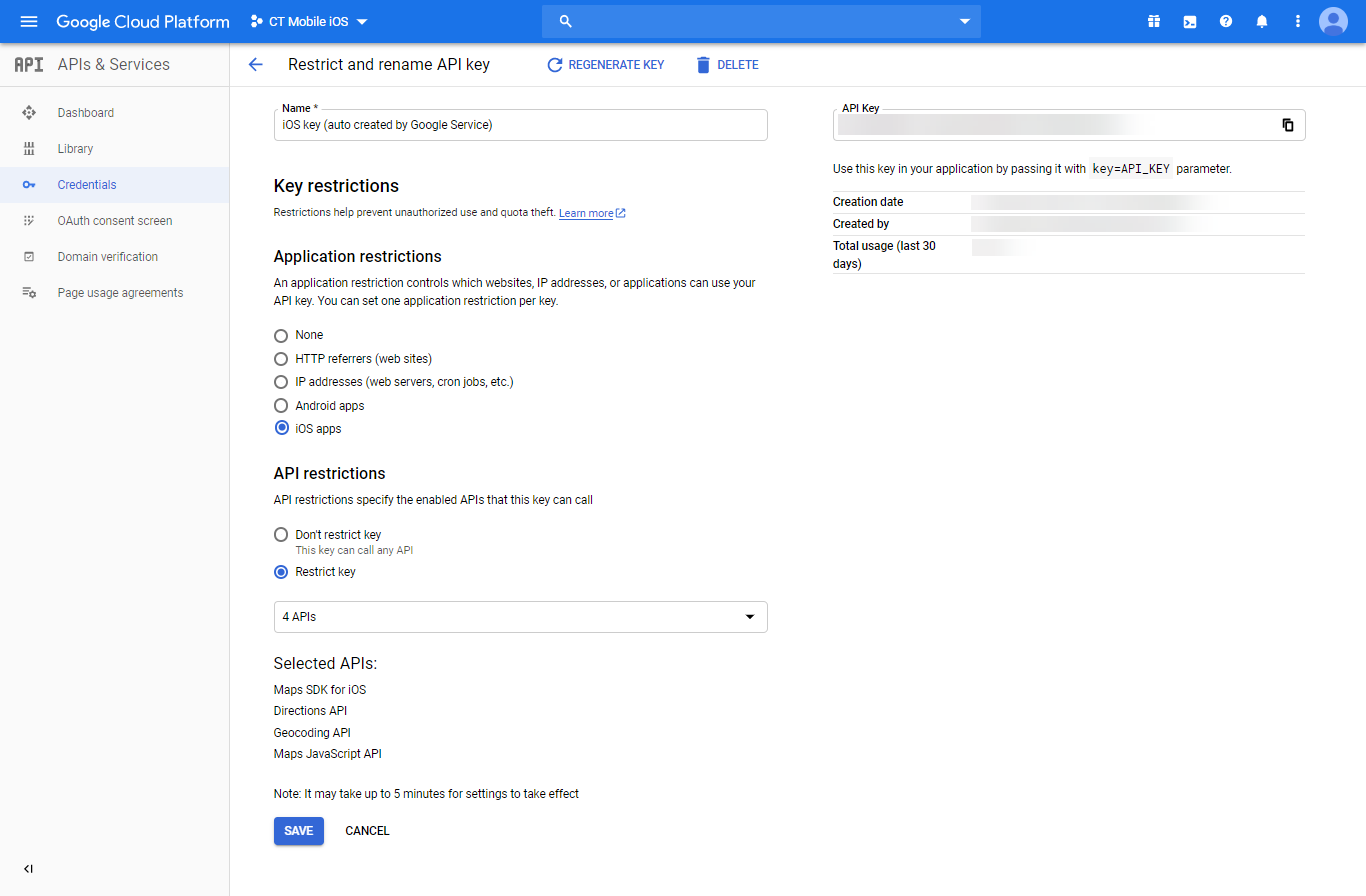
Select the condition and APIs to restrict the Google Maps API key.
-
Application restrictions:
-
None, if the restrictions are not applied.
-
HTTP referrers (websites). Accept requests from the list of websites that you supply.
-
IP Addresses (web services, cron jobs, etc.). Accept requests from the list of web server IP addresses that you supply.
-
Android apps. Require package name and SHA-1 signing certificate fingerprint to restrict usage to Android applications.
-
iOS apps. Accept requests from the iOS applications with the bundle identifier that is supplied.
If you need to enforce more than one restriction, add a separate key with the required restriction.
-
-
API restrictions
API restrictions limit the usage of the API key to one or more APIs or SDKs. Requests to an API or SDK not associated with the API key will fail.
The setup is complete. Now, you can use your Google Maps API Key to build routes and find nearby accounts in the CT Mobile app.
Here is an example for iOS devices: