Compact Layout
The compact layout is a standard Salesforce functionality of Salesforce to customize the record field display in the Salesforce mobile app and Lightning Experience.
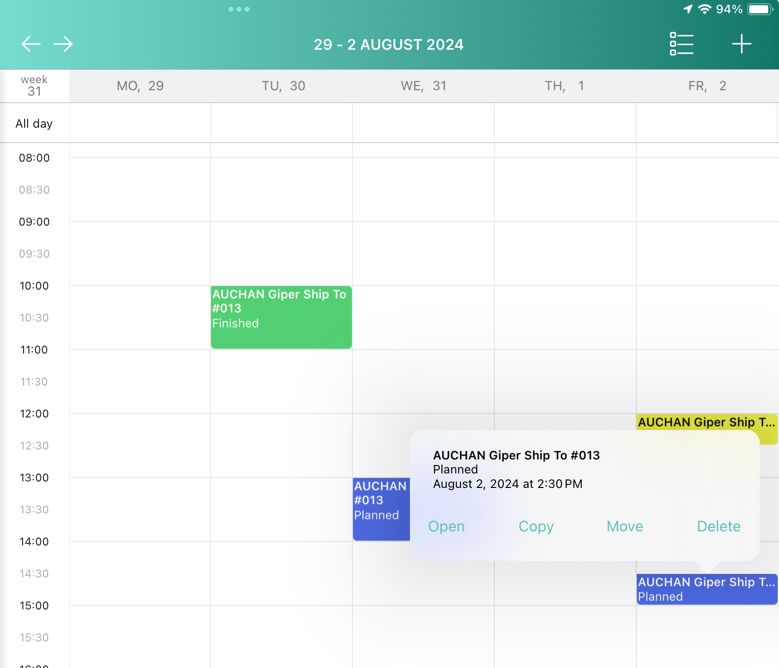
CT Mobile app uses compact layouts to form the title and subtitle of records in the related lists, for example, in the Calendar and Routes modules or on the Errors screen.
The record title is the value of the first field in a compact layout, and the subtitle is the value of the second field in the compact layout, except for:
-
If the first field has no value, the title is generated by the value in the field with the NameField=true attribute.
-
If a user has no access to fields of the assigned compact layout, the title is generated by the value in the field with the NameField=true attribute.
-
If the field with the NameField=true attribute has no value, the title is generated by its ID (Salesforce ID or temporary ID in the application).
Also, when a user taps on an Activity record on the calendar grid, values of all fields, which have been added to the assigned compact layout, will be displayed in the pop-up.
| Since version 3.0, 3 first fields configured in compact layout are displayed for each record on the left list of records and for activity records on the calendar grid and in the pop-up. |