Connecting to Web Service and Price Calculation (7.0)
| This setting is global for the instance. |
Set up the sync process to send the master data and keep it up-to-date on the Web Service side:
-
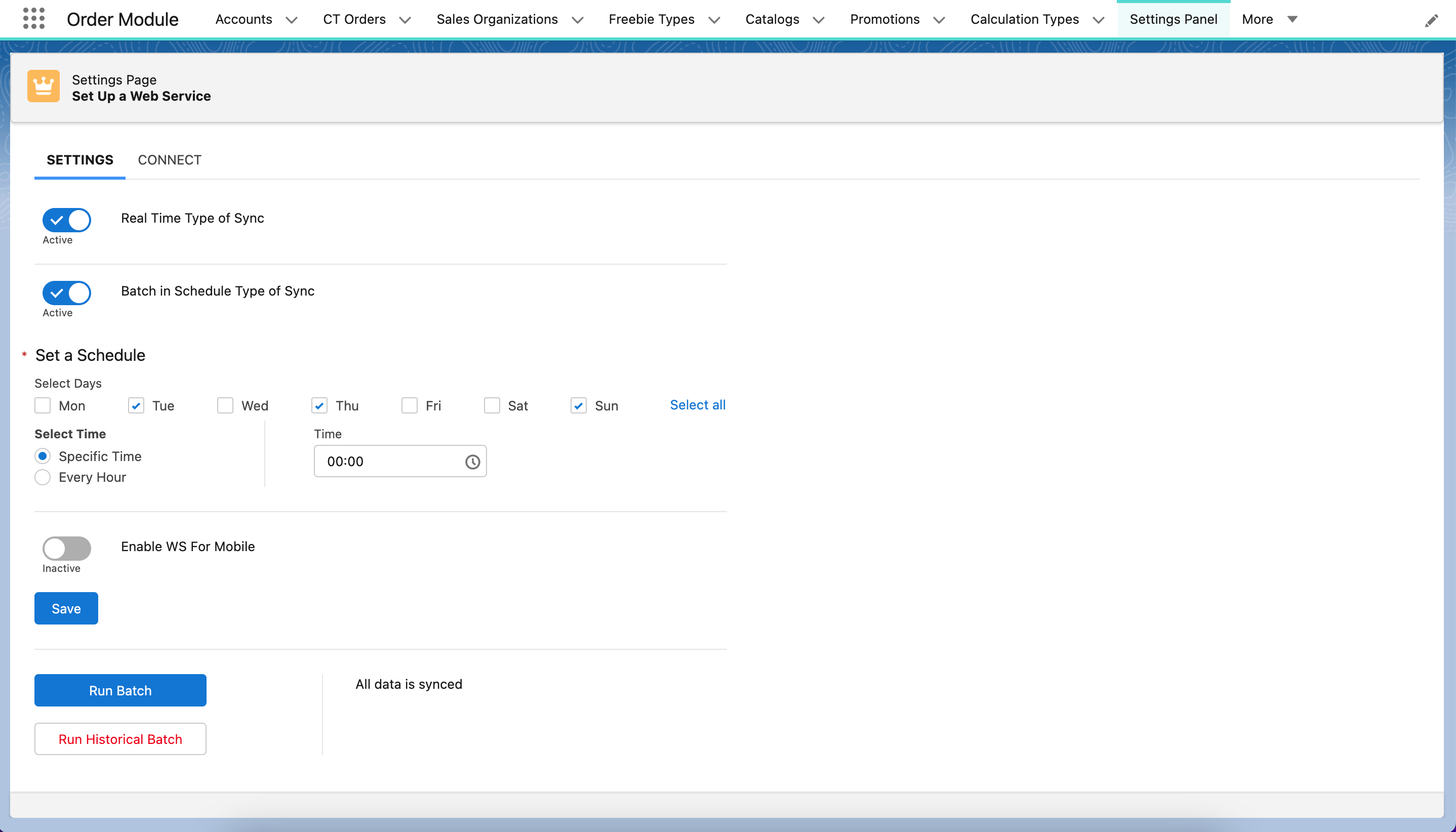
Go to the Settings Panel page and open the Settings tab.
-
Activate one or more of the methods to sync master data.
A warning will be displayed If you haven’t enough permissions. The required permissions are listed here. -
Select Real Time Type of Sync.
-
Select Batch in Schedule Type of Sync and set a schedule.
-
Select Enable WS for Mobile if you use new functionalities in offline orders.
-
Click Run Batch.
-
Click Run Historical Batch to send all master data.
-
-
Click Save.
Setting up master data transfer is complete.