Adding Delivery Restrictions to an Order (1.0)
Set up limits for each order type that you configured for the default Sales Organization:
-
Go to Settings and click New.
-
In the New OM Setting window select Limit Setting.
-
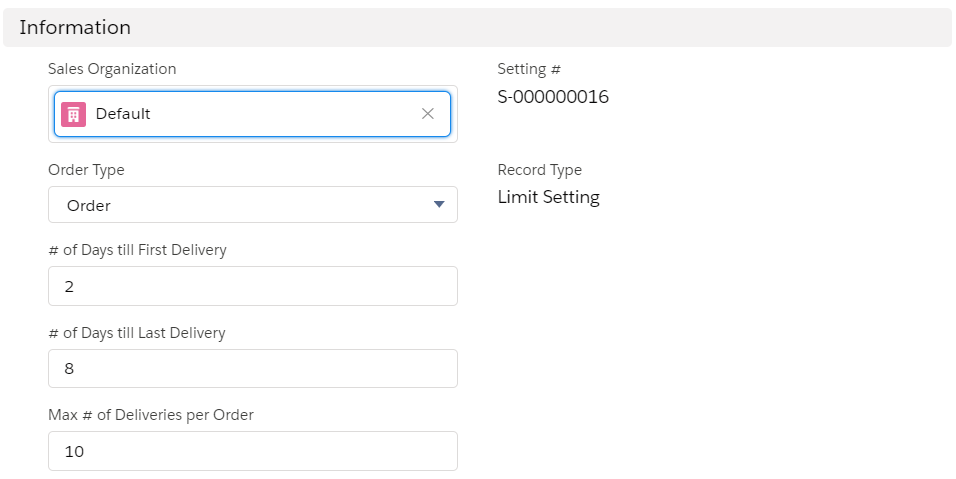
Configure limits:
-
In the Sales Organization field, select Default.
-
In the Order Type picklist, select Order.
-
Specify the number of days till the first and last delivery in order.
-
Specify the maximum number of deliveries per order.
-
-
Click Save.
The limits are configured.