Creating an Order (1.0)
To create a basic order in CT Orders:
-
Go to the CT Orders tab and click New.
-
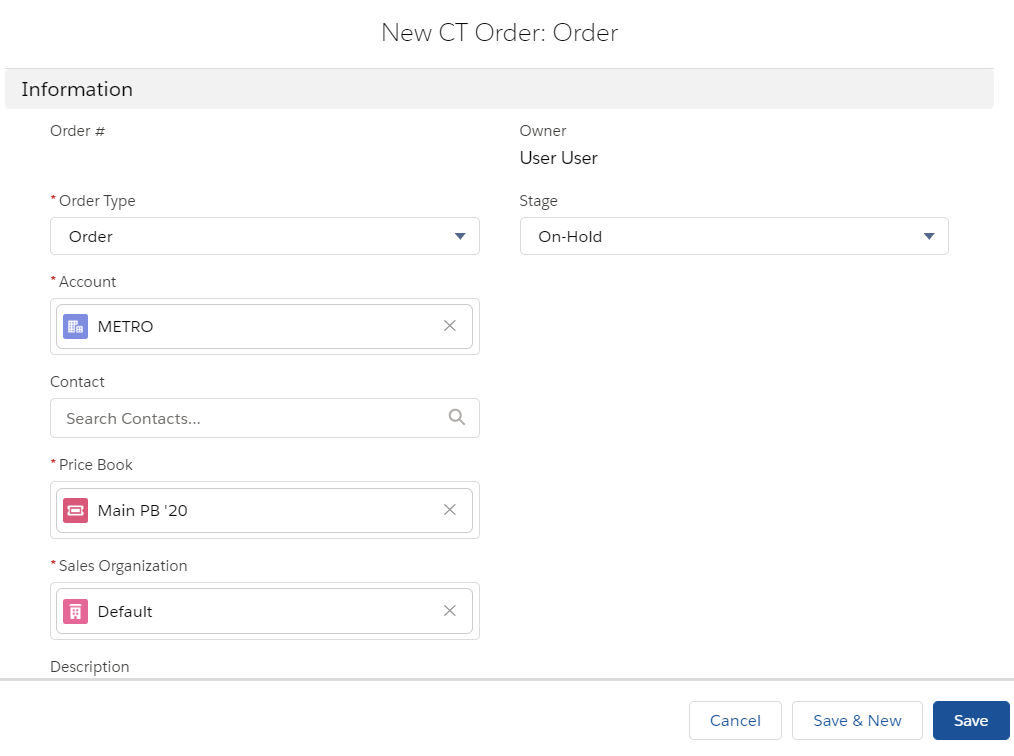
Complete the form as follows:
-
Select Order as the Order Type.
-
Select METRO account.
-
Select the Main PB '20 price book.
-
Select Default organization.
-
Set the order to On-hold.
-
-
Click Save.
-
On the CT Order tab, click on the newly created order.
-
On the selected CT Order page, click Edit Cart.
-
Expand the Dairy Product catalog on the left side, select 4 products for which you created Price Book Line Items, and click Add.
-
Click Save Draft.
The order is created. Next, specify delivery dates and the number of CT Products in each delivery.