Defining Discount Rate: Levels (2.1)
Now you need to specify the number of products per each level with different discount rates.
-
On the created Condition page, click New in the Condition Levels section.
-
Add the first level with the following values:
-
Starting From: 50.
-
Discount Rate: 3%.
-
-
Click Save.
-
Add the second level with the following values:
-
Starting From: 250.
-
Discount Rate: 5%.
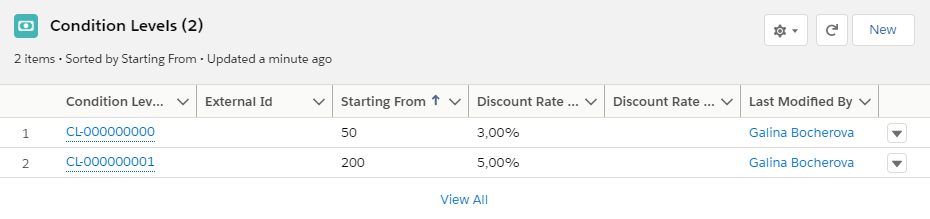
-
-
Click Save.
The setup is complete.