Info Icon
| Available for Salesforce users only. |
Use SDK to add a dedicated icon with additional information to the order layout to display with the embedded HTML or open a new window with its own URL. Though the information displayed in the info icon can contain any kind of interactive data, it cannot be used in calculation processes.
To set up a new custom info icon, create an OM Settings record with the SDK Setting record type. For more information, refer to SDK Setting Field Reference.
-
The SDK Type field determines the display position of the icon and the display of a different HTML, while the Icon field is a specified icon that can be picked from the Utility Icons set of the Salesforce Lightning Design System.
-
Specify one of the following in the SDK Type field to display icon in the desired place on the order layout:
If there are no records, for example, a catalog without products, the Info icon will be displayed next to it anyway. SDK Type Description Object Displayed Format getPromotionLineItemInfoIcon
Displays the icon with the product information next to the promotion product that hasn’t been added to the order cart.
Promotion Line Item
-
HTML
-
URL
getPromotionInfoIcon
Displays the icon with the information for the promotion.
Promotion
getOrderLineItemInfoIcon
Displays the icon with the product information next to each product already added to the order cart.
-
Order Line Item
-
Delivery Line Item
-
Order
-
Delivery
-
Calculation Discount
getOrderInfoIcon
Displays the icon with information for the Order.
Order
getCatalogLineItemInfoIcon
Displays the icon with the product information next to the product in the catalog that hasn’t been added to the order cart.
Catalog Line Item
getCatalogInfoIcon
Displays the icon with information for the catalogs and sub-catalogs.
Catalog
-
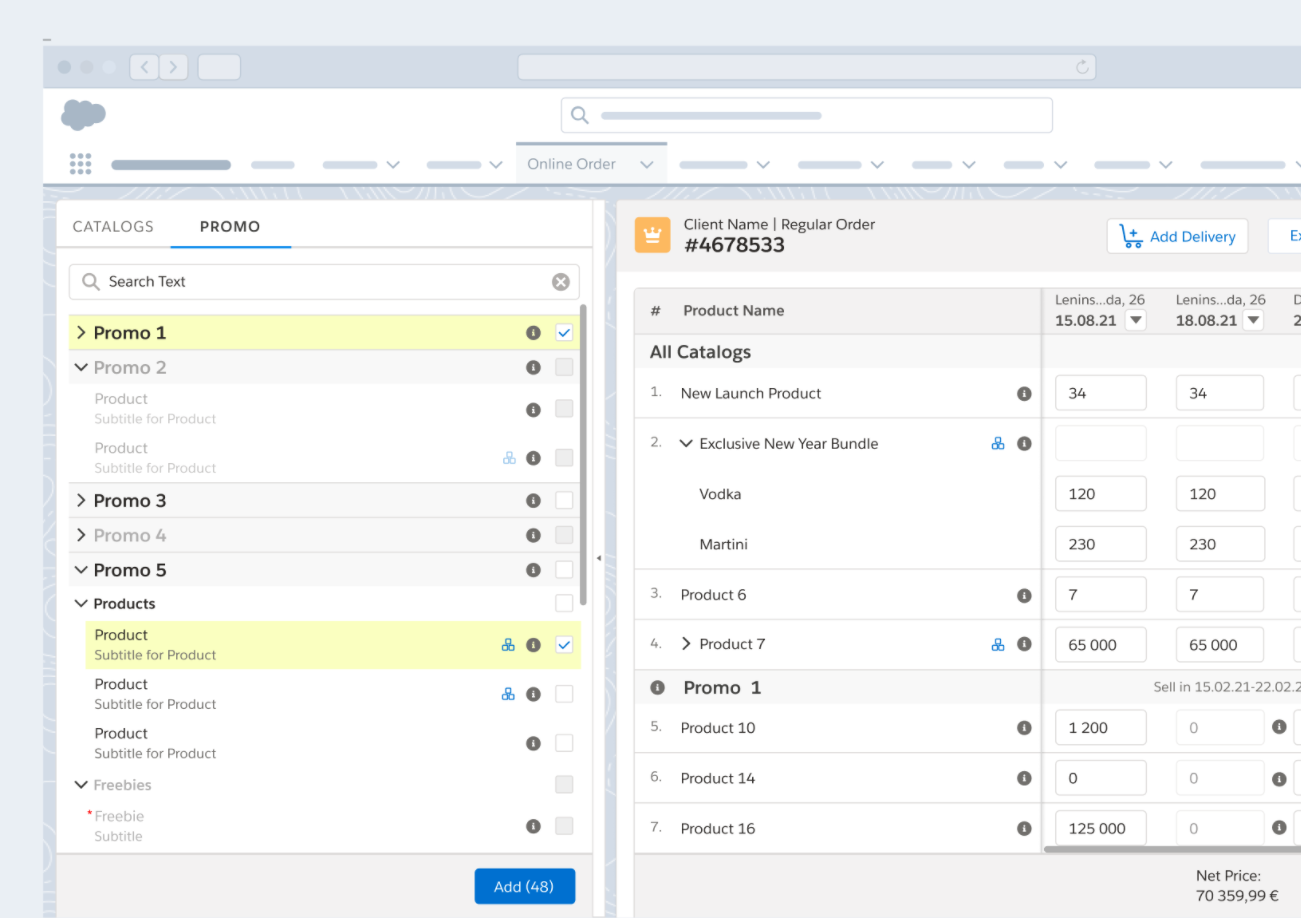
For example, the info icon from the Utility Icon set on the order layout:
See also: