Adding a Condition (2.1)
Next, you need to set the conditions that will be used by the system to determine if the discount should be calculated for the order.
-
On the created Condition Group page, click New in the Conditions section. The New Condition window will pop up.
-
Complete the form as follows:
-
Condition Group: select a Condition Group you created.
Start entering the Condition Group name or copy-paste it into the search field. -
Calculation type: Client Based.
-
Order: enter the product amount to grant a discount for the order.
-
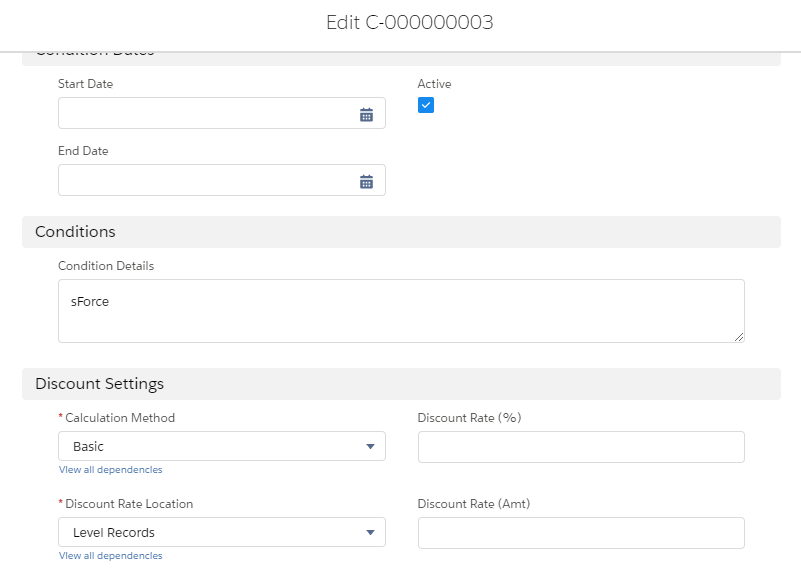
Active: select the checkbox.
-
Condition Details: enter the name of the account for which you want to grant a discount.
-
Discount Settings section:
-
Discount Rate Location: Level Records.
-
Calculation Method: Basic.
-
-
-
Click Save.
The setup is complete.