How to Create a Promotion
To create a Promotion:
-
Go to Promotions and click New. The New Promotion window pops up.
-
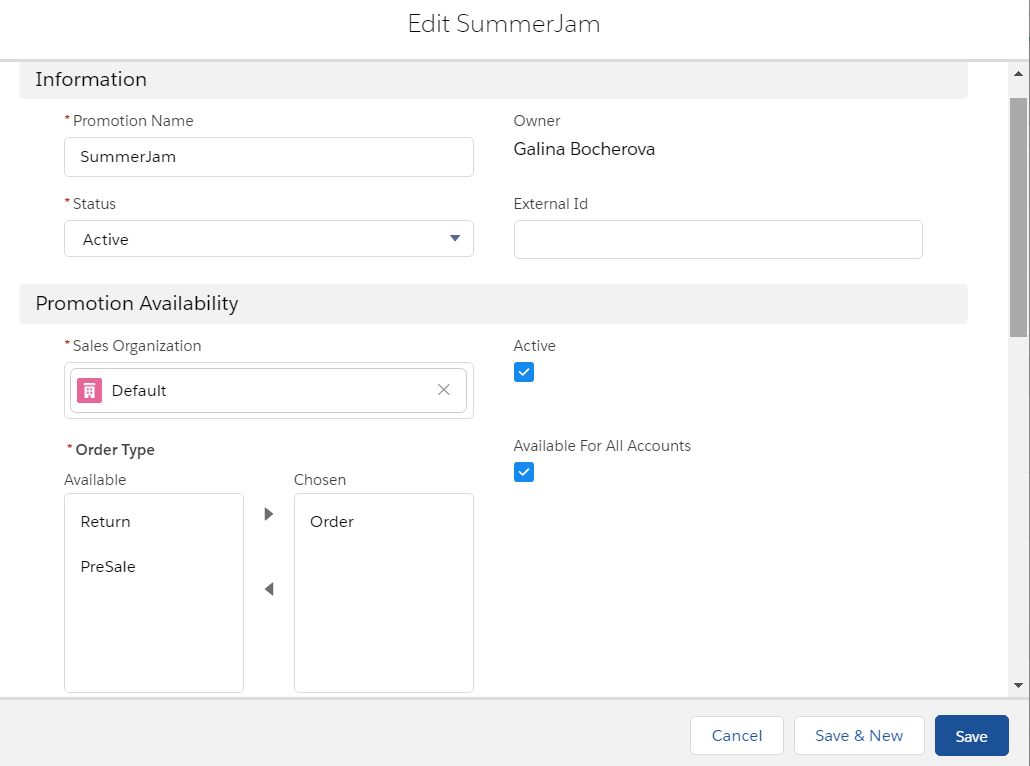
Complete the form as follows:
-
In the Information section:
-
specify Promotion Name;
-
select the Active status to enable the Promotion after creation.
-
-
In the Promotion Availability section:
-
select the required Sales Organization;
-
select Order from the available Order Types;
-
select Active and (optionally) Available For All Accounts checkboxes;
-
select Promo as a Calculation Type.
-
-
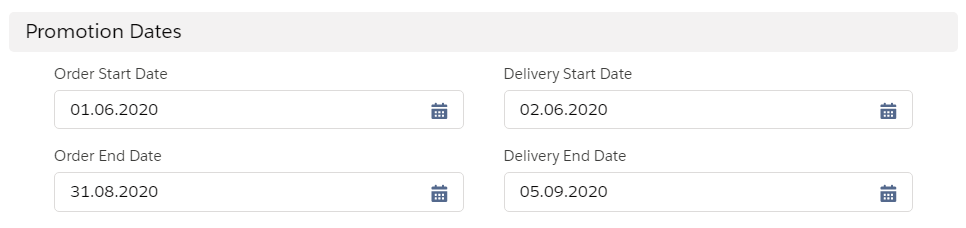
Set up the Promotion Dates for ordering and delivery within the desired period:
-
-
Click Save.