Freebies Management
Freebie is a free-of-charge product that can be granted for products added from Catalogs or Promotions and added to the order cart as a gift when a customer meets the conditions for receiving freebies for a set of paid products.
Freebies are added or removed from the cart manually by a sales rep during the order creation process.
To use freebies, create a lookup to CT Product from the Freebie Line Item object and check that the freebie product is active and has Price Book Line Item records.
| Bundles can also be added as freebies, excluding those with Set Quantity On = Header. |
Freebie Type Record Types
CT Orders provides two record types of Freebie Type:
-
Prioritized
The system applies Freebie Condition records that have the lowest or highest order number among multiple records that match the criteria.
-
Selective
The system applies all Freebie Condition records that match the criteria.
| Only one selective and one priority Freebie Type record can be used for one Sales Organization at a time. It is recommended to avoid linking two records of the same Freebie Type with one Sales Organization to avoid incorrect freebie calculations. |
The Freebie Type window page has the main information (1) of the current Freebie Type record and related Freebie Condition (2) and Sales Organization (3) records.
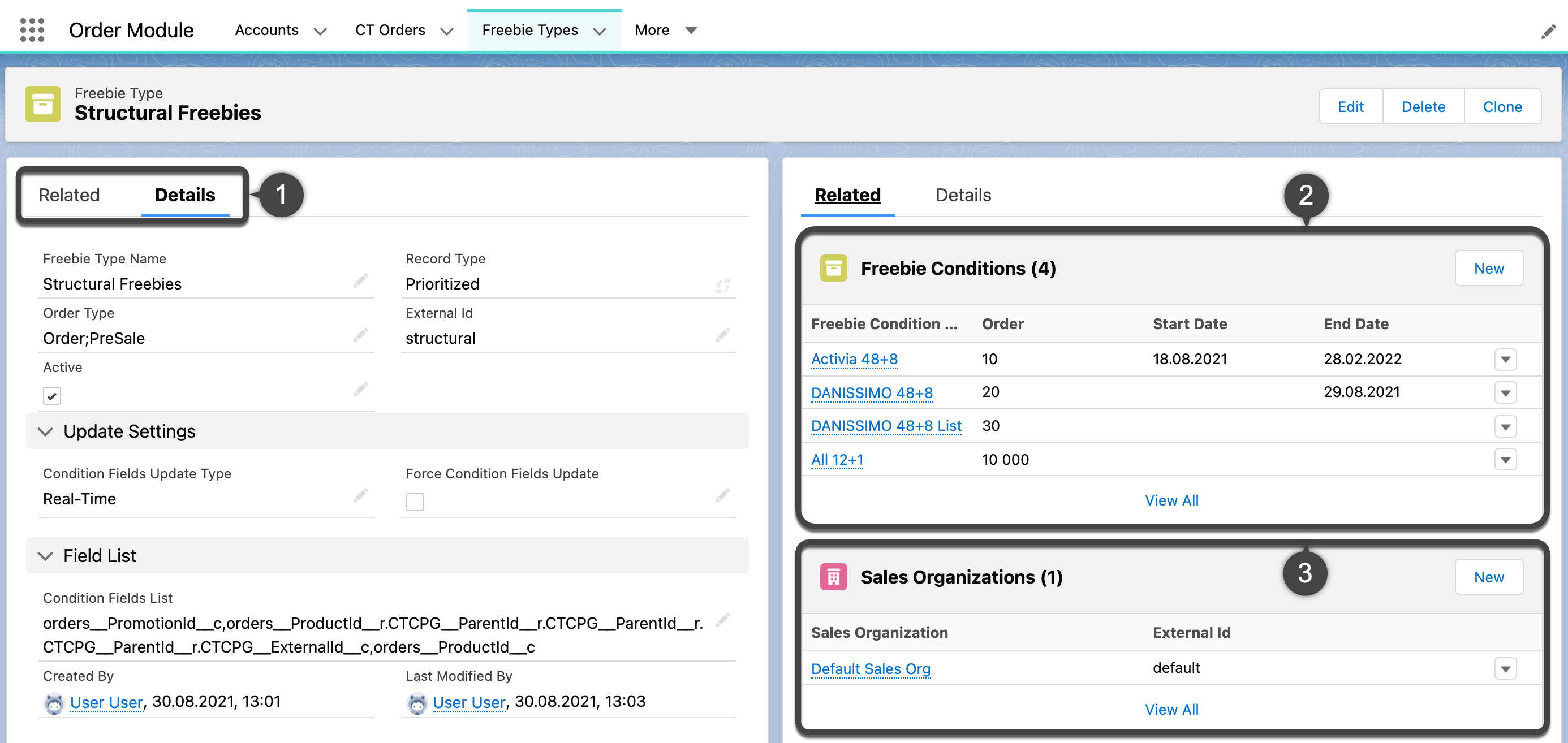
Each Freebie Type includes a set of conditions that should be applied to calculate the number of freebies available for each order. Freebies are added to the order cart depending on a principle selected in the Adding Method field:
-
Similar
The same product for which the condition is applied will be granted as a freebie.
-
Criteria Based
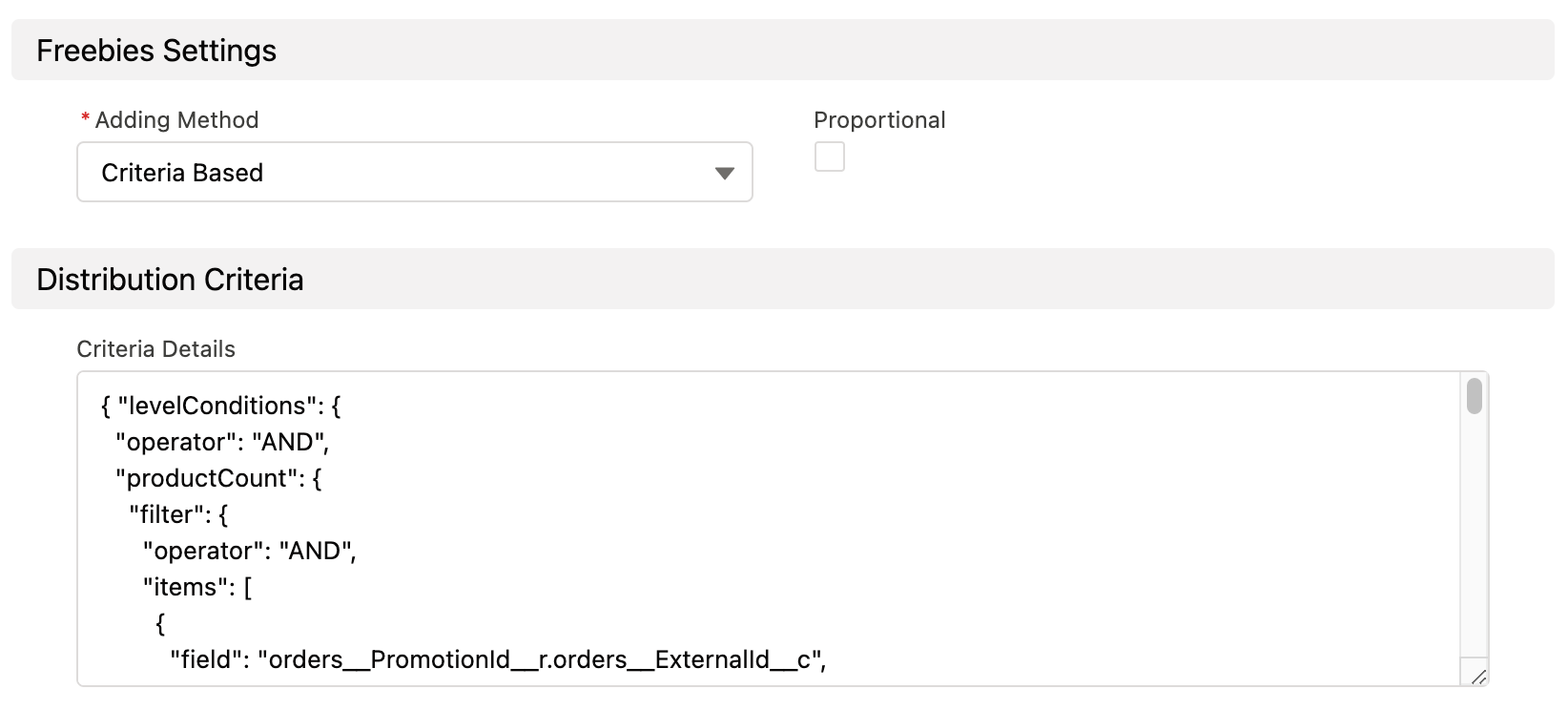
Apply if you want to grant a product specified with SOQL filter considering all conditions for the selected Freebie Type record, for example, only products of a specified brand.
-
List Based
Apply when you want to grant a specific product selected on the Freebie Line Item record related to a Freebie Condition.
It is possible to set quantity on a Product record, while for other methods you can only set the minimum or maximum quantity on their respective levels.
Freebies Calculation Process
The calculation process for freebies is similar to the Discount Calculation process. The rules which are used for calculation are manifested in the Freebie Condition child records and filtered and applied one by one in a distinct order.
-
Create a new order and add a required number of products to your cart.
-
The system checks the mapping on the Settings record with the Object Setting record type to determine the object which contains the product Quantity field.
-
The system checks if Freebie Type records exist for the Sales Organization and specified Order Type.
The Freebie Condition record for the applied Freebie Type must have at least one Freebie Level record. -
The system checks that all fields in the Condition Fields List field (on the applied Freebie Type) are accessible for a current user. If at least one field is not accessible, freebies will not be available for the order.
The Condition Fields List field is filled out automatically with the values pulled from the Condition Details fields on the Freebie Condition child records. The field update is performed in one of two possible ways, depending on the option selected in the Condition Fields Update Type field.
Formula fields requiring recalculation during order management are not supported. -
After a Freebie Type is successfully processed, the system analyzes each Freebie Condition record related to the Freebie Type:
-
The system checks Freebie Level and Freebie Line Item (only for the List Based method) records.
-
A list of products granting freebies is compiled from suitable Order Line Items.
-
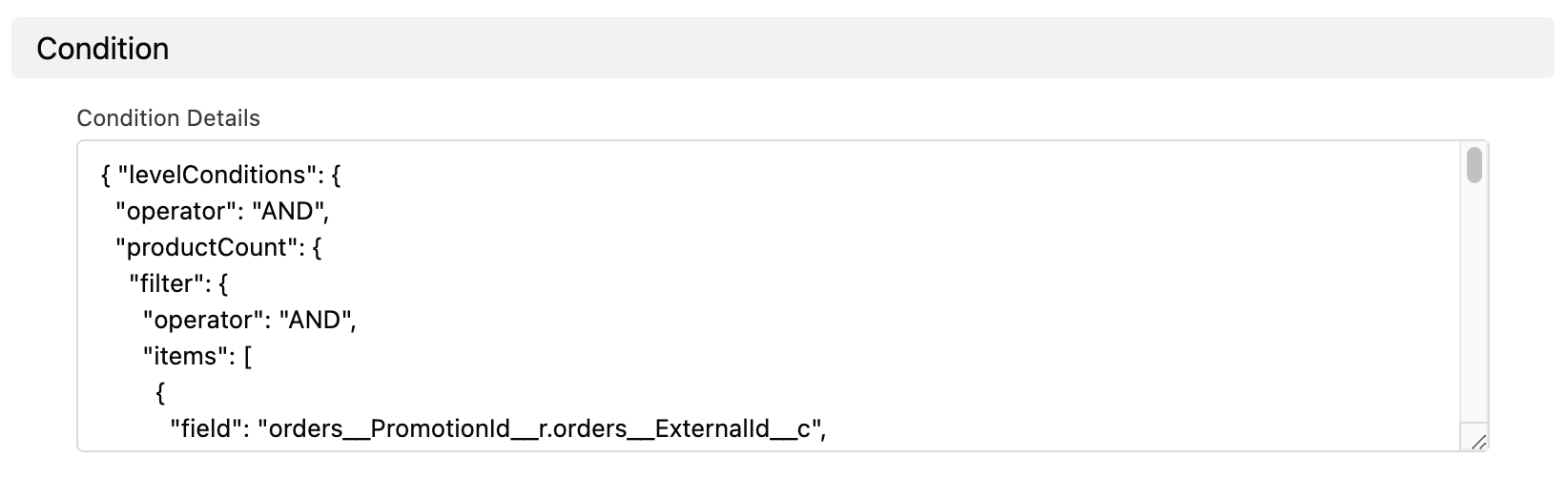
The Condition Details field on the Freebie Condition record is parsed.
If a Criteria Based method is selected for this Freebie Condition, the Criteria Details field is parsed.
-
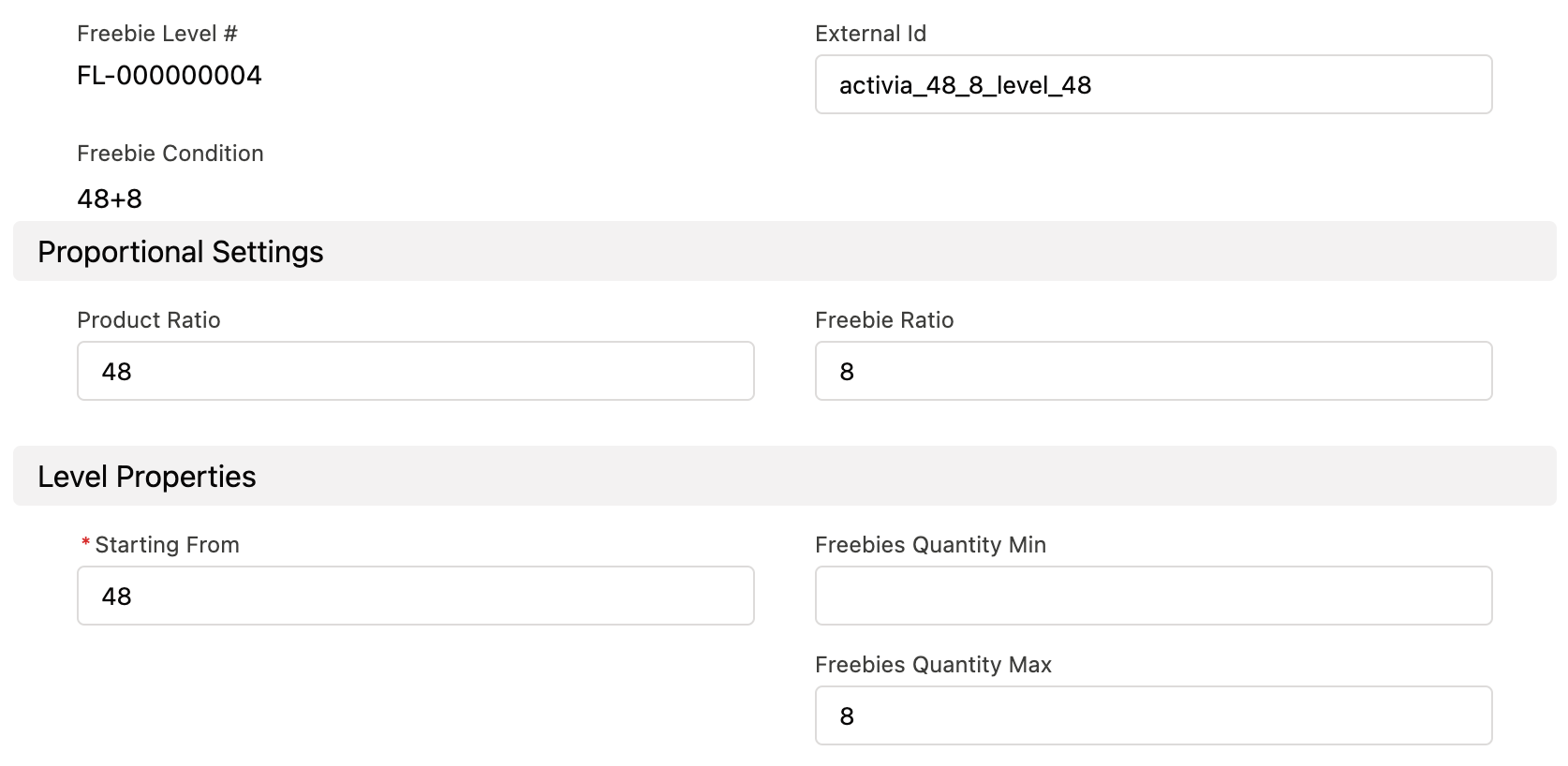
All Freebie Level child records are analyzed. If no Freebie Level record is found for a condition, this Freebie Condition will be skipped.
-
Processing records with the Similar Adding Method
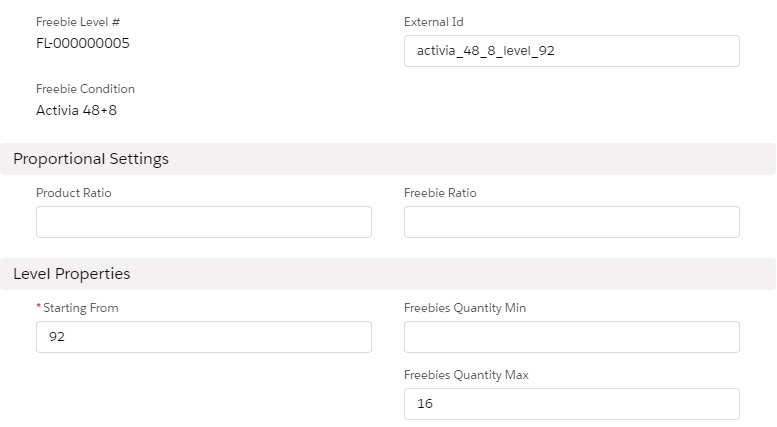
Freebies quantity is set based on the values in the Freebies Quantity Min and Freebies Quantity Max field on a Freebie Level. If the Proportional checkbox is selected, the Product Ratio and Freebie Ratio fields are considered in the calculation.
The Freebie Ratio field defines the maximum number of freebies available for a number of products that are already in your cart. Meanwhile, Freebies Quantity Max specifies the number of freebies for the whole level.
A freebie is granted when the number of paid products in the order cart reaches the value specified in the Starting From field. For this method, products for each Freebie Level are calculated separately for each paid product that matches the conditions in the Condition Details field.
Processing Records with List Based Adding Method
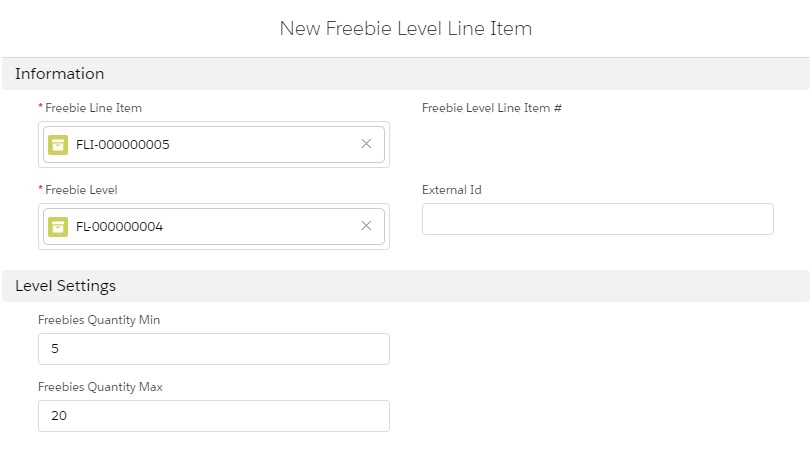
An additional Freebie Line Item record should be created for each product you want to grant as a freebie. The freebie is specified in the Product field. In the Freebie Level field, you can also define if the freebies should be calculated proportionally or by maximum and minimum values.
The product quantity and proportionality are defined on Freebie Level records the same way as for other methods. You can set a quantity of each freebie for each level by adding Freebie Level Line Items.
Products for each Freebie Level are calculated per group of products that match the conditions in the Condition Details field.
Processing Records with Criteria Based Adding Method
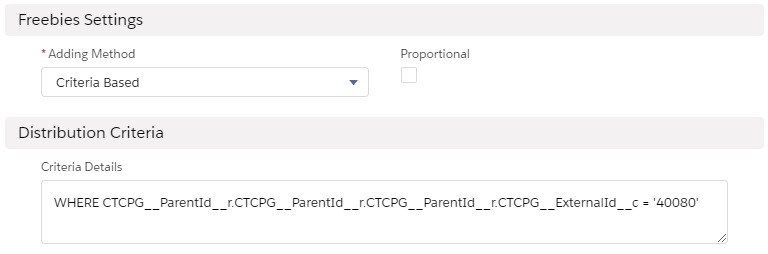
This adding method calculation resembles a Similar method, but the list of products that can be granted as freebies is taken from the Criteria Details field.
The SOQL request for the CT Product object provides a dynamic search among the specified object records and other related objects with fields of the Lookup type to CT Product. The system compiles a list of all products that matched the criteria. For this method, products for each Freebie Level are calculated per group of products that match the conditions in the Condition Details field.
Freebies Distribution
Auto-update
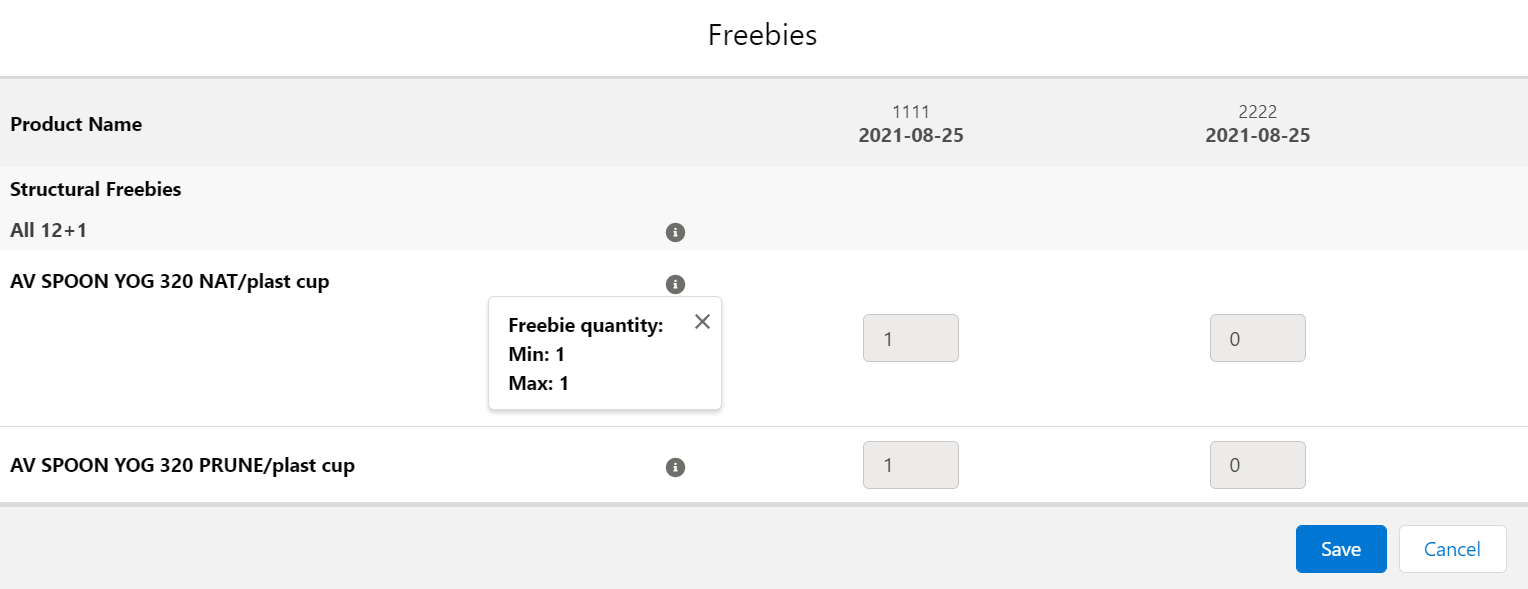
Freebies are automatically distributed. Open the Freebies window by clicking on the Get Freebie button while in the order cart, and the system will calculate and distribute the correct amount among available freebies where possible.
The following auto-update logic is implemented:
-
Fully automated distribution is applied in case when a specific Freebie Line Item reaches freebies minimum quantity and/or the proportionality condition is met. For example, a Freebie Condition with the following settings:
-
the Similar adding method
-
Proportional is active
-
Ratio of Product/Freebie is 12:1
-
-
Freebies update after changing product quantity: freebies that no longer fit the order conditions will be automatically removed.
-
If the Delivery Control is active, automatically distribute freebies to the first or last delivery when deliveries are created or deleted.
-
This option is selected in the Freebie Condition setup and defined in the Freebie Condition.
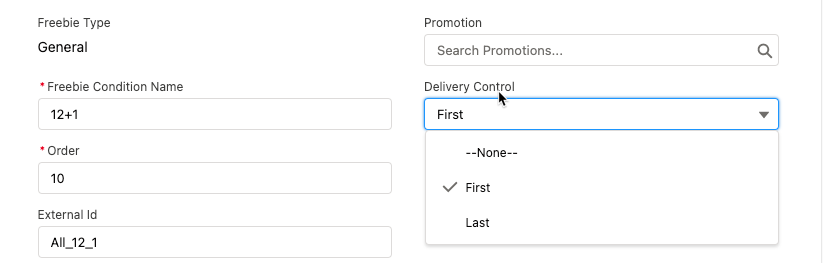
-
-
If the Delivery Control is inactive, all freebies that can be automatically distributed are added to the first delivery by default. You can distribute List Based and Criteria Based freebies if more than 2 freebies are available between deliveries as desired.
-
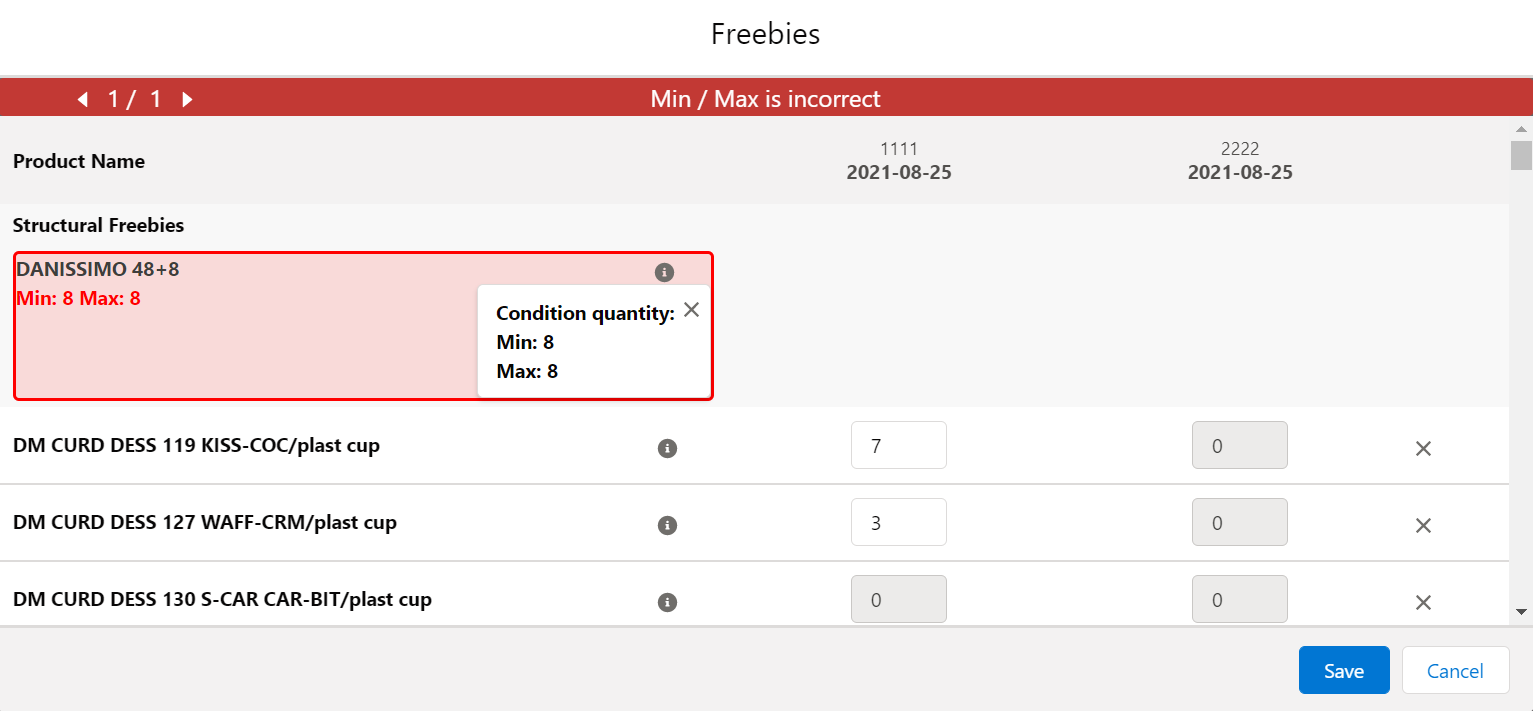
For group List Based or Criteria Based freebies when more than one product matches the condition criteria, you need to manually distribute available freebies amount in the delivery or deliveries, if Delivery Control is off. When the maximum for the group is reached, all empty cells are locked out. If you enter more than allowed by the Freebie Quantity Max field on the Freebie Condition Level, the error will display, and you’ll need to manually fix the number of distributed freebies.
The order cannot be finalized if the freebies in order are not relevant. To recalculate and update Freebies:
-
Click Get Freebies in the order cart to open the Freebies window.
-
Click Save to apply distribution changes.
Multiplier
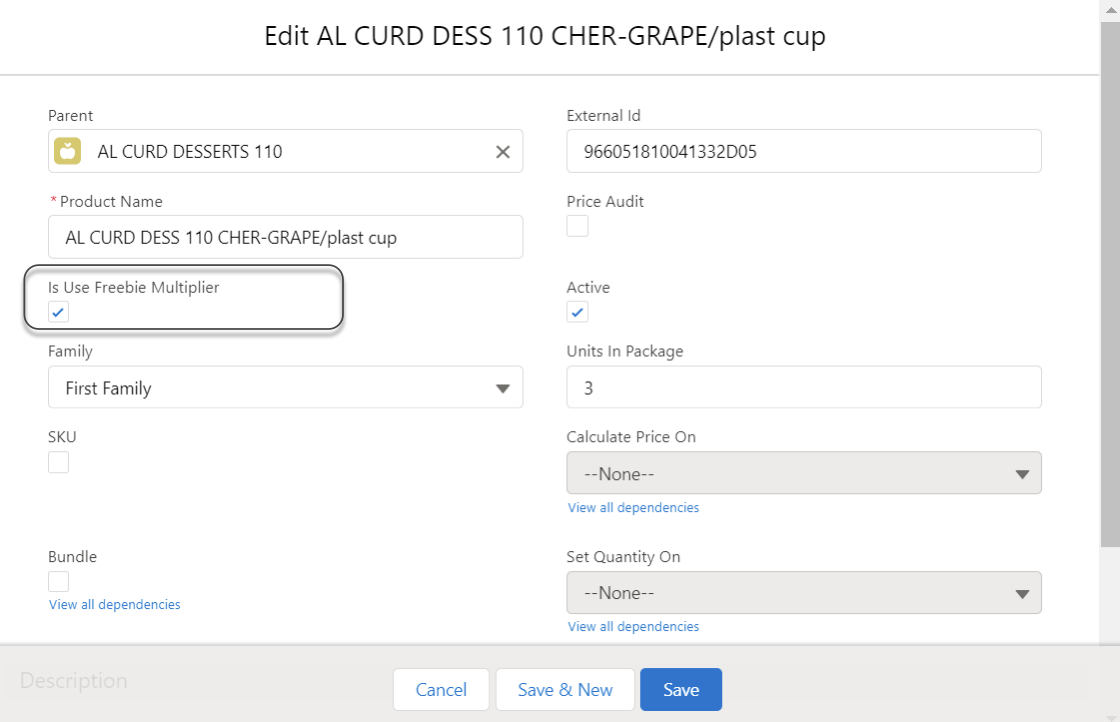
As paid products, you can specify whether freebies must be added to the order cart in a multiple of a specific value. On the corresponding product, activate the Use Freebie Multiplier checkbox and specify the quantity in the Units in Package field.
| The multiplicity works only for the product per one delivery. |
When you add a freebie to the order cart:
-
The system checks whether the Freebie Multiplier is toggled on. If no, the multiplier is not in use.
-
If the Freebie Multiplier is toggled on, the system checks a value in the Unit In Package field:
-
For an empty field or when the value is zero, the multiplier is 1.
-
If the value is other than 0 then the freebie quantity in the Quantity field on the Delivery Line Item must be a multiple of a number specified in the Unit In Package field.
-
In the Freebie window, the quantity will be rounded to a multiple of the value, regardless of whether you manually specify the quantity or the value is automatically filled in.
Freebie Value and Level Formula
|
Available for instances with the enabled Web Service. For more information about using the Level Formula field for Freebies, refer to Freebie Condition: LevelFormula__c Field Specification. |
Admins may assign different values for freebie products. For example, one freebie might be worth 3 points and another 1 point. The value of a freebie determines how many freebies are distributed for each Freebie Level.
To set the value, specify the path to the field on the corresponding Product object in the Freebie Value field of the Freebie Condition object, for example, CTCPG__ParentId__r.Value__c.
If the Freebie Value is set.
-
On the Freebie Level object, if there are no records of Freebie Line Items:
-
The quantity in the Freebies Quantity Min will be divided by Freebie Value if the Similar adding method is set for the Freebie Condition. In the case of List Based or Criteria Based adding method, the division is applied only if one freebie is distributed.
-
The quantity in the Freebies Quantity Max will always be divided by Freebie Value.
-
The quantity calculated according to Freebie Ratio will always be divided by Freebie Value.
-
-
On the Freebie Line Item object, If the List Based adding method is set for the Freebie Condition: The Freebie Quantity Max and Freebie Quantity Min will be divided by the value of the Freebie Value field.
|
See also: