How to Add a Product
| The method of adding products described in this article is just a working example. To import your existing products' database, please contact your Customertimes sales representative. |
To add a Product:
-
Go to CT Product tab. If you do not see it, add it to the panel.
-
Click New.
-
Select Company Product record type and click Next.
-
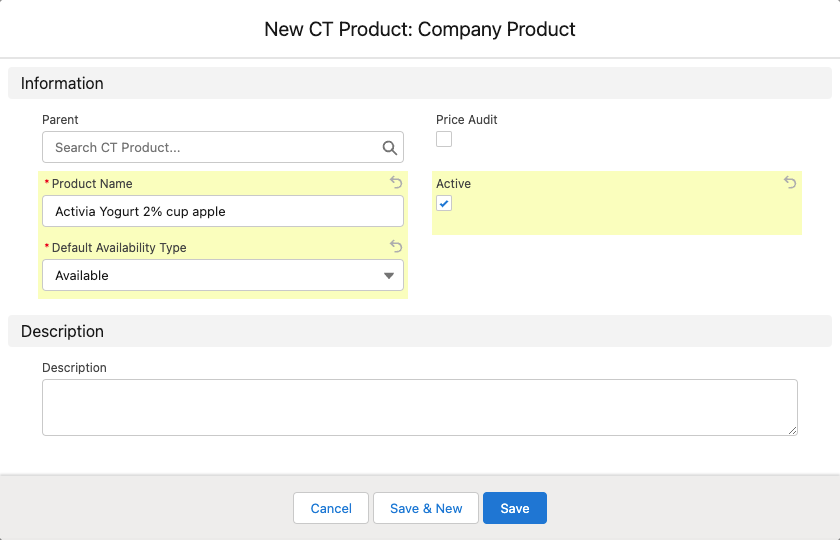
Fill out the fields:
-
Product name;
-
In the Default Availability Type picklist select Available;
-
Select the Active checkbox.
-
-
Click Save.
-
Go to the Related tab of the just created Product record.
-
In the Catalog Line Items, click New.
-
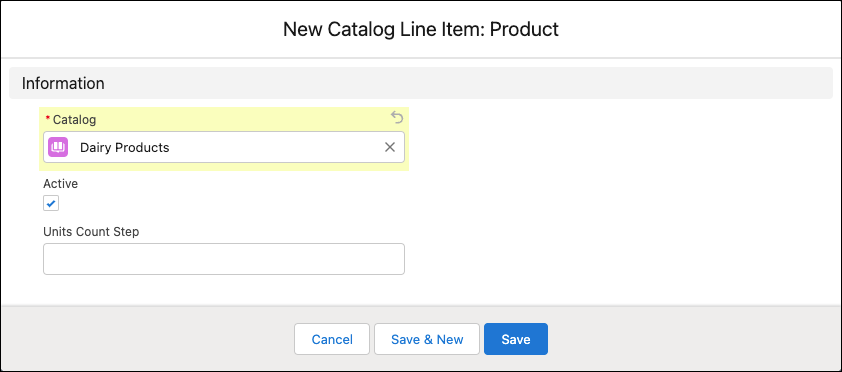
Fill out the fields:
-
Select Catalog;
-
Select the Active checkbox.
-
-
If necessary, specify the Unit Count Step.
-
Click Save.