2. Create a Sales Organization
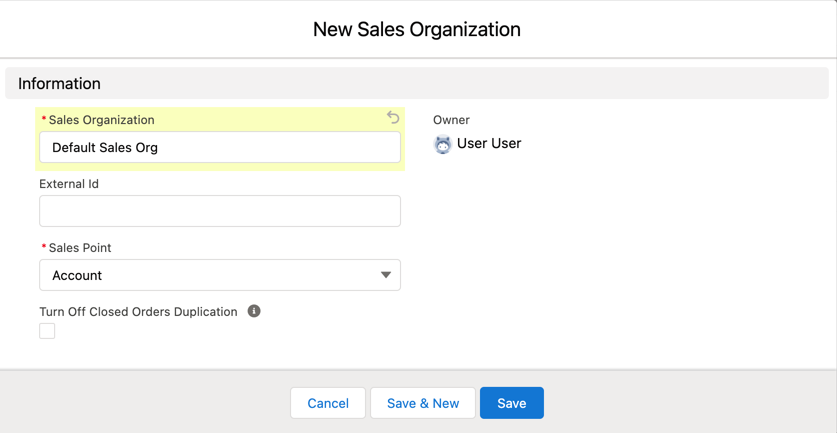
To create a new sales organization that supports the Account object:
-
Go to the Sales Organizations tab and click New.
-
Specify the following:
-
Sales Organization: enter the organization’s name. For example, Default Sales Org.
-
(Optional) External Id: fill out in case of the inheritance of segmentation from the customer ERP.
-
Sales Point: select Account.
Use the Retail Store option to work with the standard object from the CG Cloud managed package. -
If needed, select the Turn Off Closed Orders Duplication checkbox.
-
-
Click Save.
The sales organization is created.