Creating and Assigning Catalogs (1.0)
For this workshop, create a parent catalog and two child catalogs for different types of products. The catalogs should only be available for the METRO account.
Create a Catalog
To create a parent catalog and two child catalogs:
-
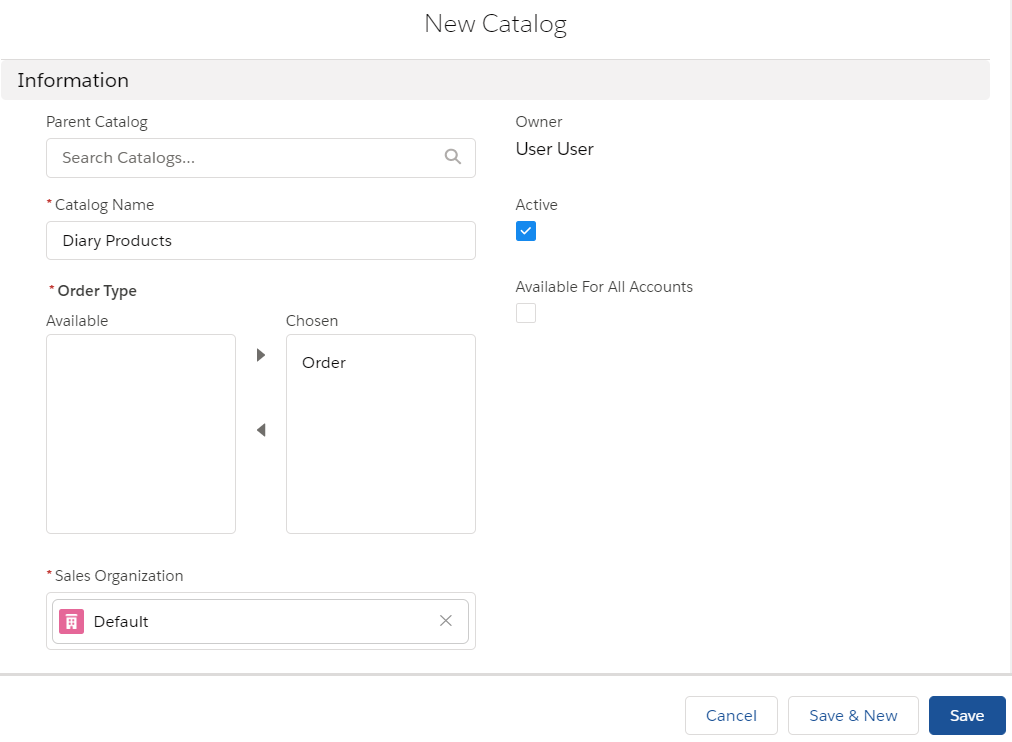
Go to Catalogs and click New.
-
Complete the form as follows:
-
Catalog Name: Dairy Products.
-
Select the Order from the Order Type column.
-
Select Default Sales Organization.
-
Make sure the Available for All Accounts checkbox is unchecked.
-
-
Click Save.
The Dairy Products catalog is created.
-
Open the Product Management tab.
On this tab, you can see all products in your instance database that match the required criteria. Let us create two child catalogs for Milk and Sour cream products.
-
Click the Add new sub-catalog button (1).
-
Click
 button and enter the catalog name (2).
 -
Click
 button to add a sub-catalog (3).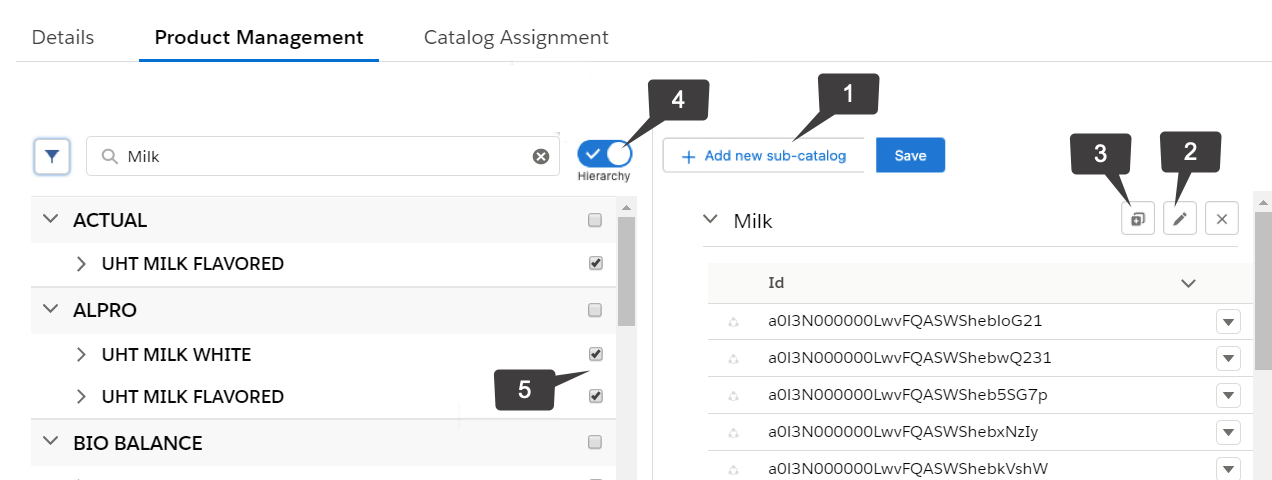
-
Click on switch (4) to change the list view to hierarchy to add multiple product catalogs.
-
Enter Milk in the Search box.
All products are displayed in catalogs for each brand. Expand the brands to see catalogs with various types of milk products.
-
Select the first three catalogs with milk products (5).
-
Drag the catalogs to the Milk catalog you created on the right panel.
For the Lightning component to work properly with the drag‑and‑drop functionality, make sure that Lightning Web Security is enabled in your org’s Session Settings. -
Repeat the steps and create a catalog with Sour cream products.
-
Click Save.
The catalogs are configured.
Assign Catalogs
Next, assign the parent catalog to the METRO account.
| The child catalogs inherit the assignment from the parent catalog. |
-
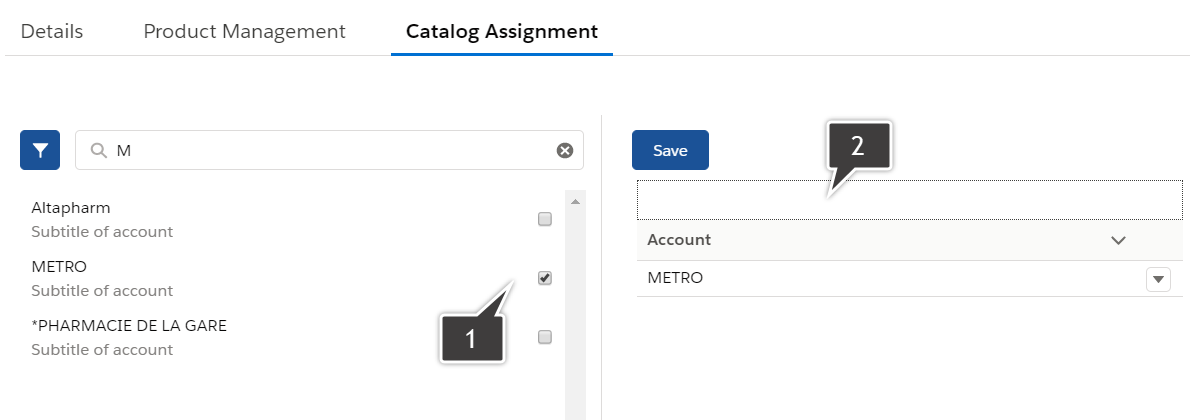
Open the Catalog Assignment tab and enter METRO in the Search box.
-
Drag the account record (1) to the designated area on the right (2).
-
Click Save.
The Dairy Products catalog with both child catalogs is now assigned to the METRO account.
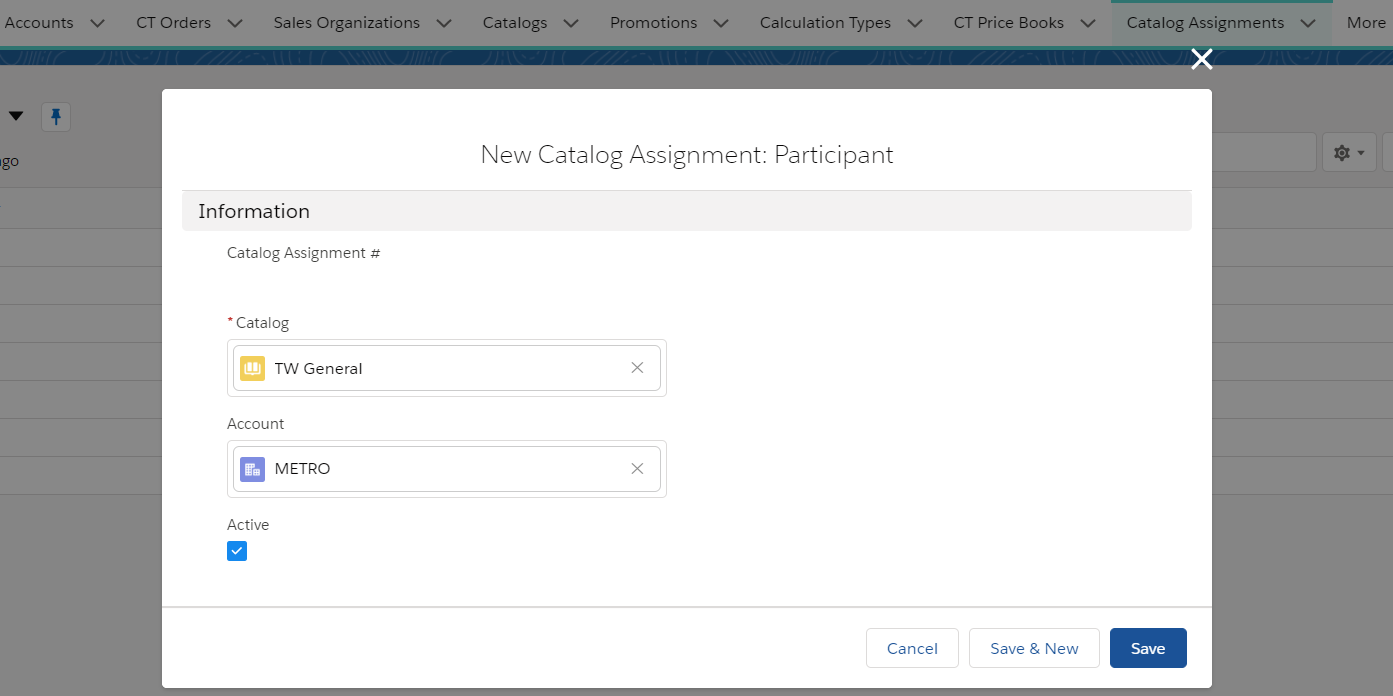
You can also assign catalogs by creating a new assignment record on the Catalog Assignments tab: