Workshop 2.1 Checkpoint
Let’s create an order with a discount for the selected client’s account:
-
Go to CT Orders and click New.
-
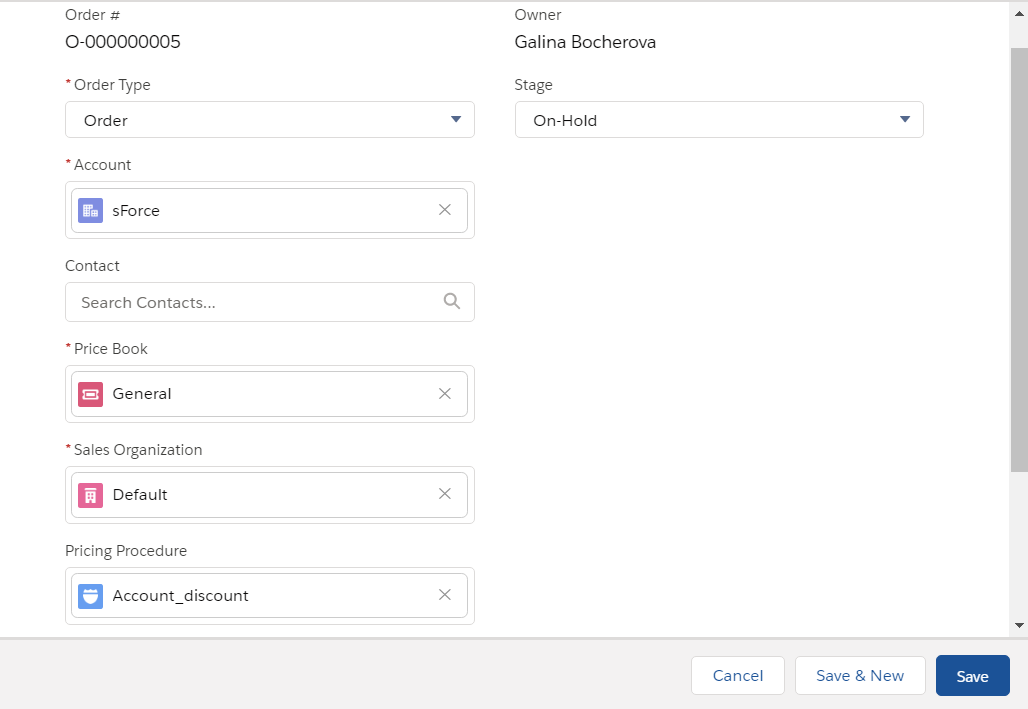
Complete the form as follows:
-
Order Type: Order.
-
Account: sForce.
The Order allowed checkbox must be selected on the account details page. -
Price Book: select the price book you created earlier.
-
Sales organization: Default.
-
Pricing Procedure: Account_discount.
-
Stage: On-hold.
-
-
Click Save.
-
On the CT Order tab, click on the newly created order.
-
On the selected CT Order page, click Edit Cart.
-
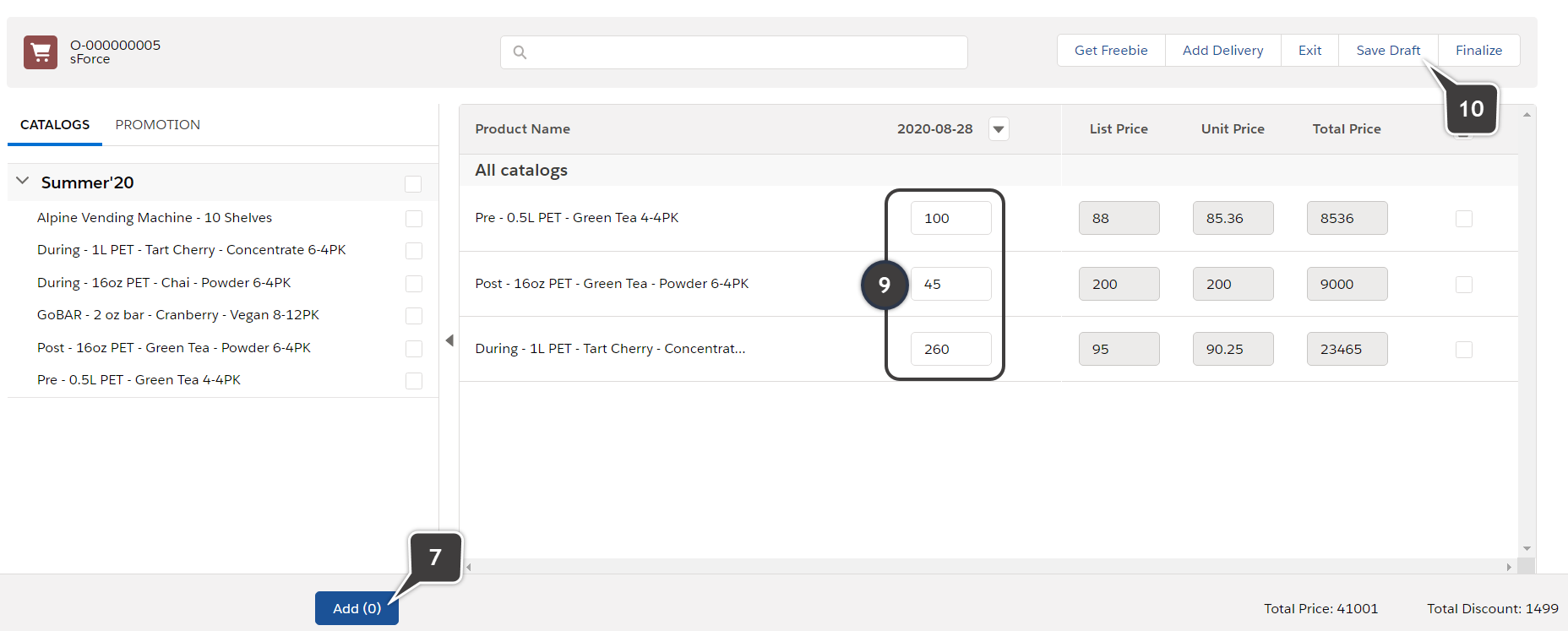
Expand the catalog on the left side and select some products.
-
Click Add.
-
Fill out the Delivery window.
-
Set the different amounts of items for each product to check the discount by the levels.
-
Click Save Draft.
The discount will be applied and the totals panel values updated.