How to Create a Relationship between Custom Address Object and Delivery
Create a lookup from the Delivery object to the custom Address object. By default, there is only the lookup from the Delivery object to the Account object, which means delivery will be carried out at the address specified in the Account records.
To create a lookup for the Delivery object:
-
Go to Setup → Object Manager → Delivery → Fields and Relationships and click New.
-
Select the Lookup Relationship data type for the new custom field and click Next.
-
Select the Address object from the Related to picklist and click Next.
-
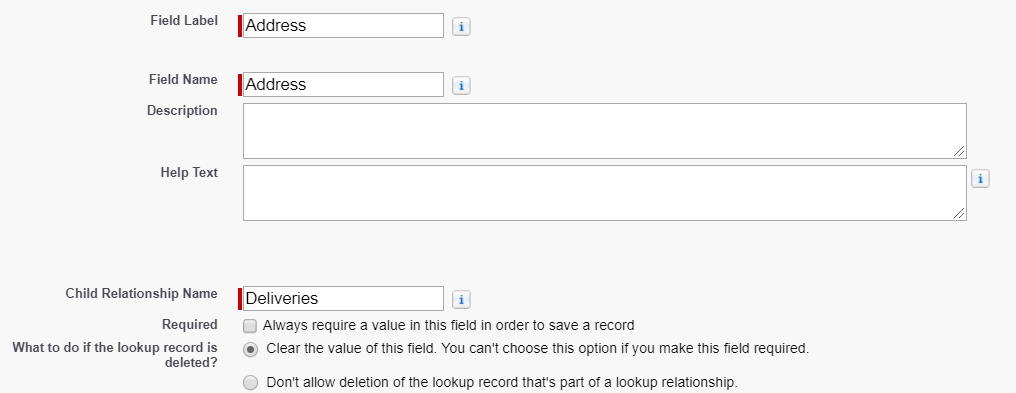
In the Field Information section:
-
Enter the Field Label.
-
Enter Field Name.
It is recommended to use the following API name: AddressId__c or Address__c. -
Enter a Child Relationship Name for integration purposes: Deliveries.
-
-
Select the profiles to which you want to grant edit access to this field via field-level security and click Next.
-
Make sure the Delivery page layout is selected if you want the Address field to be displayed, and click Next.
-
Specify the Related List Label and select the layout that should display the related list field.
-
Click Save.
The setup is complete.