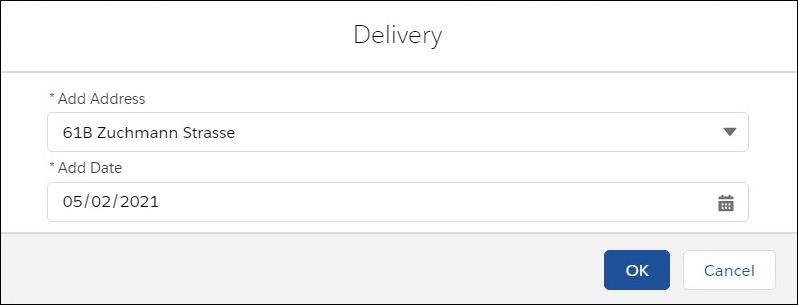
How to Link Address to the Account Object
You can use an existing default Account object to specify the address.
-
To specify the Address object, create a Settings record with the Object Settings record type.
-
To specify the Address field, create a Settings record with the Address Settings record type.
Specify the Address Object
To use the Account object as the Address object:
-
Go to the Settings tab and click New.
-
In the New Settings window, select Object Settings record type.
-
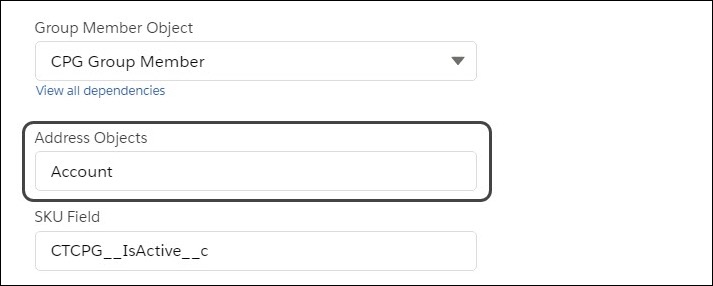
Specify the desired settings according to the Configure an Object Setting guide and specify Account in the Address Object field.
-
Click Save.
The Address object is set up.
Specify the Address Field
To set up the Address field:
-
Go to the Settings tab and click New.
-
In the New Settings window, select Address Settings record type.
-
Specify the following:
-
Sales Organization: select the Sales Organization if required.
-
Address Field: enter the API name of the Address field on the Account object.
Please note that any Address field with the Address data type will not be processed. Currently, the processing of the composite fields (formulas), such as BillingAddress or ShippingAddress, is not supported. -
Leave the SOQL Filter empty.
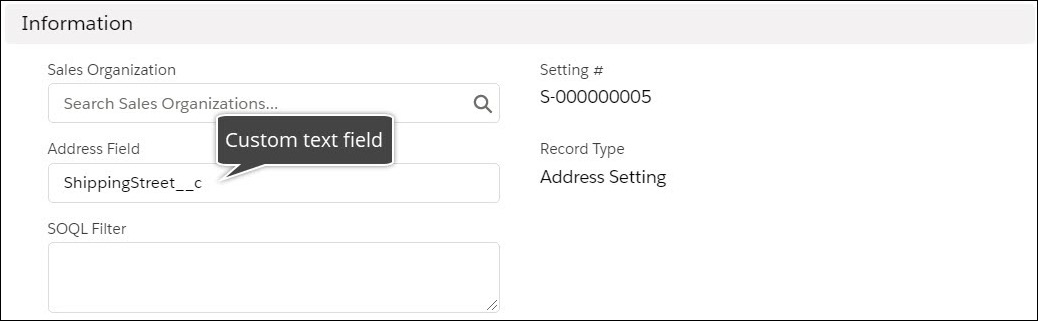
-
-
Click Save.
The setup is complete.
-
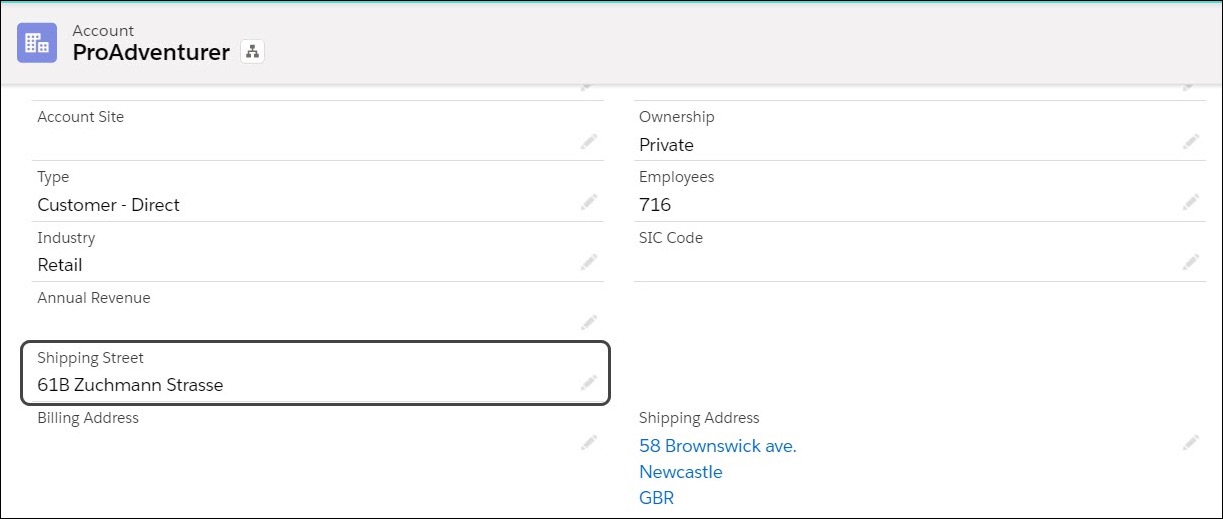
A custom field containing the address for the Account object:

-
The Shipping Street custom field was added to the layout:
-
Order cart: