Adding Condition Levels (2.6)
Condition levels are responsible for the fee levels. Set up 2 fee levels based on the total price for products in a single delivery.
-
On the created Calculation Type page, click on the created Condition record under the Conditions section → click New in the Condition Levels section.
-
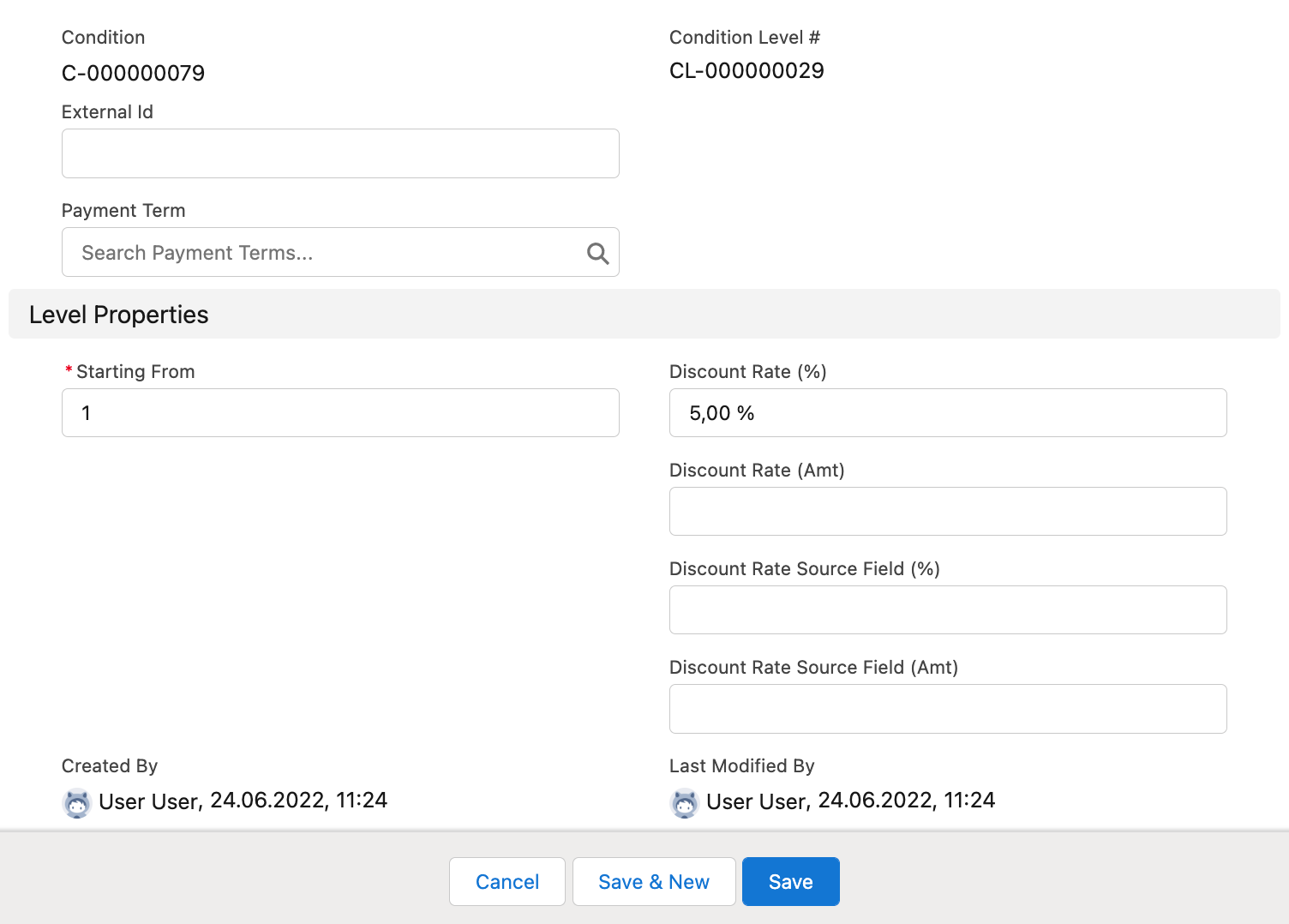
Specify the following:
-
Starting from: 1.
-
Discount Rate (%): 5.
-
-
Click Save & New.
-
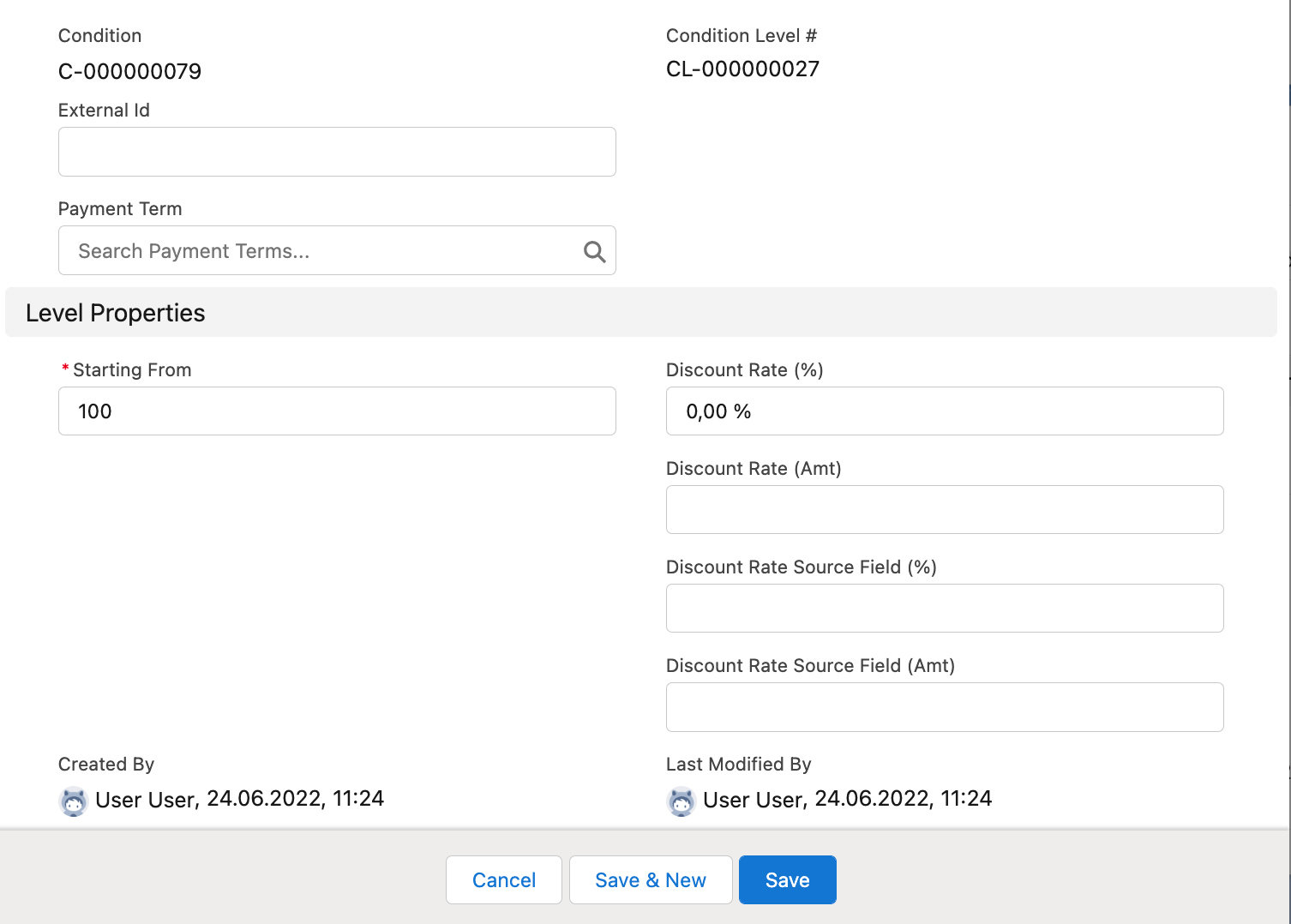
Specify the following:
-
Starting from: 100.
-
Discount Rate (%): 0.
-
-
Click Save.
The Condition Level records are created. So, a 5% fee will be applied when the total price of products in a single delivery does not exceed $100, and when the total value reaches $100, no fee will apply.