Managing Bundles
The Bundle is a record of the Product object that has child products—related records of the Product Components object. For example, it can be a set of yogurts.
|
Creating Bundles
To create a bundle:
-
Open the Product record that you want to assign as a parent product of a bundle.
-
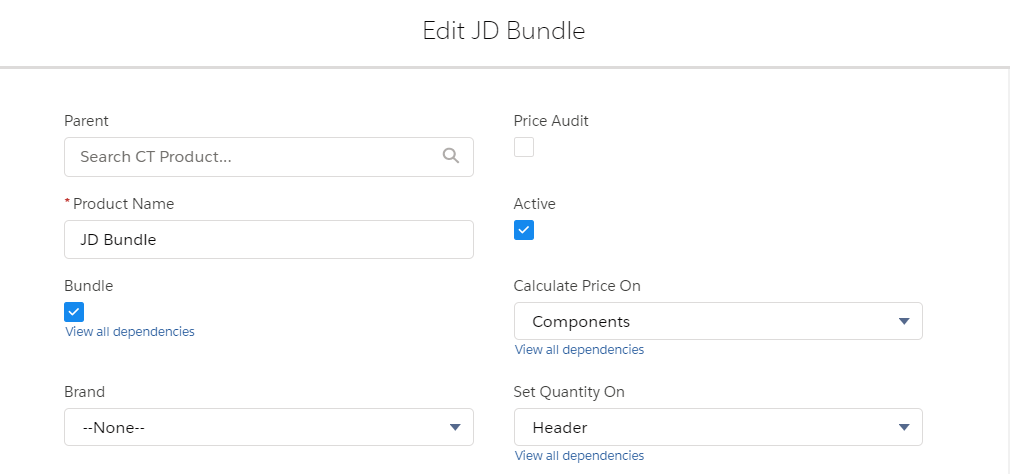
Select the Bundle checkbox.
-
Open the Product Component tab and create new records for products that you want to add to the new bundle:
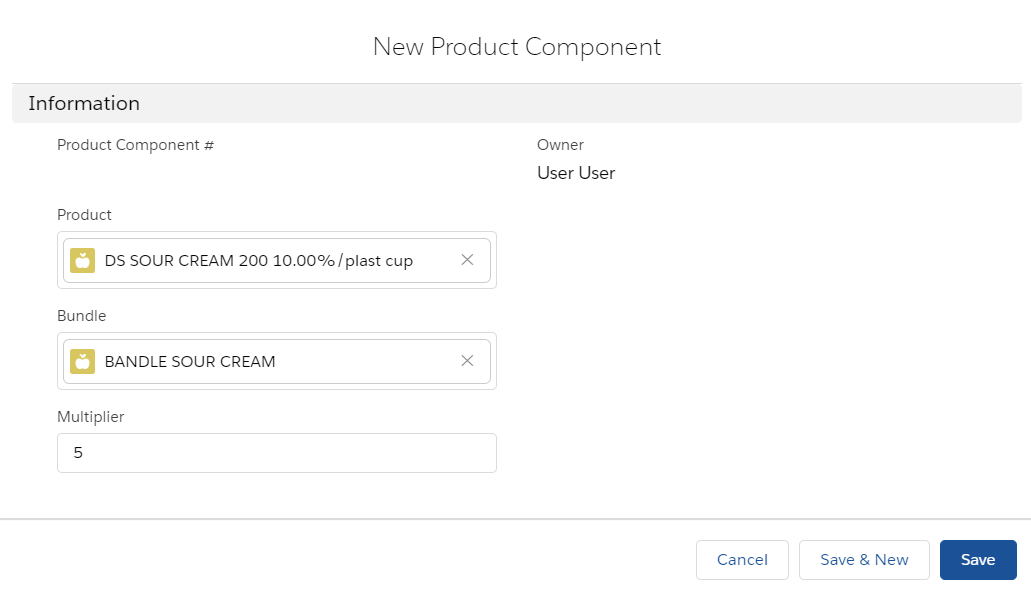
The bundle is created.
-
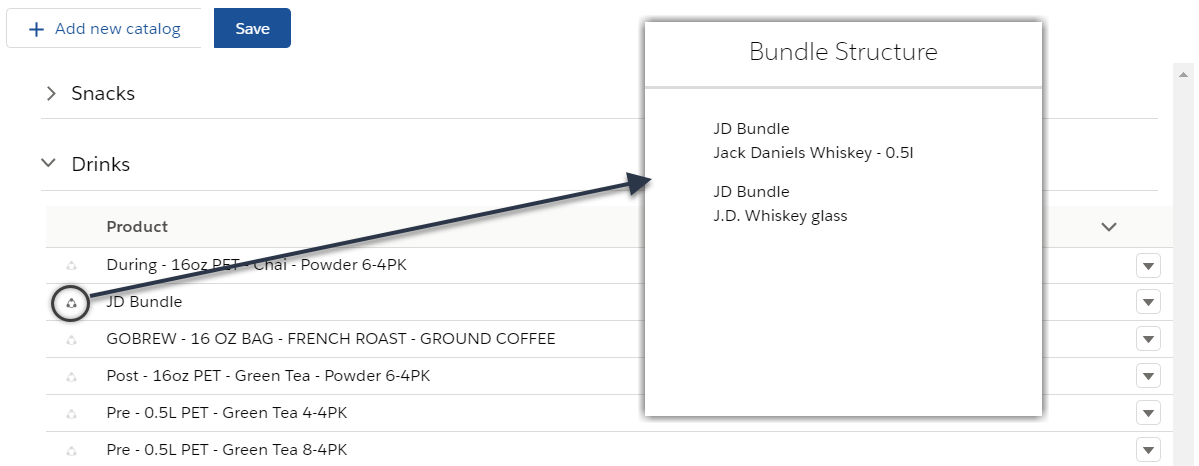
A bundle can have up to 3 child bundles. Expand bundles to see all child bundles and products nested in them.
-
The Bundle icon is displayed next to a product name. Click on the Bundle icon to open a pop-up with details about the bundle components.
-
A bundle can be added to another bundle.
Bundle Calculation Rules
The bundle price and quantity are calculated based on the values in the Set Quantity On and Calculate Price On fields on the Product record.
| The Multiplier field on the Product Component records affects product quantity in the order cart. |
| Set Quantity On | Calculate Price On | Multiplier | The Price Tag Icon | The Display in the Order Cart | Calculation Process | Can Be Added As Freebie |
|---|---|---|---|---|---|---|
Header |
Header |
When toggling the quantity on a parent product, component products' quantities will change proportionally to the value in the Multiplier field of the Product Component records. |
The Price Tag icon is displayed next to the parent product. |
The bundle will be minimized. |
The bundle price will be obtained by multiplying the List Price by the Quantity of the parent product. The minimum and maximum quantities on bundle components are Read-Only. |
Yes |
Header |
Components |
When toggling the quantity on a parent product, component products' quantities will change proportionally to the value in the Multiplier field of the Product Component records. |
The Price Tag icon is displayed next to the parent product. |
The bundle will be minimized. |
The bundle price will be calculated per component by multiplying the List Price by the Quantity of the product component. The minimum and maximum quantities on bundle components are Editable. |
Yes |
Components |
Components |
This bundle type is not currently supported. |
||||
Bundle Validation
The following validations take place:
-
If the Calculate Price On field has the Header value, then the validation is applied only for a parent product.
-
If the Calculate Price On field has the Components value, then the validation is applied to each bundle component. If it does not meet validation criteria, then the whole bundle cannot be added to the order cart. The alert with the product that failed validation will be displayed.
-
If the Set Quantity On field has the Header value, then the sales rep is allowed to remove the whole bundle, but bundle components cannot be removed from the order cart.
-
If the Set Quantity On field has the Components value, then the sales rep is allowed to remove the whole bundle or its components.