Product Availability
Product availability allows managers to set up dates when regular paid products and freebies are available for offline and online orders and deliveries. Use product availability alone or in conjunction with quotas and limit rules.
Overview
Select whether the product is available or not by default in the Default Availability Type field on the corresponding Product object. Also, you can enable the Ignore Product Availability checkbox on the Freebie Condition or Product objects.
| To learn more about the object model, refer to CT Order Data Model. |
Please note that:
-
The Product Availability record may not have a lookup to the Account (or Retail Store) but be assigned to its parent or any higher in the hierarchy account. So, the appropriate Product Availability record will be searched according to the account hierarchy, starting at the lowest level.
-
If a sales representative has no access to one of the accounts in the hierarchy, then CT Orders will not look for Product Availability records for the parent account. For example, if you assigned a Product Availability record to a store network, but did not give the user access to this parent Account record, that Product Availability record will not be applied.
-
Product Availability record may not be assigned to any Account record. But in case of conflicts between different Product Availability records (like overlapping conditions of product availability), records with assigned Accounts have higher priority.
The administrator or manager can override the default availability for desired dates, depending on:
-
order type
-
product type
-
parent promotion (if not specified, applies to all products)
-
sales organization
-
sales points (accounts or retail stores).
There can be multiple availability time slots for a single product, and a sales representative can tap the info icon next to the product in the cart to view its availability on the closest dates.
The product availability is useful in the following cases:
-
New product launch
Managers can schedule new product launch dates by region, and sales reps can track product availability dates and plan promotions to promote the product.
-
Limited edition products
Managers can schedule the sale of limited-edition products for New Year’s Eve, Easter, and other holidays.
-
Excise goods
Managers can specify the availability of drugs or excise goods at certain licensed stores. Combined with quotas, managers can allow the sale of products to users who have been trained or licensed to operate.
-
Out-of-stock products
Sales reps can see that products are not available to order for selected dates.
-
Discontinued products
Managers can control products that sales reps can add to return orders, but not in future orders.
Availability Settings Combinations for Products and Freebies
Products always have default availability and can have Product Availability records to override the default availability for specific dates. For your convenience, the table below shows all possible cases.
For specific dates, we recommend using only one Product Availability record. Otherwise, if multiple records are found for the delivery date, the system applies a record with the Not Available record type. If the records have the same availability type, any of them will be applied.
| Default Availability Type on the Produсt record | Is there an appropriate Product Availability record? | The Availability Type of the found Product Availability record for Delivery Line Item | The Delivery Line Item cell in the order cart | Product Info Icon |
|---|---|---|---|---|
Not Available |
Yes |
Available |
Available |
Available dates are displayed. |
Available |
Yes |
Available |
Available |
Available dates are displayed. |
Not Available |
Yes |
Not Available |
Blocked |
Unavailable dates are displayed. |
Available |
Yes |
Not Available |
Blocked |
Unavailable dates are displayed. |
Not Available |
Yes |
No Product Availability record was found. |
Blocked |
The nearest dates (available or unavailable) are displayed. |
Available |
Yes |
No Product Availability record was found. |
Available |
No Product Availability info is displayed. |
Not Available |
No |
No Product Availability record was found. |
The appropriate product is not displayed in catalogs and promotions. |
Not applicable |
Available |
No |
No Product Availability record was found. |
Available |
No Product Availability info is displayed. |
Availability Settings Combinations for Bundles
To define bundle availability, the system first checks the Calculate Price On field on a bundle product to apply the logic to the header or component and then checks the availability of the product. If the Product Availability records are not found for a product, the system checks a value in the Default Availability Type field on the product, considering the logic for bundles.
For your convenience, the table below shows all possible cases for this bundle structure:
Parent Bundle
-----Product 1
-----Child Bundle
----------Product 2
----------Product 3
Parent Bundle |
Child Bundle |
Where to check the Product Availability record? |
If the Product Availability record is found, which Delivery Line Items cells are read-only? |
If Product Availability = Not Available or N/A, *which Delivery Line Item cells are zeroed and blocked? |
||||
Value in the Calculate Price On field |
Value in the Set Quantity On field |
Value in the Calculate Price On field |
Value in the Set Quantity On field |
|||||
Header |
Header |
Header |
Header |
Parent Bundle |
Product 1 Child Bundle Product 2 Product 3 |
Parent Bundle |
||
Components |
Header |
Header |
Header |
Parent Bundle Product 1 Child Bundle |
Product 1 Child Bundle Product 2 Product 3 |
Parent Bundle |
||
Components |
Components |
Header |
Header |
This bundle type is not currently supported. |
||||
Header |
Header |
Components |
Header |
Parent Bundle |
Product 1 Child Bundle Product 2 Product 3 |
Parent Bundle |
||
Components |
Header |
Components |
Header |
Parent Bundle Product 1 Product 2 Product 3 |
Product 1 Child Bundle Product 2 Product 3 |
Parent Bundle
|
||
Components |
Components |
Components |
Header |
This bundle type is not currently supported. |
||||
Header |
Header |
Components |
Components |
|||||
Components |
Header |
Components |
Components |
|||||
Components |
Components |
Components |
Components |
|||||
Working with Product Availability
Paid Products
The product availability is checked:
-
When a sales rep adds a product to the order cart.
-
For all products in a delivery, when a sales rep creates a new delivery.
-
For all products in the order cart, when a sales rep reopens or finalizes the order.
-
If one or more products are not available for the order, the warning will be shown, and a sales rep should remove these products from the order cart.
-
If found, the appropriate Product Availability record is applied and the product quantity cell will be available or blocked based on the Availability Type field of the found record.
-
If there is no matching record, the system checks the default availability on the appropriate Product record:
-
For promotion products, the Delivery Start Date and Delivery End Date fields on Promotion are prioritized over the product availability dates. If delivery is outside of promotion delivery dates, the product cannot be added despite the Availability Type.
-
If the product is no longer available on the delivery dates, the corresponding quantity cells for the Delivery Line Item Component are reset and locked.
-
If the product becomes available, the quantity cells for corresponding deliveries become available.
-
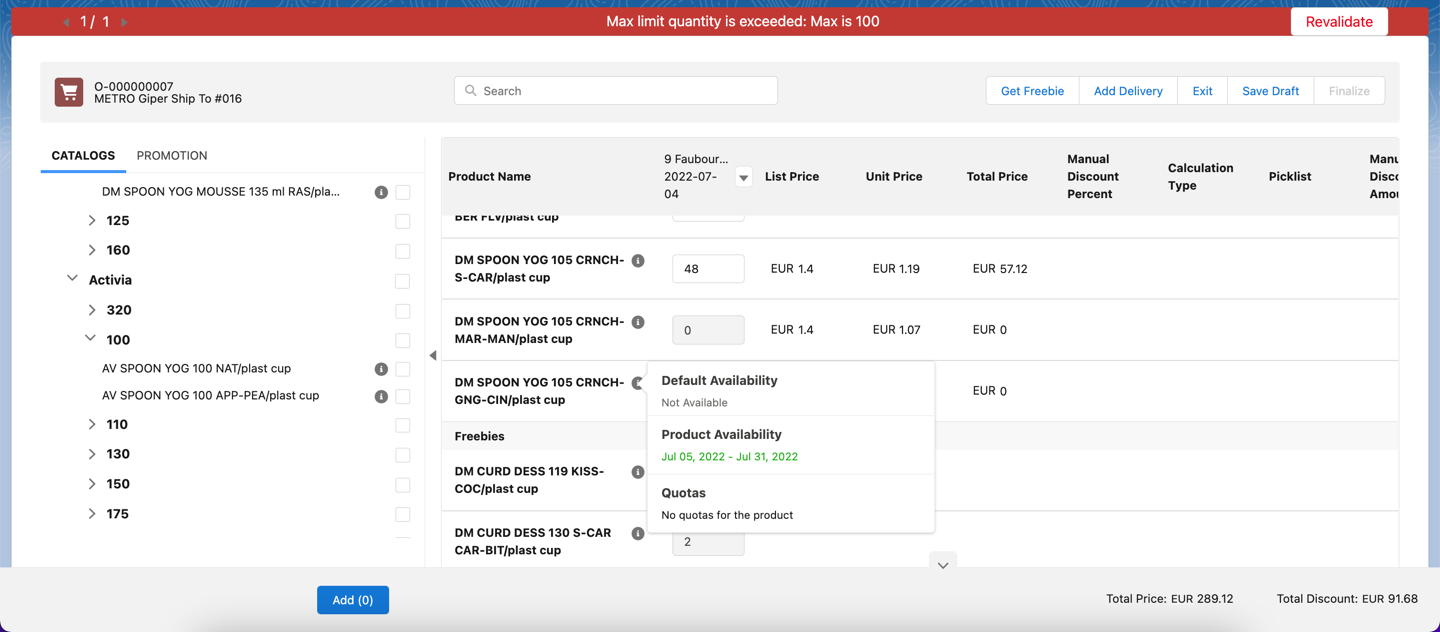
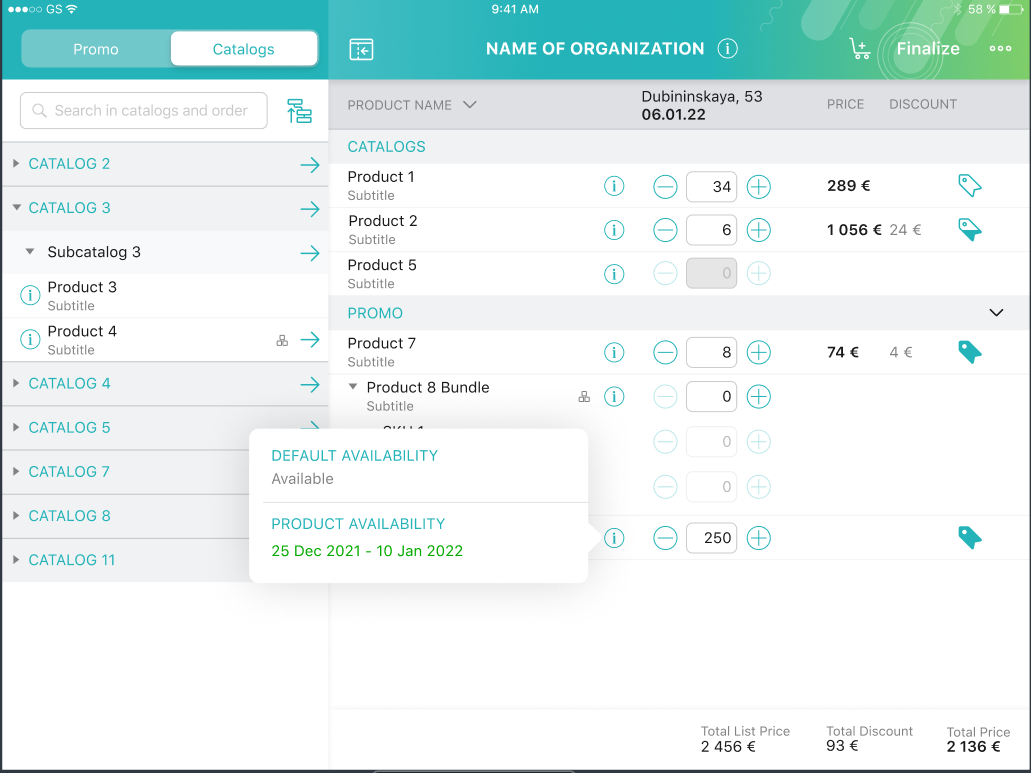
A sales rep can tap the product info icon on the added product in the cart to view the dates when a product is available or not.
| If multiple Product Availability records for different dates are found, the info icon shows a maximum of 3 records sorted by dates, closest to the first delivery date. |
For example, a product in the cart is not available for the selected delivery date. The quantity cell for this delivery is reset and blocked.
-
Salesforce
-
CT Mobile
The Product Availability records are displayed both for products on the left side in catalogs/promotions and added to the order cart.
Freebies
The freebie availability is checked for all deliveries:
-
When a sales rep opens the Freebies window. All Freebie Line Item and Freebie Level Line Item records will be checked.
-
When a sales rep reopens or finalizes the order. All Order Line Item records with the Freebie record type will be checked.
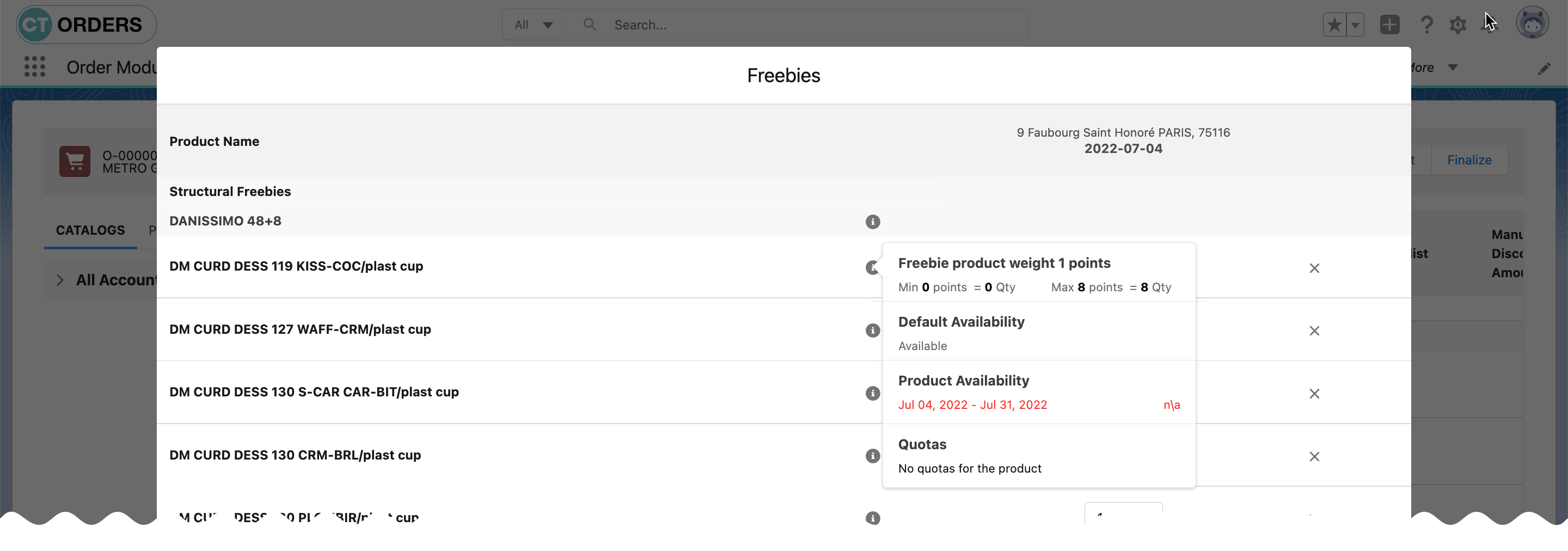
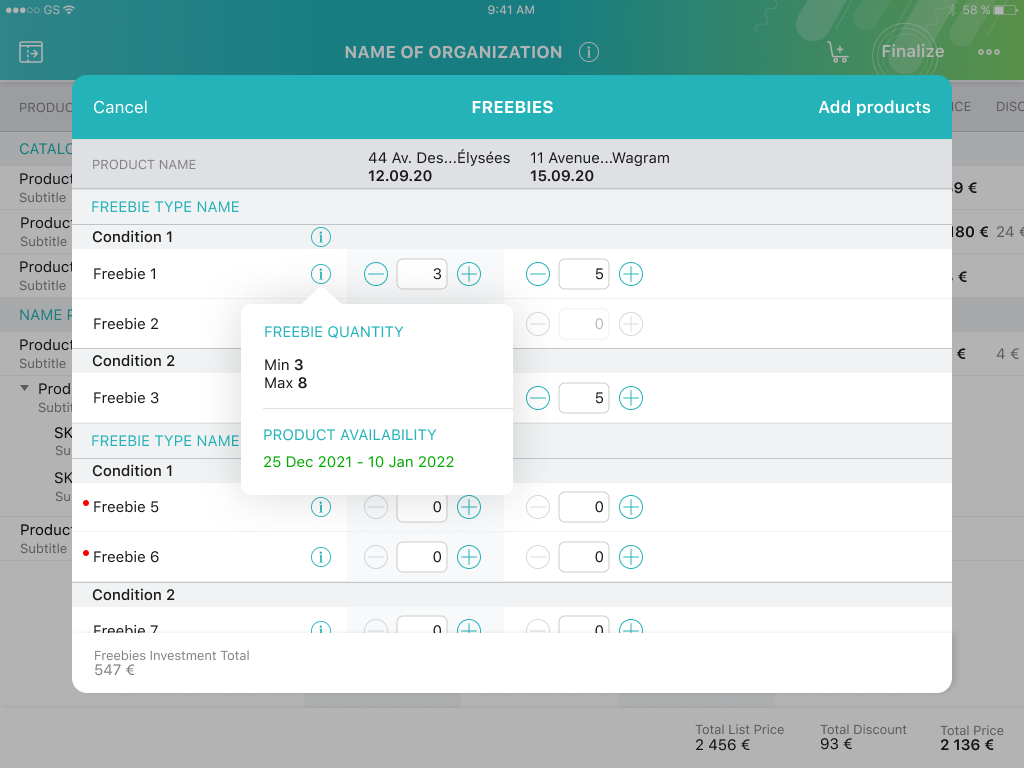
If one or more products or freebies are not available for the order, the warning will be shown for a mobile user to open the Freebies window for recalculation.
The quantity cells will be blocked and nulled for deliveries in cases when a freebie is not available.
The system checks if the Ignore Product Availability checkbox is selected on the corresponding Freebie Condition record.
-
If selected, the Default Product Availability type is checked on the appropriate Product record.
-
If not selected, the freebie availability is searched according to the value in the Availability Type field of the Product Availability record. If there is no matching record, the system checks the default availability on the appropriate Product record.
-
If a freebie is no longer available, the delivery column is reset and blocked in the Freebie window. For freebies with autopopulated quantity, the quantity is set to 0 and blocked.
For example, freebies are not available for the selected delivery dates but have the available dates in the future.
-
Salesforce
-
CT Mobile
See also: