Adding a Condition Group (2.1)
To create a new Condition Group record:
-
On the created Calculation Type page, click New in the Condition Groups section.
-
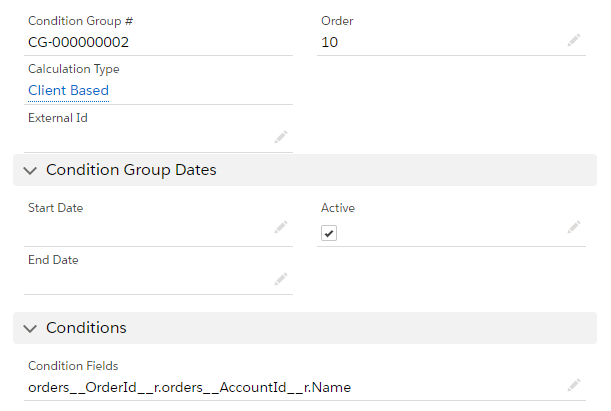
Complete the form as follows:
-
Calculation type: Client Based.
-
Order: enter the product amount to grant a discount for the order.
-
Active: select the checkbox.
-
Condition Fields: orders__OrderId__r.orders__AccountId__r.Name
-
-
Click Save.
The setup is complete.