Creating a Delivery (1.0)
When you place the order, configure the delivery dates and the number of CT Products per delivery.
-
Go to the CT Orders tab and click the newly created order.
-
Click the Edit Cart button. The CT Order details page opens.
-
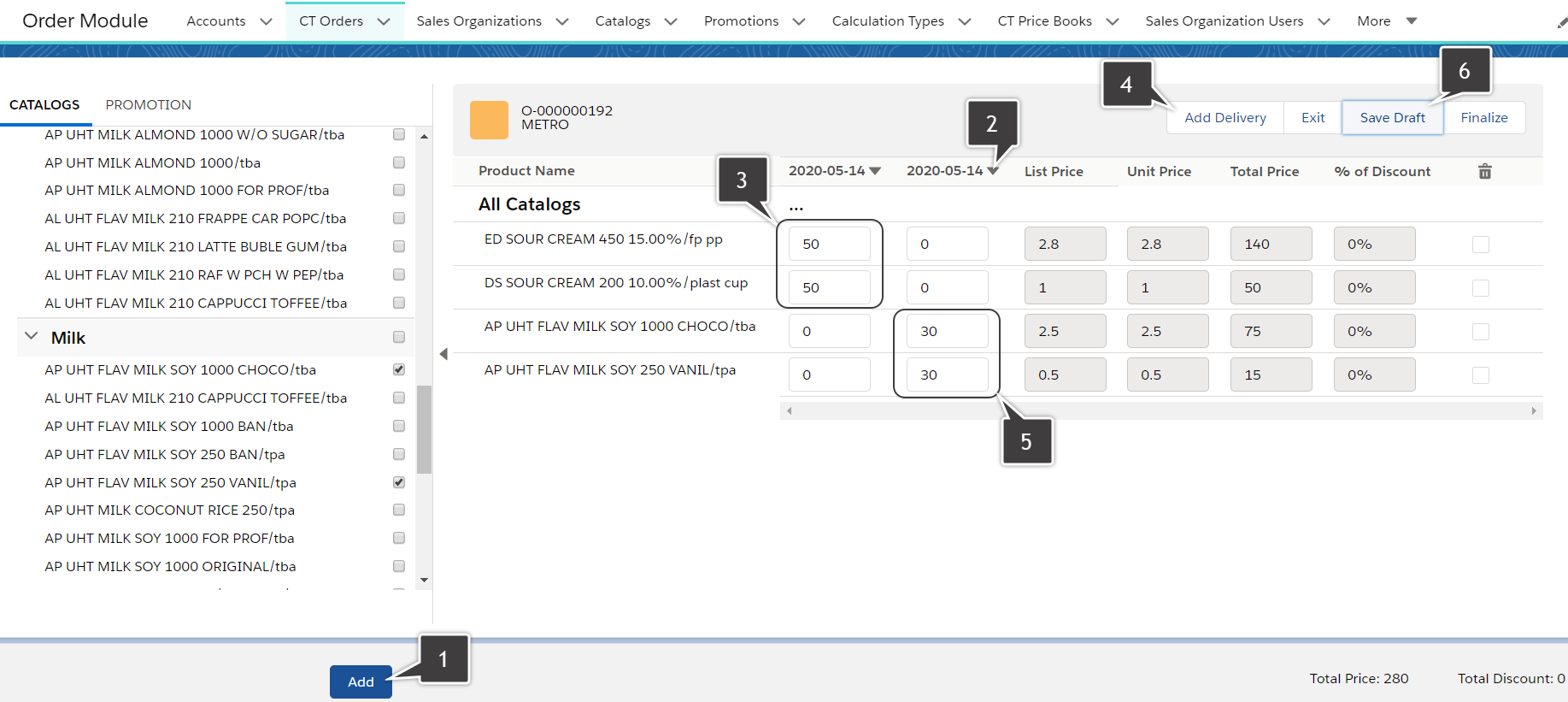
Click Add Delivery (1).
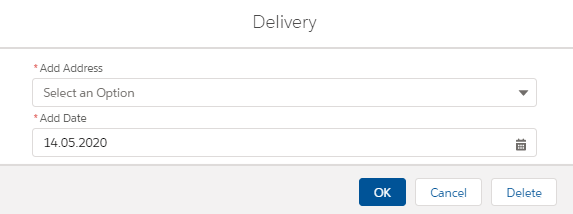
The Delivery details window opens.
-
Enter the delivery details:
-
Select the first address.
-
Set up the date: May 14th.
The delivery date range may be defined. -
Click OK.
The delivery date column will be added.
Click on the arrow icon (2) to see the delivery address. You can remove the delivery date by clicking the Delete button.
-
-
Set up the number of CT Products (3) for the first delivery. Leave 0 for the products that you want to deliver to the second address.
-
Click Add delivery (4).
-
Follow the path in step 3 to add the second address and the same date.
-
Set up the number of CT Products (5) for the second delivery.
-
Click Save draft (6).
The total price for the order is calculated automatically when you enter the number of CT Products.