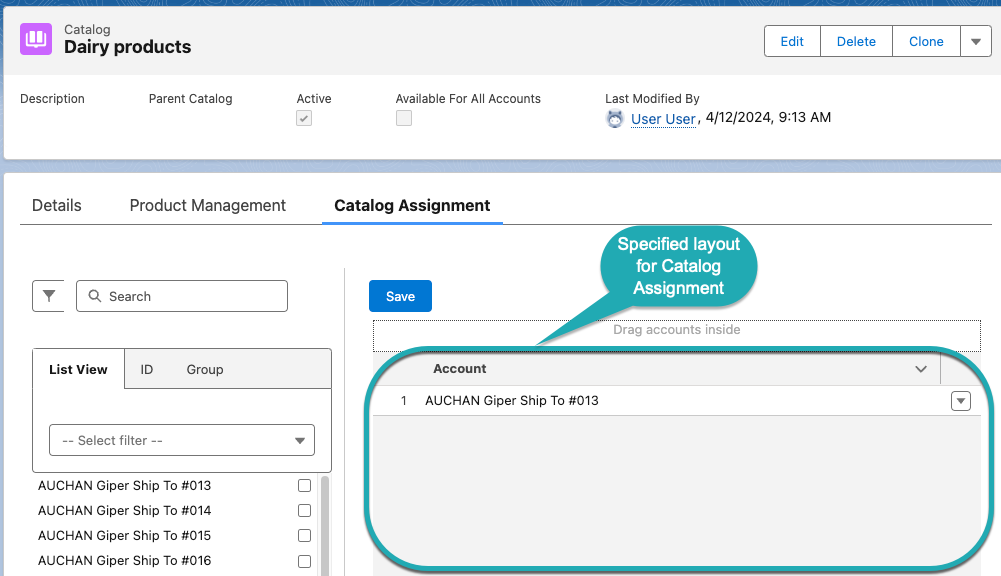
Catalog Assignment Layout Setting (1.0)
Set up the Catalog Assignment layout if you want to assign accounts to a catalog on the Product Management tab on the Catalog record page.
To create the Catalog Assignment layout:
-
Go to Settings and click New.
-
In the New Settings window, select Layout Setting.
-
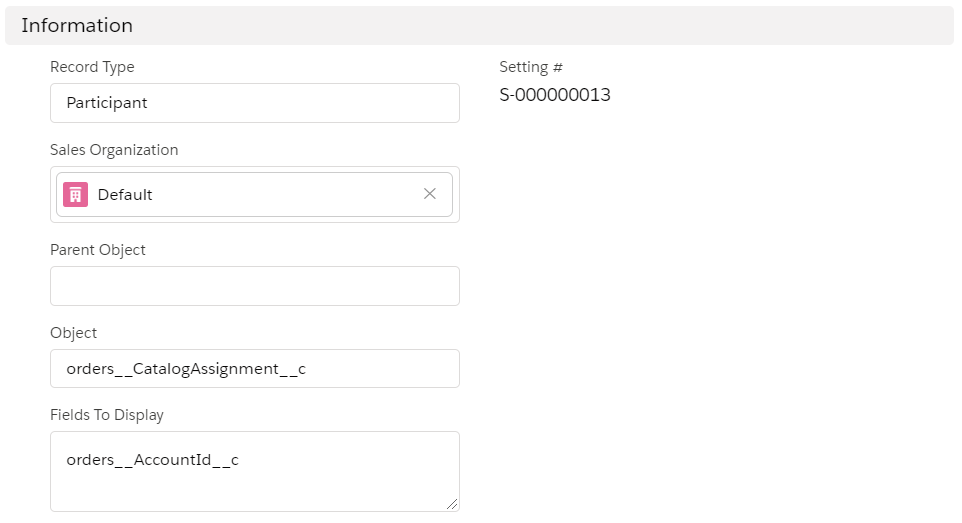
Configure the settings as follows:
-
Enter Participant in the Record Type field.
-
Select a Sales Organization.
-
In the Object field, specify orders__CatalogAssignment__c.
-
In Fields To Display, specify orders__AccountId__c.
-
-
Click Save.
The Catalog Assignment layout is set up.