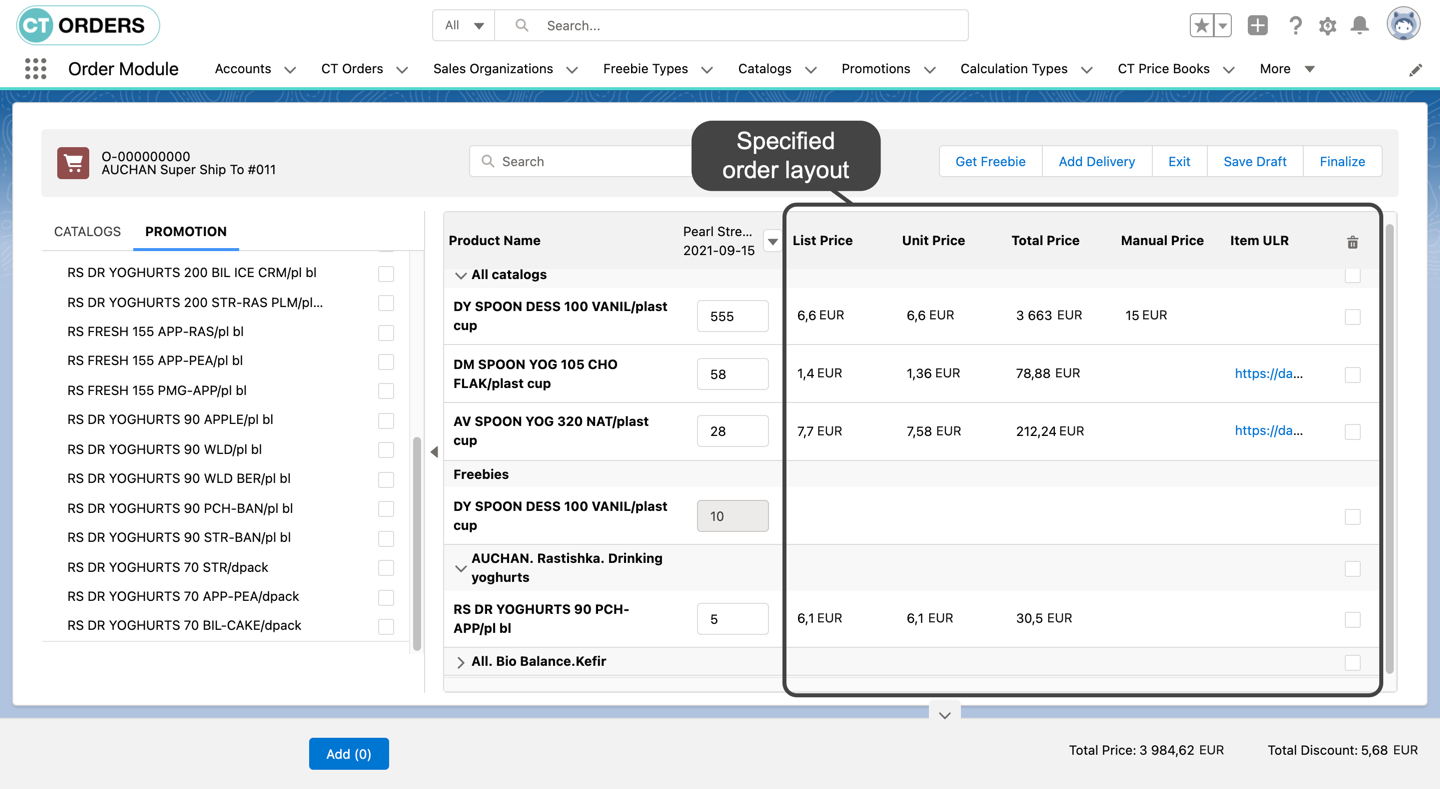
Order Line Item Layout Setting (1.0)
To create the layout for the order cart:
-
Go to Settings and click New.
-
In the New Settings window, select Layout Setting.
-
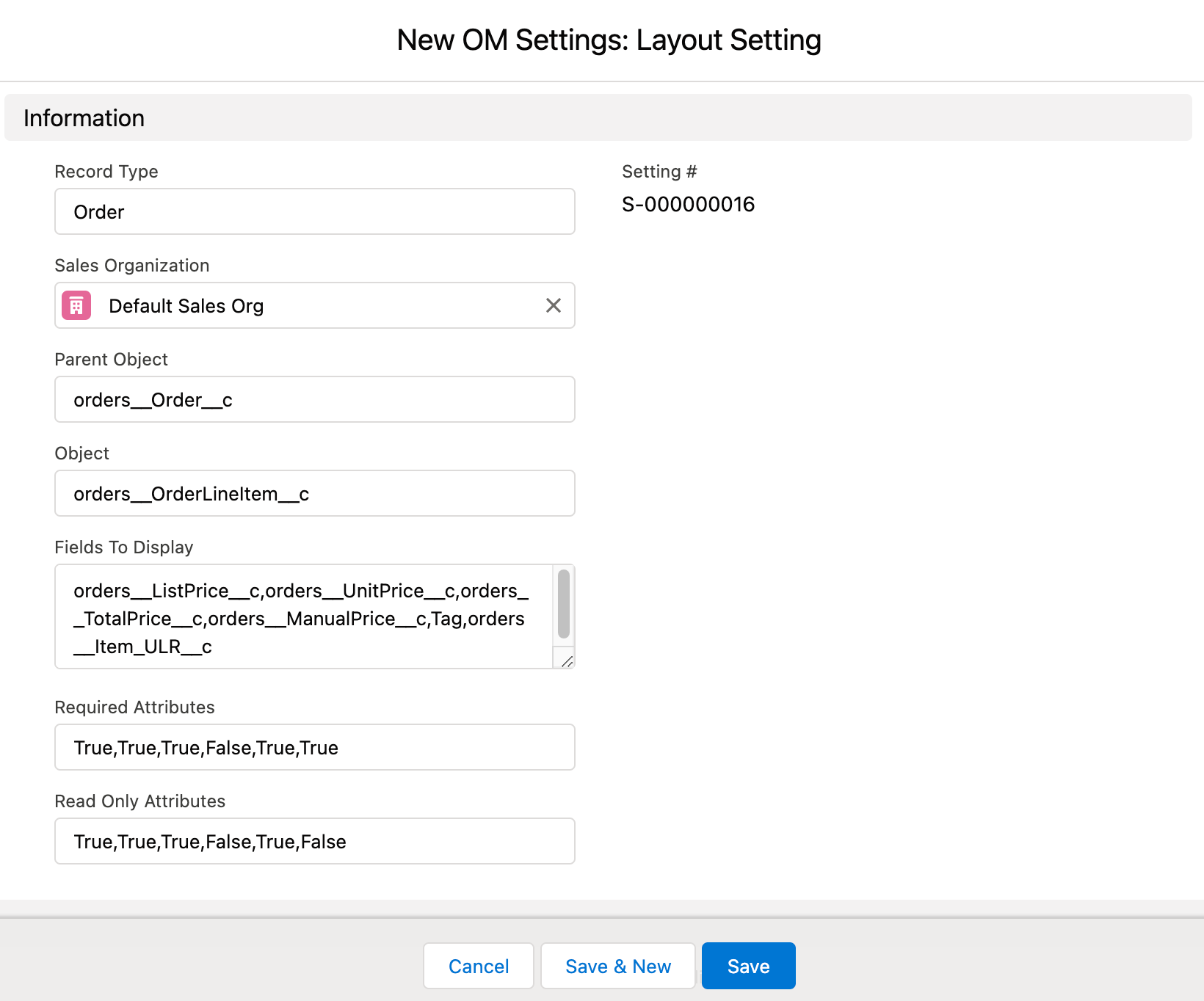
Configure the settings as follows:
-
Record Type: Order.
By default, the CT Order object has no record types. If you create record types for the CT Order object, you can set up different layouts for each order type. If no Record Type is specified on the layout, the setting will be applied to all order types within the Sales Organization that do not have an assigned Layout Setting.
-
Select a Sales Organization. If you do not select Sales Organization, the Order Cart layout will be applied for all orders with no assigned Sales Organization.
-
Parent Object: orders__Order__c.
-
Object: orders__OrderLineItem__c.
-
Fields to Display: enter API names of fields to add to the layout (separated by a comma, without a blank space).
You do not need to add orders__ProductId__c and orders__Quantity__c fields, as they will be displayed on the layout by default. -
Set up the Required Attributes and Read-Only Attributes correspondingly to the fields specified in Fields to Display (separated by the coma, without spaces).
-
-
Click Save.
The Order Cart layout is set up.