Override Basic Action for Quiz
By default, when a user opens the Quiz record, the standard page will be displayed. To launch the Quiz Visualforce page instead of having a standard Salesforce page, override the behavior of the View button:
-
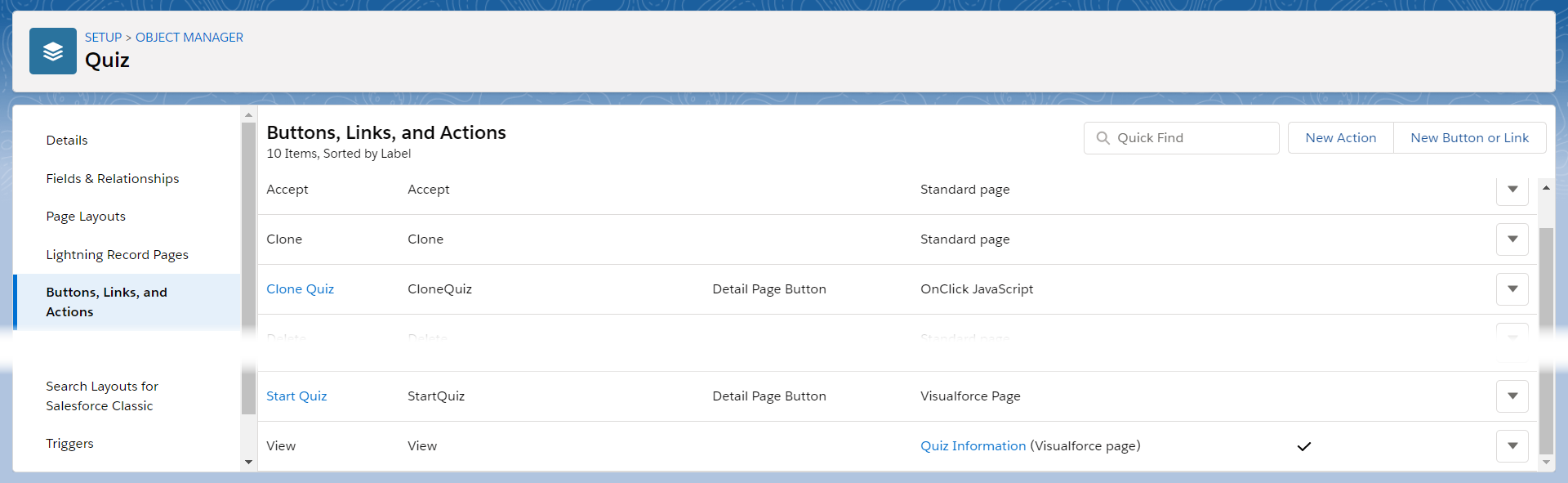
Go to Setup → Object Manager → Quiz → Buttons, Links, and Actions.
-
Click Edit next to the View label.
-
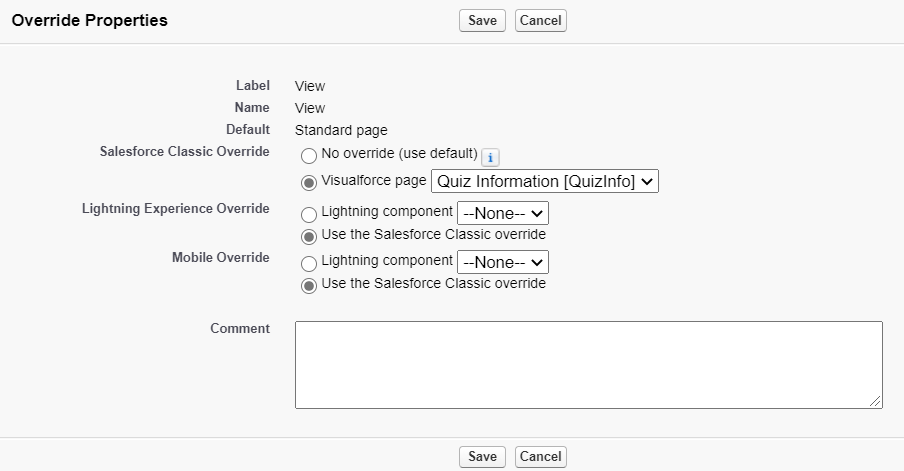
In the Override Properties section, select Visualforce page and QuizInformation[QuizInfo] next to Salesforce Classic Override.
-
Click Save.
The setup is complete. Now, when you click one of the buttons above, the Quiz Visualforce page will be open.