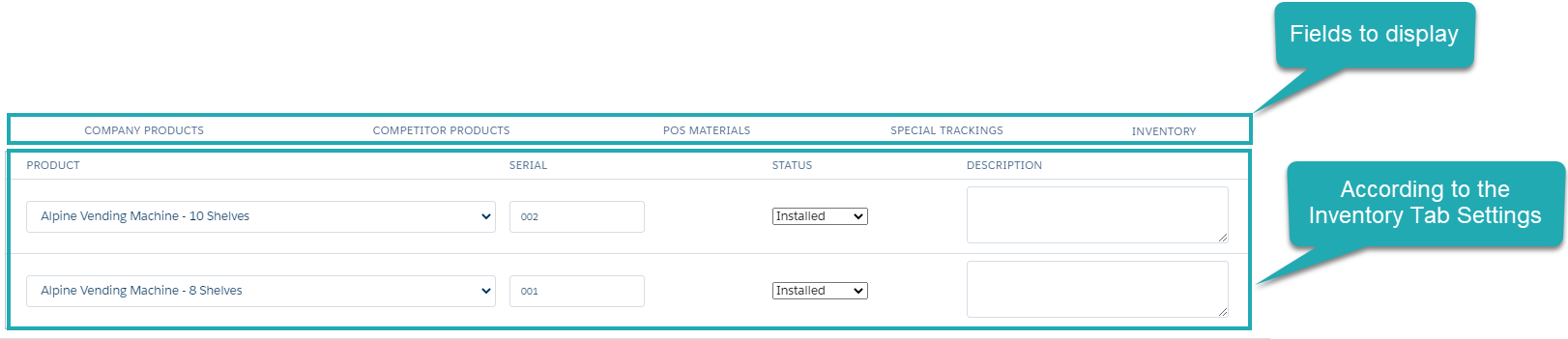
Configure an Inventory Tab
Add the Inventory tab for managing participants and their role during the Activity on the Activity Report page for the Visit record type.
-
Map the Inventory tab and the Activity Report page for the corresponding Activity record type via the appropriate custom setting.
-
Customize fields to display on the Inventory tab.
-
Create new CT Product records with the Inventory record type and assign them to the Account records for displaying Inventory records on the Inventory tab of the Activity Report page for the Activity of the selected Account record.
Manage Inventory Settings Records
To display the Event Member tab on the Activity Report page:
-
Go to Setup → Custom Code → Custom Settings.
-
Click Manage next to Inventory Tab Settings.
-
Specify a new record for the specific user/profile, or edit the record for the whole Salesforce organization.
Read the description of each parameter here.
-
specify the user/profile
-
specify the required Activity record type
-
specify the API name of the lookup to the Product object
-
specify the API name of the Inventory Tab field set to display: CTCPG__CallReportInventory
-
set active
-
-
Click Save.

The setup is complete.
Customize Fields to Display on the Inventory Tab
To customize fields to display on the Inventory tab:
-
Go to Setup → Object Manager → Inventory → Field Sets.
-
Click one of the CallReportInventory field set.
-
On the page layout editor, drag-n-drop or remove fields to display.
-
Click Save.
The setup is complete.