4. Managing CT CPG Licenses
Salesforce License options:
-
Lightning Platform
-
Sales Cloud
-
Service Cloud
-
Community Cloud
-
Consumer Goods Cloud
-
Health Cloud
-
E-Commerce
The administrator can grant or restrict access to users who can use the CT CPG package functionality by managing licenses.
Grant Access to Users
To select users who can use the CT CPG package functionality:
-
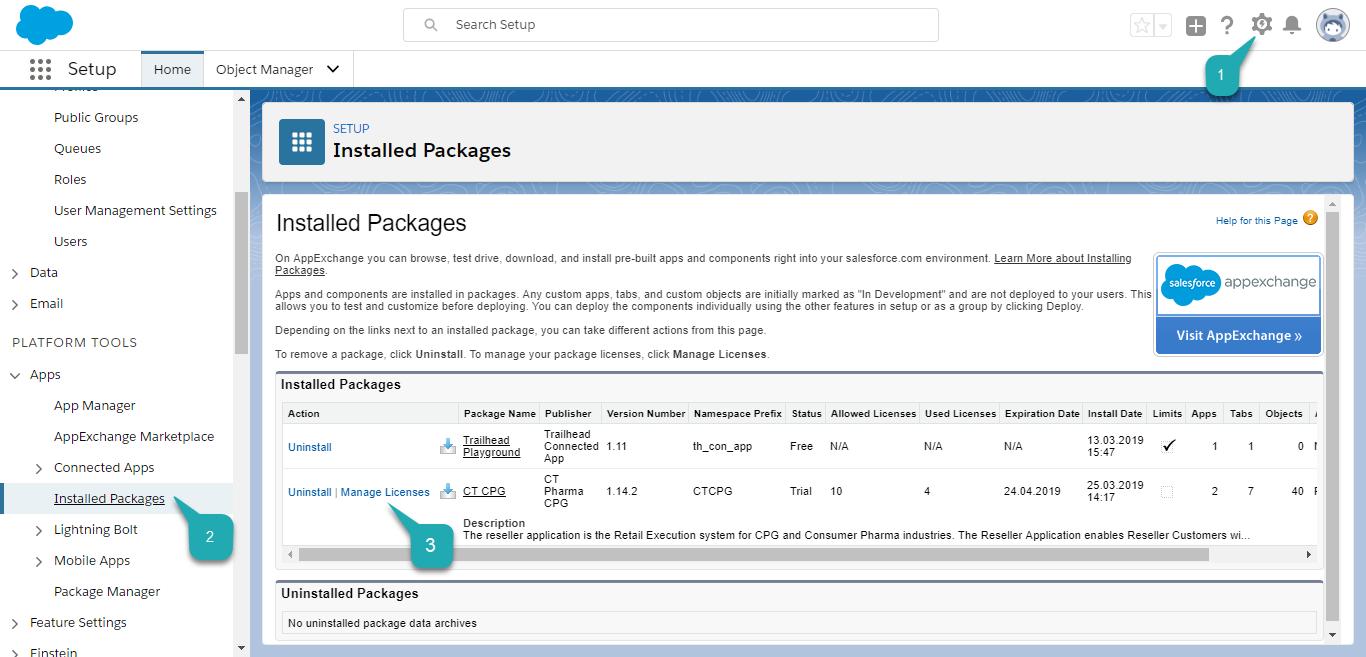
Go to Setup (1) → Apps → Installed Packages (2).
-
Click Manage Licenses (3) next to CT CPG.
-
Click the Add Users button.
The Add Users page opens.
-
Select users from the Available Users list.
-
Click Add.
Also, you can click Add All Users if you want to grant access to all users. 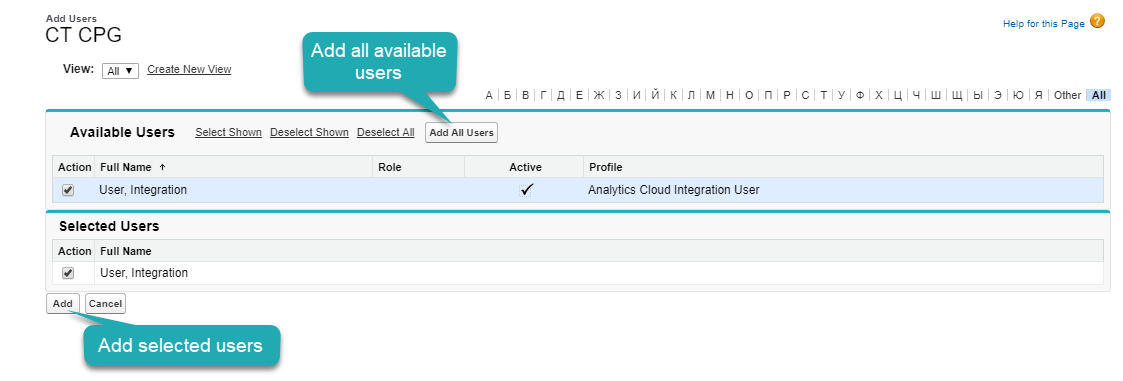
Selected users appear in the list of users who have access to the CT CPG package.
Restrict Access to Users
To restrict access to the user(s):
-
Go to Setup (1) → Apps → Installed Packages (2).
-
Click Manage Licenses (3) next to CT CPG.
-
Click Remove Multiple Users.
Also, you can remove a single user by clicking Remove next to the user’s Full Name.
-
Select users from the Available Users list.
-
Click Remove.
Also, you can click Remove All Users if you want to restrict access to the package for all users.
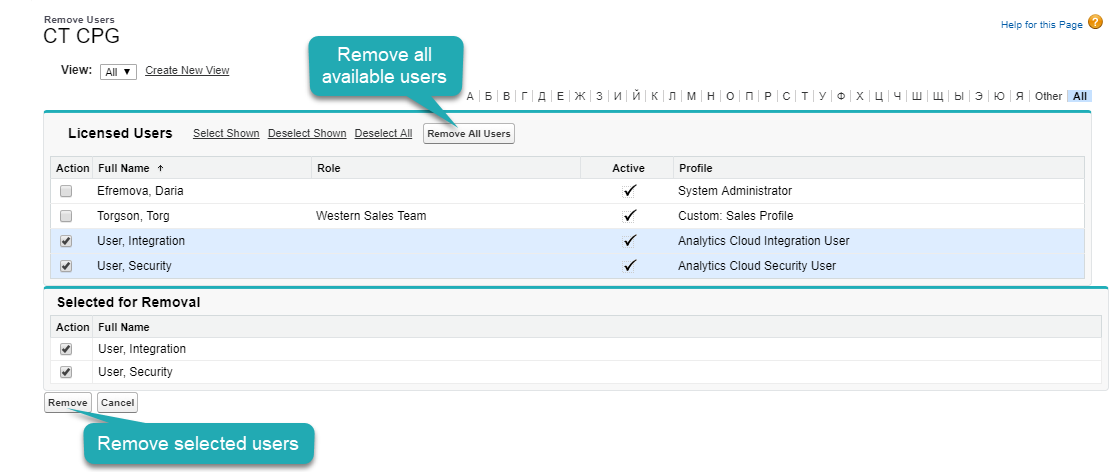
The user(s) are removed from the list of users who have access to the CT CPG package.