Configure a Report Template
Report Templates are used on the Activity Reports with the Joint Visit record type to estimate the representative’s skills.
-
Customize the Report Template layout via Template Editor.
-
Select and fill out a report during Joint Visit.
Create a Report Template
To create a Report Template:
-
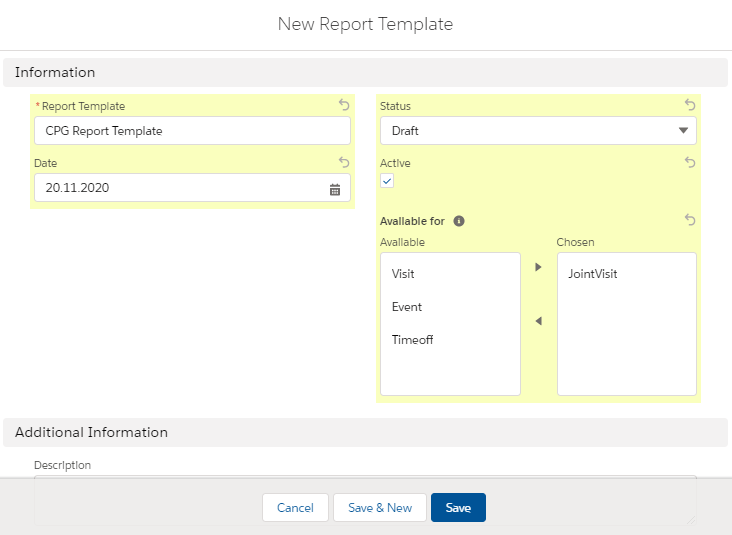
Go to the Report Templates tab and click New.
-
Fill in the required fields.
-
Enter Report Template name;
-
Select Status and Date;
-
Set Active to use the Report Template record.
-
Select the available Activity record types.
-
-
Click Save.
The setup is complete.
Customize a Report Template
Currently, please customize report templates in Salesforce Classic.
To customize a Report Template:
-
Go to the Report Templates tab and click the required Report Template record.
-
Click the Template Editor button.
-
Revise the main information and specify a description.

-
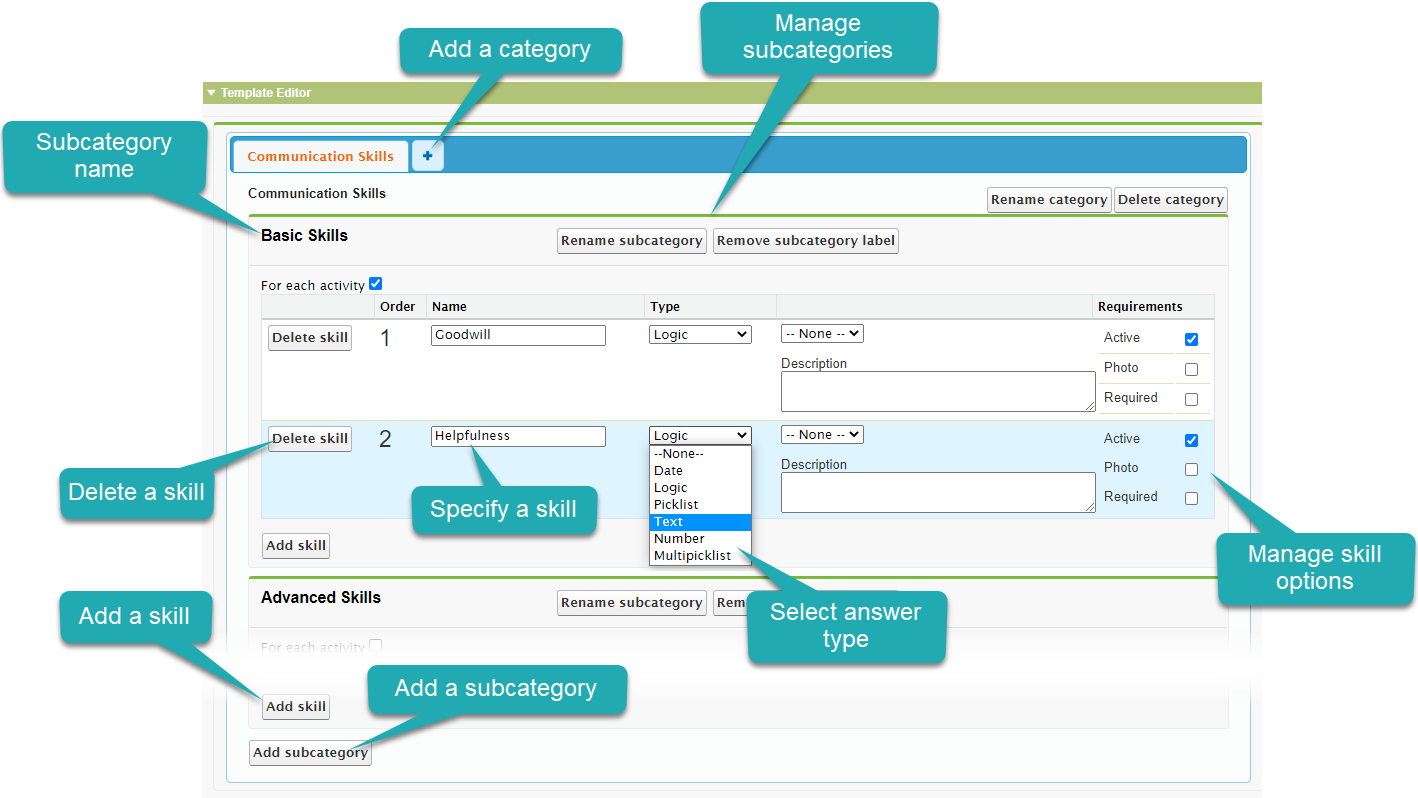
Specify skills to estimate.
-
Add categories and subcategories with required skills;
-
Select the answer type, specify appropriate answers and the skill options.
-
-
Click Save and Close.
The setup is complete.