Calendar Settings: Customize Events
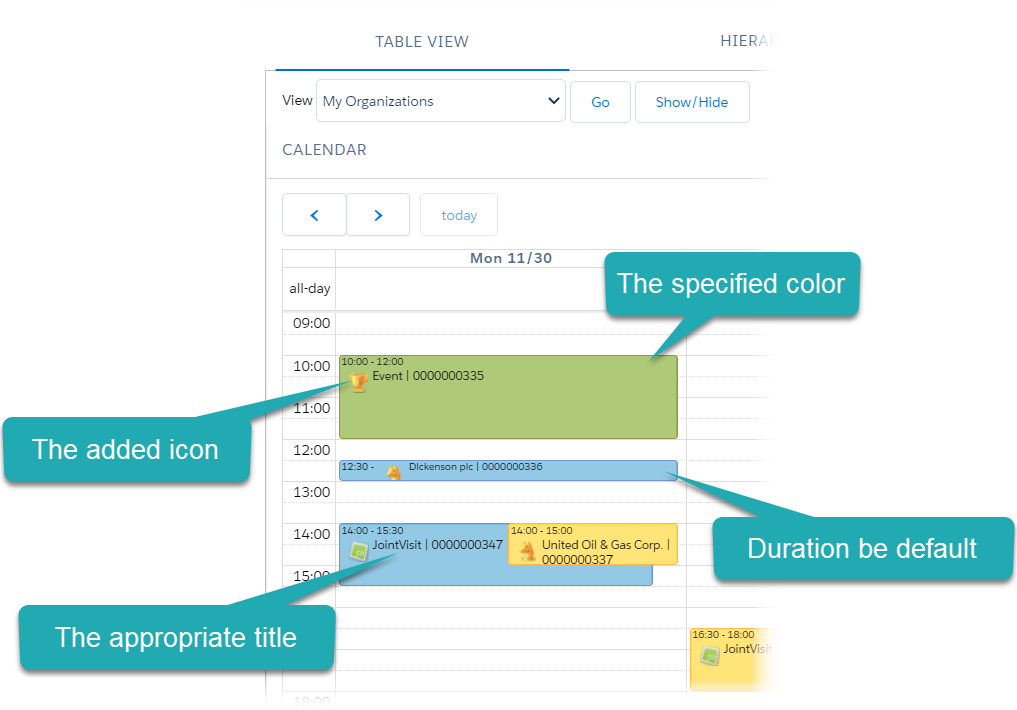
Two sections below are intended to customize CT CPG Activity displaying on the Calendar grid and the corresponding layout for working with the CT CPG Activity details.
Customize Events (1)
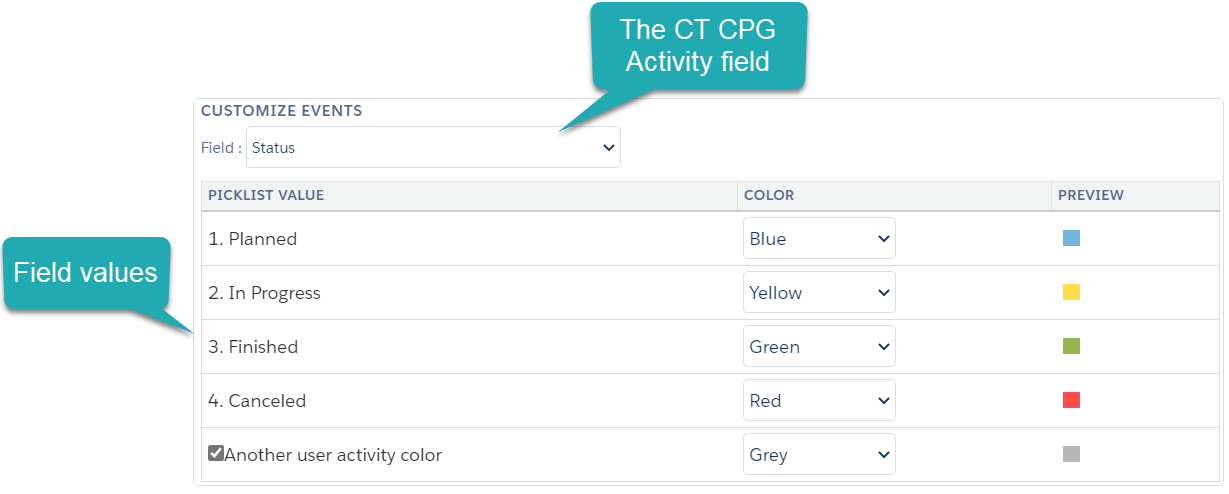
In this section, select a field with the Picklist data type to differentiate the CT CPG Activity records according to its field value by color.
-
Select the Type or Status field of the CT CPG Activity object:
-
It is possible to change the values of these fields.
-
Create a new field with a Picklist data type to have the ability to differentiate CT CPG Activities based on the values of this field.
-
-
Specify preferred colors:
-
If the Another user activity color enabled, other users' CT CPG Activities on the Employees Calendar tab will be displayed with the selected color.
-
Customize Events (2)
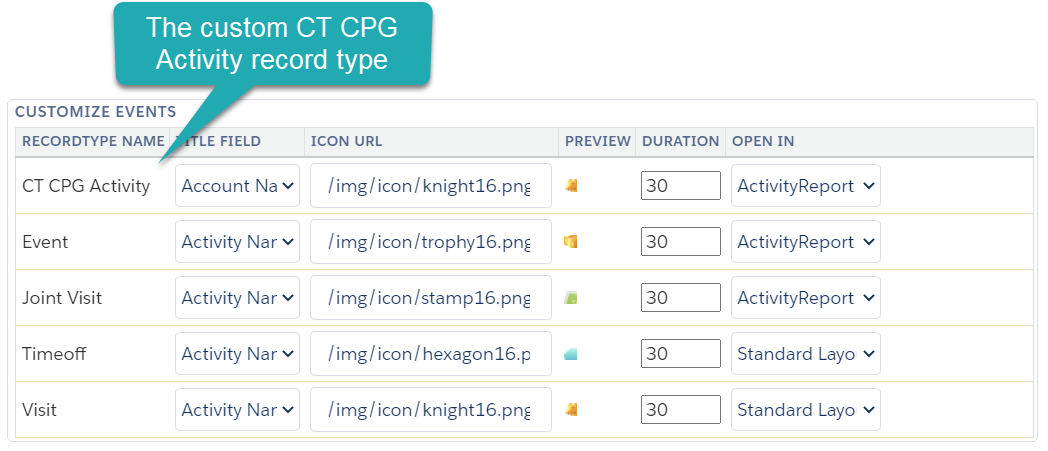
In this section, customize the corresponding layout for working with records of each CT CPG Activity record type on the Calendar grid.
-
If you specified a new record type for the CT CPG Activity object, it will be available to customize.
-
In the Title field, select a field to use it as a title of a CT CPG Activity record on the Calendar grid. It is possible to use a field with the Formula data type.
-
Specify the Icon URL to display. Images are connected with the help of a link and can be stored either in the Salesforce organization or on third-party resources.
-
Set the default Duration value.
-
In the Open In field, select the layout to open CT CPG Activity details.
Configure Activity Reports pages in case of using them instead of Standard Layout pages for working with CT CPG Activities.
Check the settings on the Calendar grid: