Create a New CT Product
You can upload new product records from the external ERP-system or separately create new CT Product records and differentiate them by specific categories, brands, and families.
| To upload multiple CT Product records, create a CSV file with required CT Product records, and then use Data Loader or DataImport Wizard to upload records to the Salesforce organization. |
To create a CT Product record:
-
Go to the CT Product tab and click New.
-
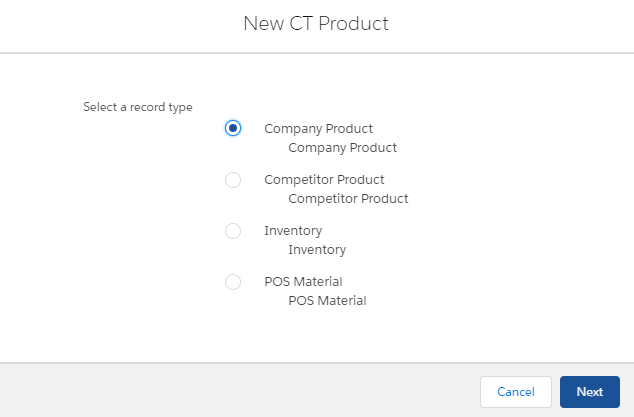
Select the record type and click Next.
-
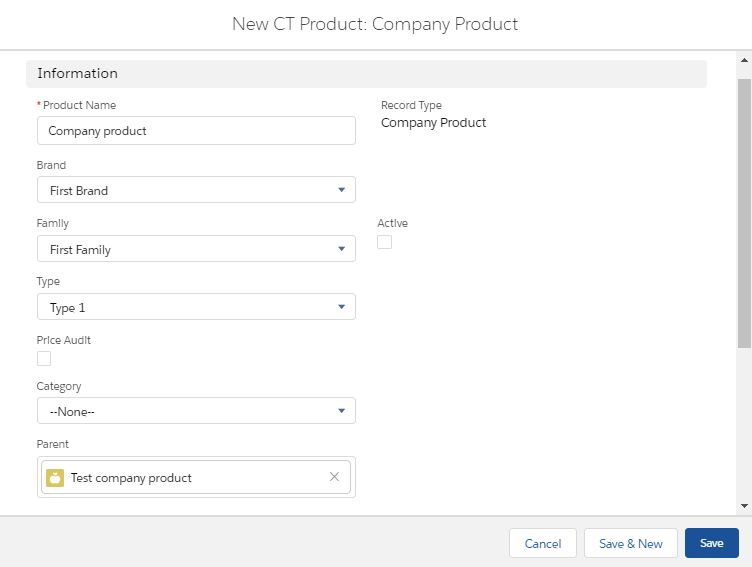
Fill in the product parameters, such as:
Read the description of each parameter here. -
Product name and Brand, Family, and Type.
If needed, update the values of the Brand, Family, and Type picklist on the CT Product object. -
Enable Price Audit to track product price changes.
-
Select Category if needed.
-
Add Parent product if needed.
-
Set Active to use CT Product.
-
-
Click Save.
The СT Product is created.