Activity Report Interface
Activity Report displays all information for the CT CPG Activity record within one page and can help you to manage activities related to the particular user.
-
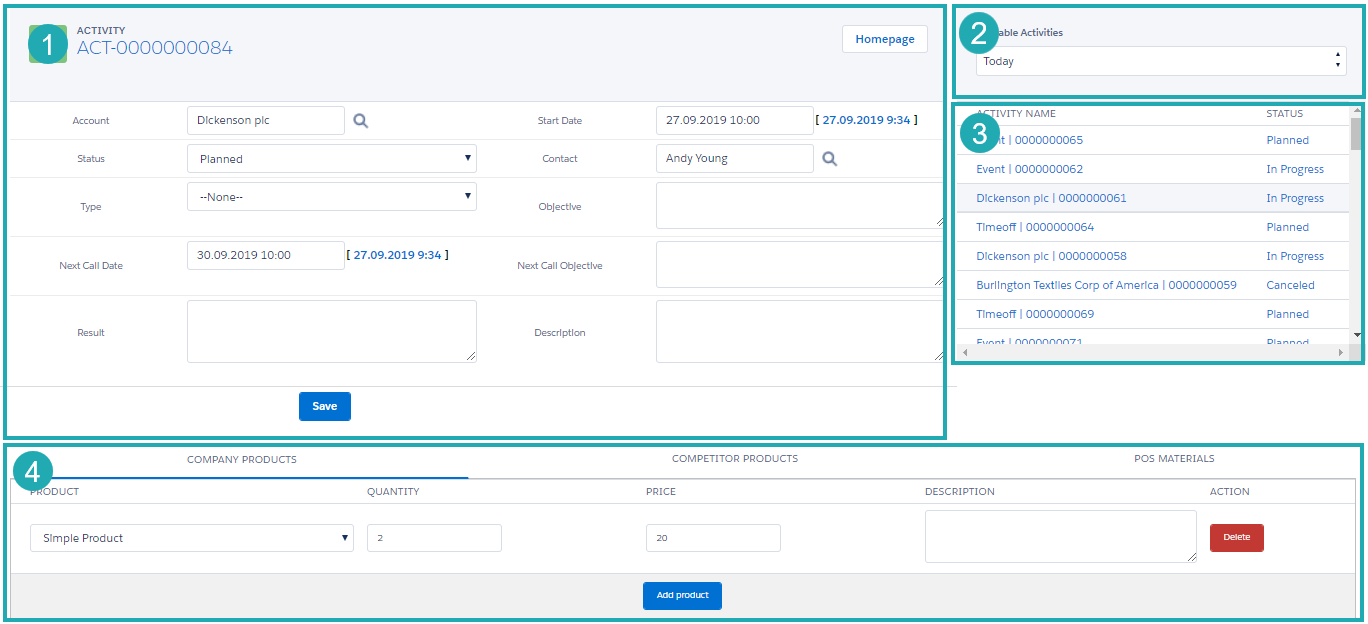
The main section displays details organized in a field set for the selected Activity record type. Click the link to view the configured Activity Report page per each CT CPG Activity record type.
-
List of filters that can be customized for the current user’s activities. The Today and This Month filters are available by default.
-
List of the available activities that are matched the selected filter.
Only not finished activities are displayed. -
According to the CT CPG Activity record type, list of related tracking products or event members based on the Marketing Cycle record if applied.
-
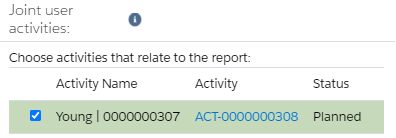
* The additional section with the available representative’s CT CPG Activities is available on the Activity Report specified for the CT CPG Activity with the Joint Visit record type.
Activity Report: Visit
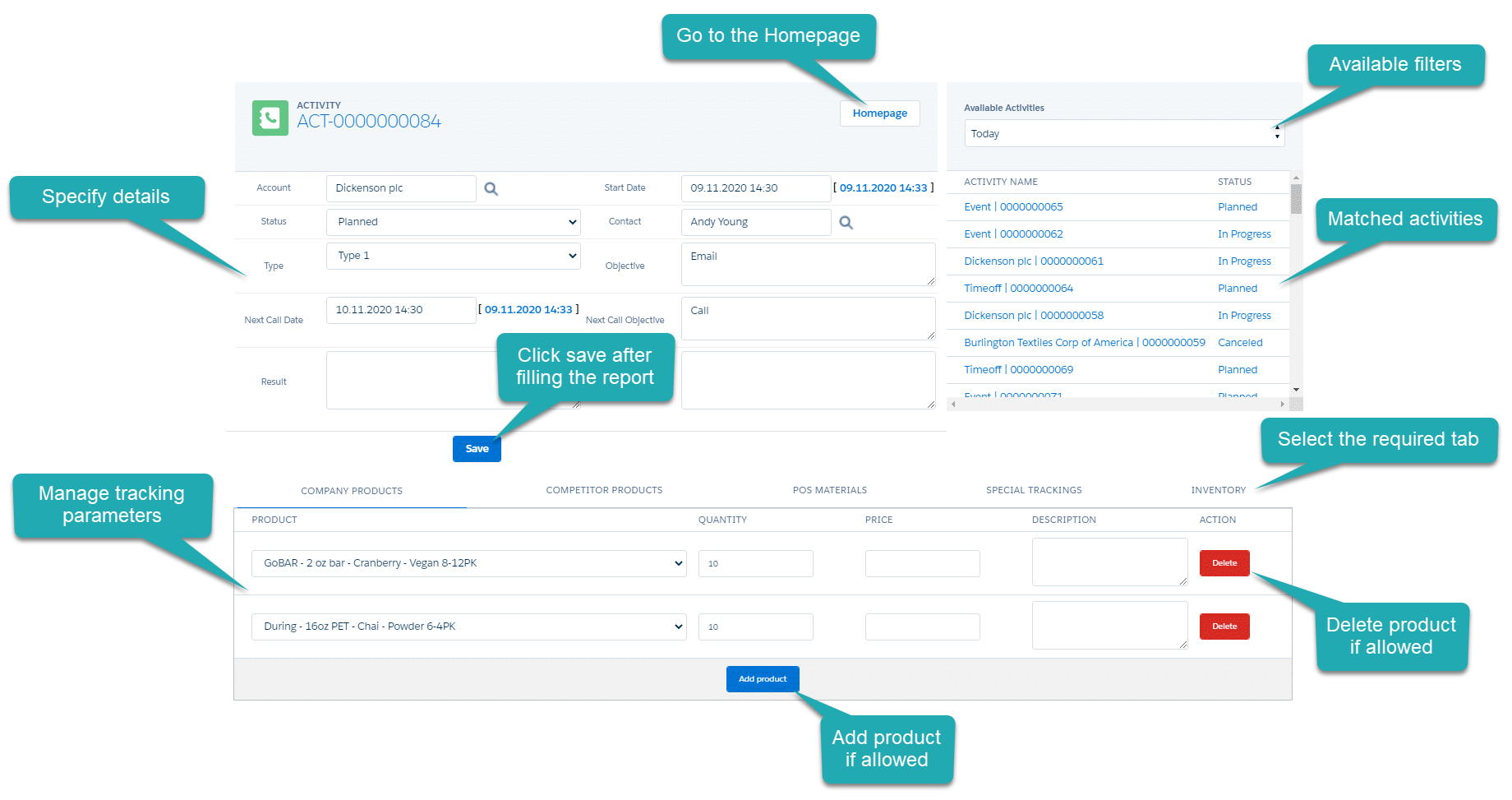
Manage details of the Activity with the Visit record type within the Activity Report Visit page.
-
The preconfigured field set with all required fields is used to fill out information during the visit.
-
The section with available activities helps to quickly jump to another activity of the current user. Use filters to display only matched activities.
-
The customized tabs show tracking products during the visit, such as company products, competitor products, POS materials, and inventory. Optionally, configure special tracking for objectives.
Activity Report: Event
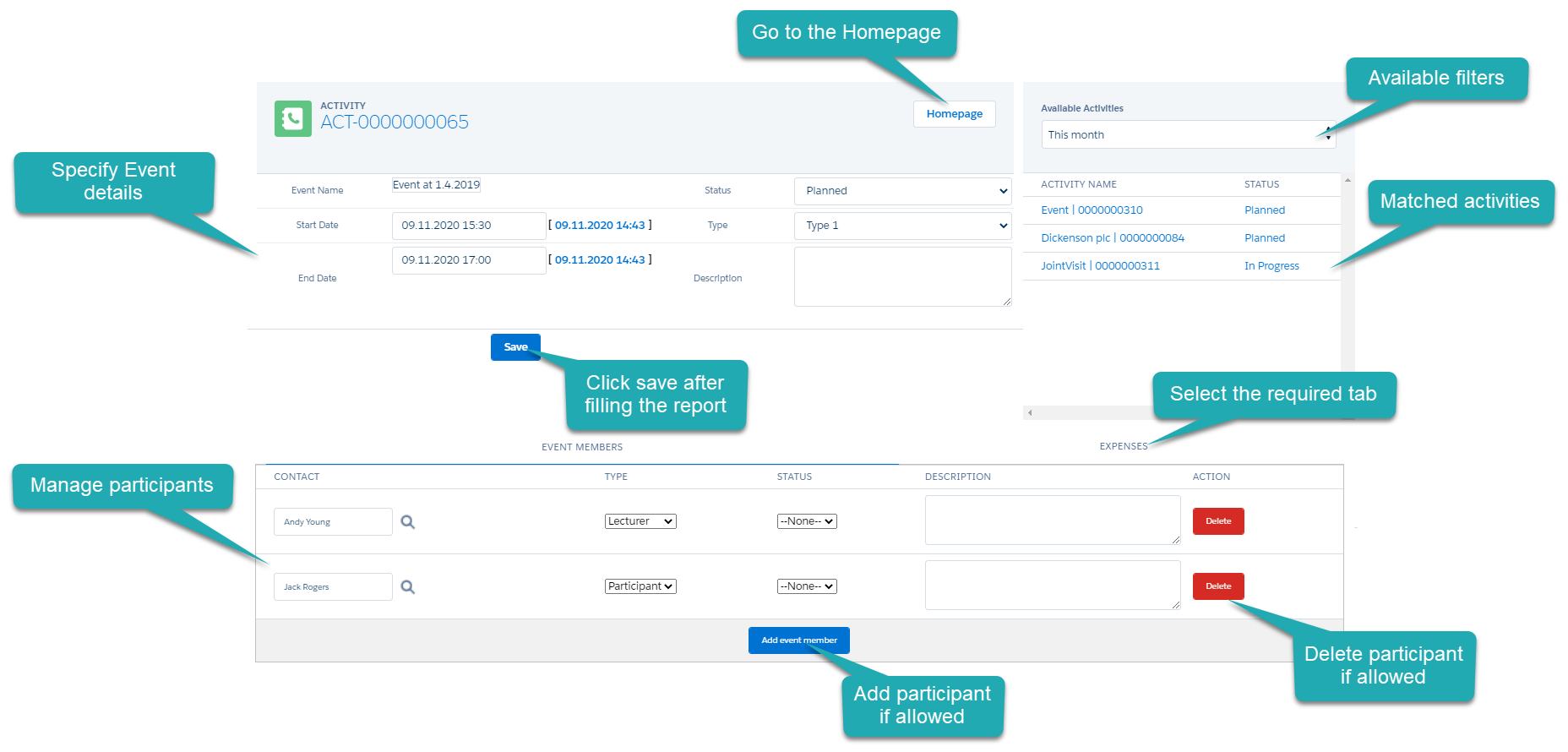
Manage details of the CT CPG Activity with the Event record type within the Activity Report Event page.
-
The preconfigured field set with all required fields is used to fill out information during the event.
-
The section with available activities helps to quickly jump to another activity of the current user. Use filters to display only matched activities.
-
The customized tabs show participants of the event and expenses, such as roll-stands, promo materials, etc.
Activity Report: Timeoff
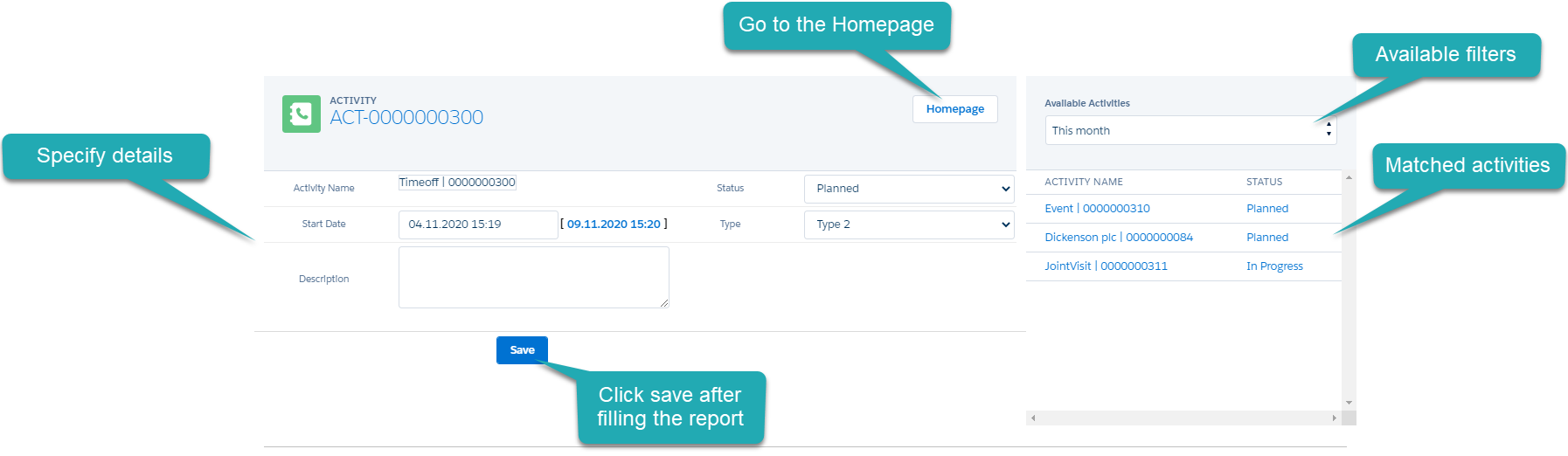
Manage details of the CT CPG Activity with the Timeoff record type within the Activity Report Timeoff page.
-
The preconfigured field set with all required fields is used to fill out information during the visit.
-
The section with available activities helps to quickly jump to another activity of the current user. Use filters to display only matched activities.
Activity Report: Joint Visit
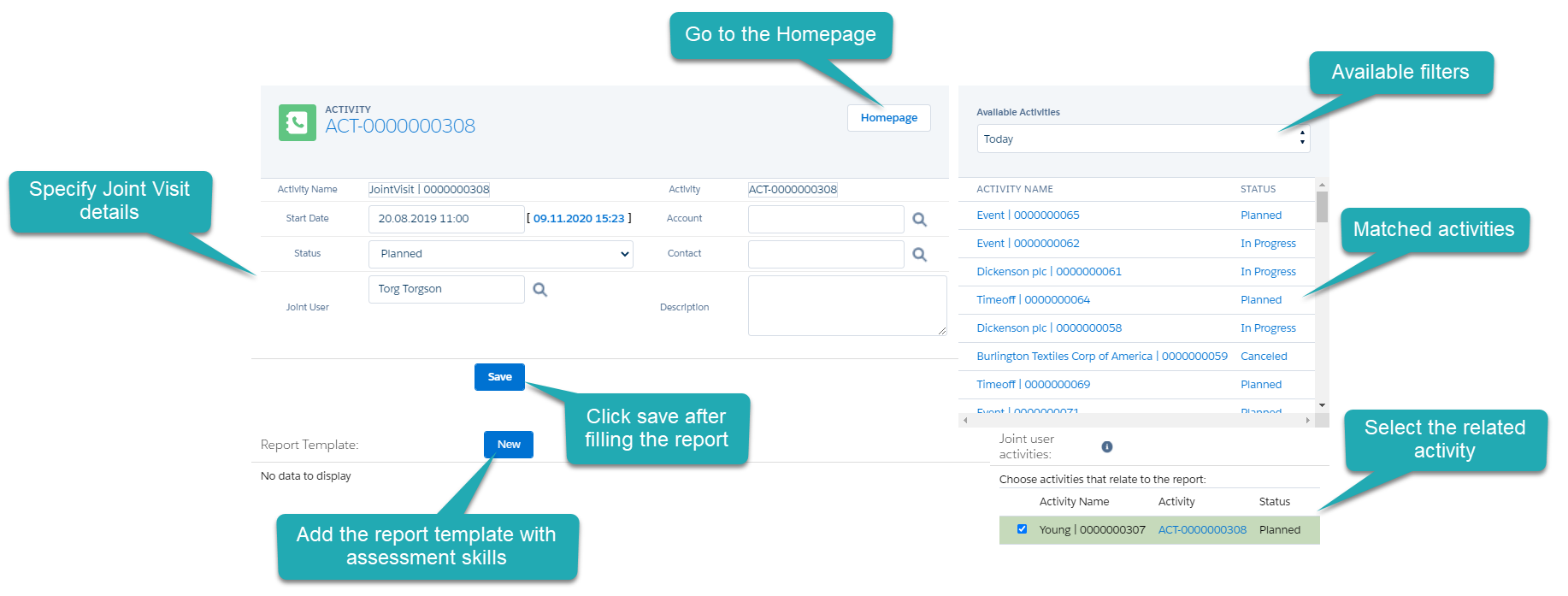
Manage details of the CT CPG Activity with the Joint Visit record type within the Activity Report Joint Visit page.
-
The preconfigured field set with all required fields is used to fill out information during the visit.
-
The section with available activities helps to quickly jump to another activity of the current user. Use filters to display only matched activities.
-
Select the representative’s CT CPG Activity that should relate to the Joint Visit record.
-
Add the Report Template from the picklist with the assessment skills.
Field Sets Types
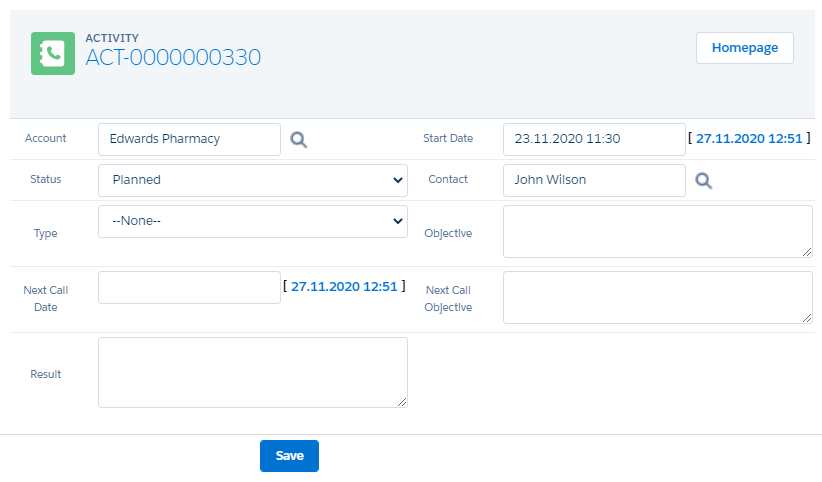
Visit, Event, Time Off, and Joint Visit are used to display required fields in the main section of the Activity Report page for the corresponding record type.
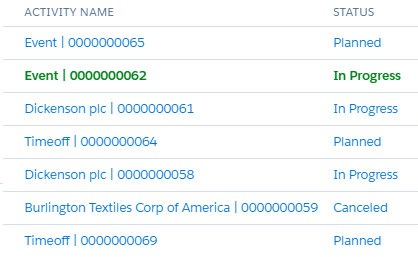
Activities List is used for specifying columns of the list with available activities for the current user. This field set will be added to any Activity Report pages regardless of the selected record type.
CT CPG Activities whose status is finished are not displayed. The open CT CPG Activity will be highlighted with green color.
|
Add new filters to display only matched CT CPG Activity records. |
Joint user activities is used to display required columns of the list with the representative’s CT CPG Activities that can be selected to relate the Joint Visit record on the Activity Report page for the Joint Visit record type.