Activity Sync Management
| These settings are optional. |
In this section:
-
Get familiar with the Activity Sync metadata type.
-
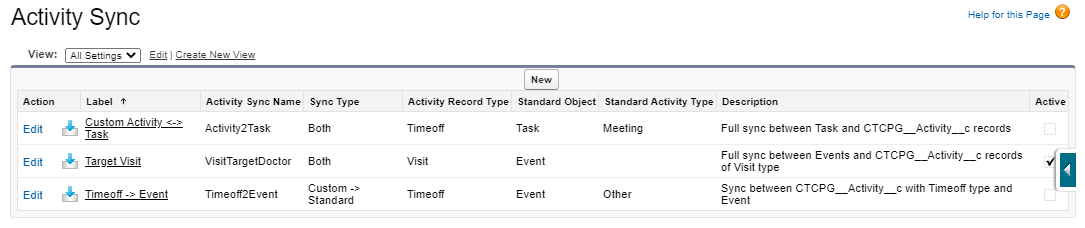
View the preconfigured Activity Sync records and the list of fields that will be updated on the Event and Task object by default.
Configure Activity Sync for managing activities between the standard Salesforce calendar and CT CPG Calendar.
The Default Activity Sync records
Activity Sync is used to:
-
Automatically synchronize the standard Event/Task and CT CPG Activity records. A corresponding record based on the standard Event/Task or CT CPG Activity record will be created.
If you have a few Activity Sync records, make sure that active settings do not affect each other to avoid failures during the Activity Sync processes. -
Synchronize changes in records.
-
Map fields to update them with the values from the parent Event/Task or CT CPG Activity record via the Activity Sync process.
Three preconfigured inactive records may be edited.
The Event and Task fields to update
The values from the following fields will be updated on the creating Activity record via the Activity Sync process. The CTCPG__ActivityId__c field is used to relate the synced standard Event/Task or CT CPG Activity records.
| Standard Calendar | CT CPG Calendar | |
|---|---|---|
Field Label |
||
Event |
Task |
CTCPG__Activity__c |
StartDateTime |
– |
CTCPG__StartDate__c |
EndDateTime |
– |
CTCPG__EndDate__c |
WhoId |
WhoId |
CTCPG__ContactId__c |
WhatId |
WhatId |
CTCPG__AccountId__c |
OwnerId |
OwnerId |
OwnerId |