Standard Layout Interface
The Standard Layout interface will be used to manage CT CPG Activity records if:
-
the Standard Layout is selected for the particular CT CPG Activity record type on the Calendar Settings tab.
-
the Standard Layout is selected to open by buttons.
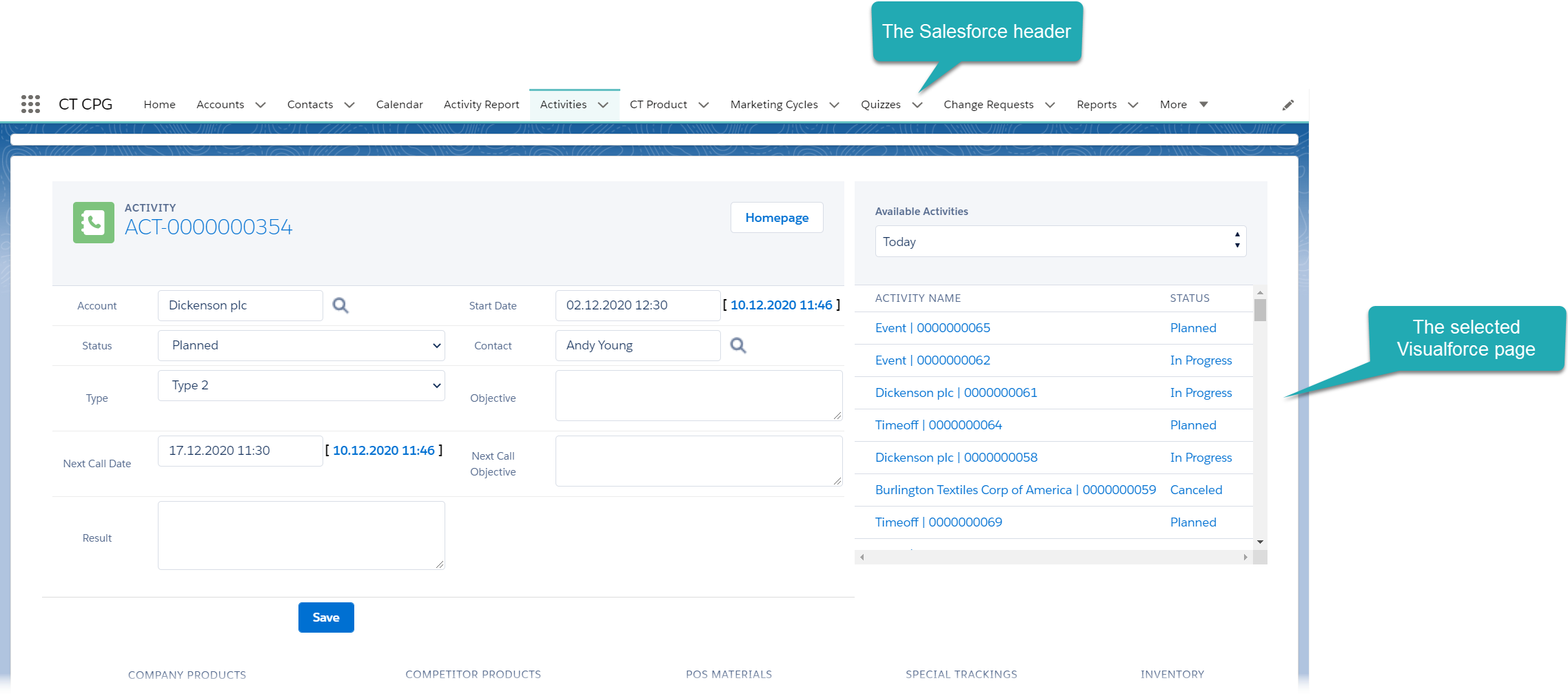
By default, the Activity Report Visulaforce page is selected for display with the standard Salesforce header tabs.
|
To display the Salesforce header in case of using Activity Report pages, select Show page header for the corresponding Calendar Tab Settings record. |
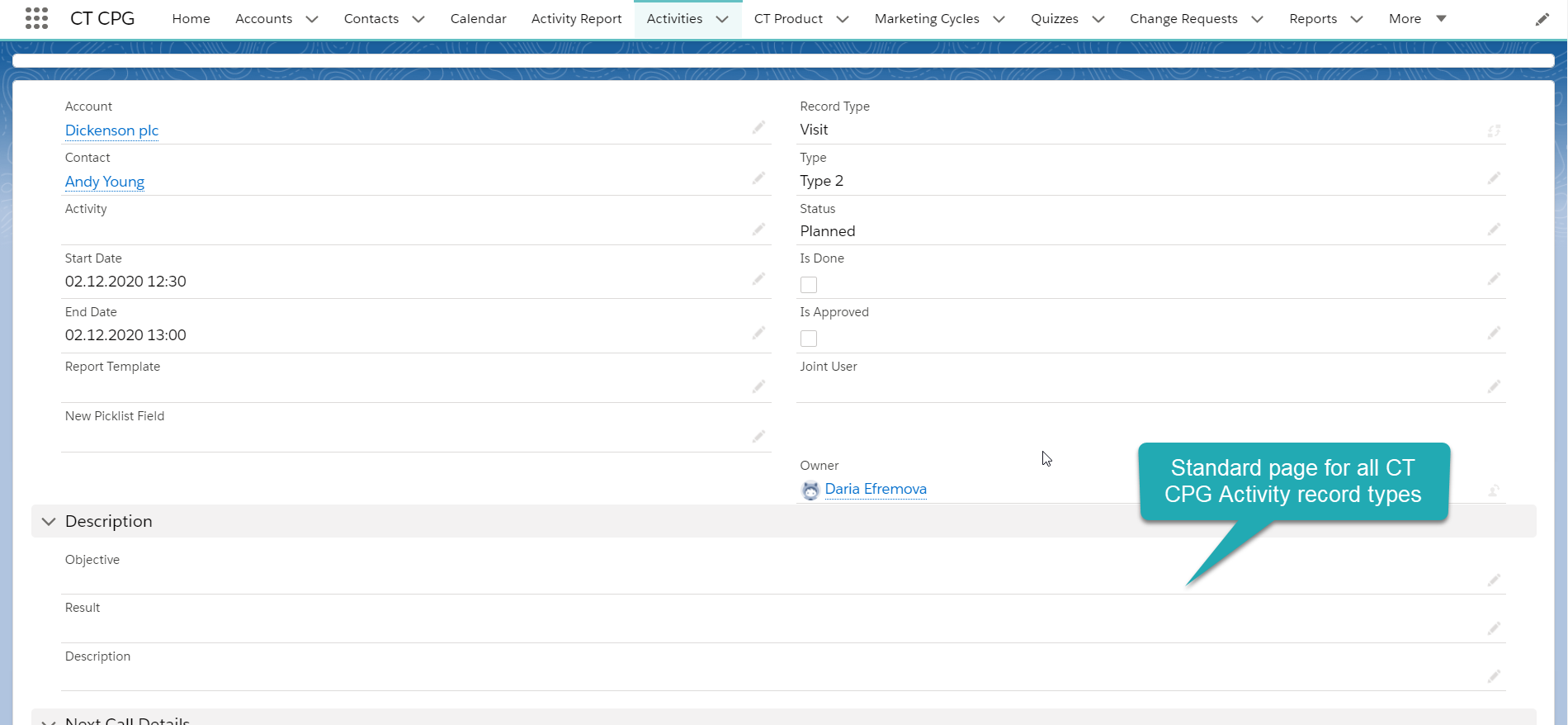
The Standard Layout page may be customized in Lightning App Builder to view CT CPG Activity parameters, for example, the Standard Layout page for all CT CPG Activity record types:
Customize Standard Layout
To customize the Standard Layout page:
-
Open any Activity Report page. The Standard Layout should be assigned to open the CT CPG Activity of the selected record type.
-
Click Setup → Edit Page. The Lightning App Builder opens.
-
Remove the Visualforce page and add components you want to display on the Standard Layout page.
You can select another Visualforce page if needed. 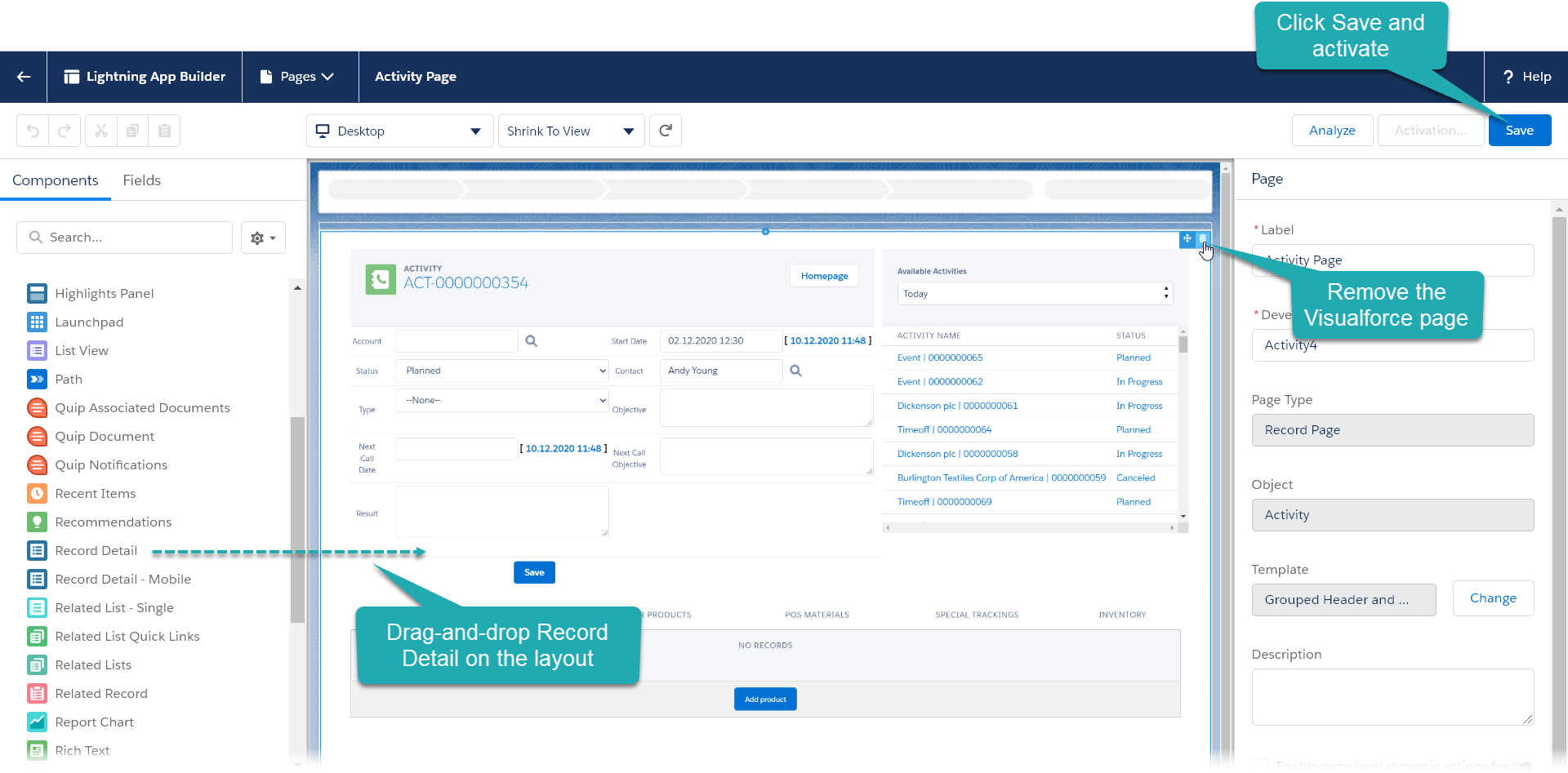
-
Click Save.
-
Click Activate.
-
Assign the Standard page to the Org Default and App Default tabs.
-
Click Close.
The setup is complete.