2. Installing CT CPG Package
-
Before the installation, allow users to relate contacts to multiple accounts.
-
The following Salesforce Editions are supported:
-
Enterprise
-
Unlimited
-
Force.com
-
Developer
-
Performance
-
To install the CT CPG package:
-
Follow the direct link to the managed CT CPG package on the AppExchange site.
Alternatively, go to the AppExchange site, enter CT CPG in the search box, and click CT CPG in the search results.
-
Click Get It Now.
-
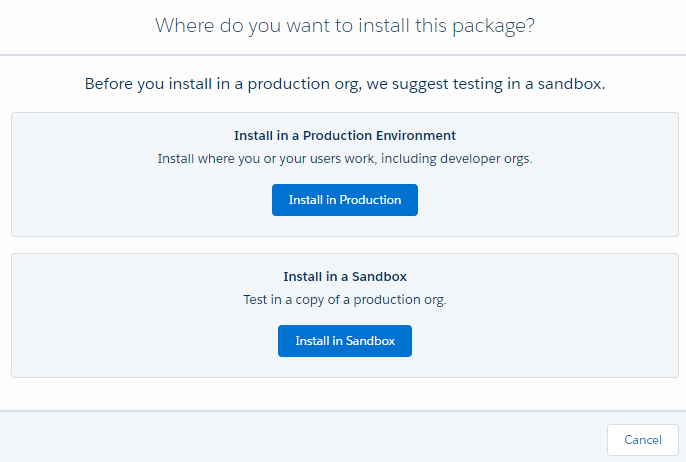
Select the Installation type.
-
The Install in Sandbox installation type requires production org credentials.
-
Regardless of the installation type, you can use the CT CPG package for 30 days in trial mode.
-
-
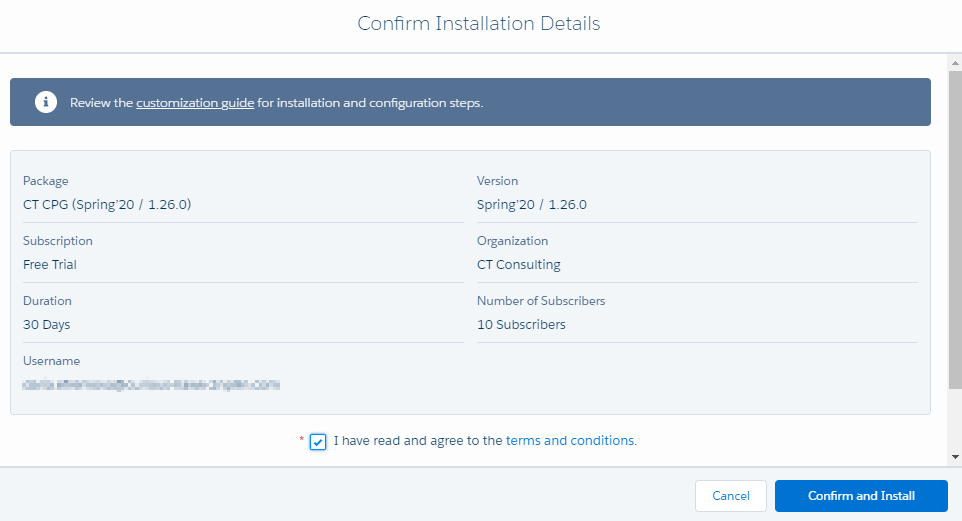
Read the installation details, agree with terms and conditions, and click Confirm and Install.
-
Select the security level of installation and click Install.
It is recommended to select Install for Admins Only security level. A Salesforce organization can contain numerous profiles. It may be unwise to give admin permissions to all the users. Admin can set the permissions for specific users after the package installation. 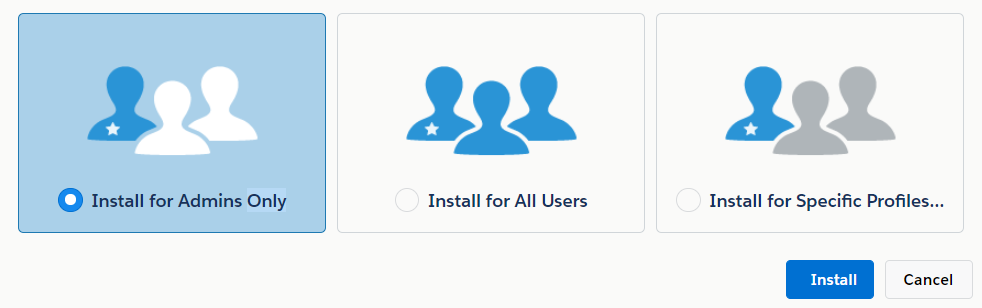
It will take some time for the CT CPG package to be installed. You will receive the email at the specified email address when the process is finished.
To view and manage the installed package, go to Setup → Installed Packages.