Enable Objectives Tracking
To track objectives for the particular Account or Contact record for further generating reports via standard Salesforce functionality:
-
add the Objectives related list on the Account and/or Contact page layout;
-
set up the Objectives options for the Application Settings record.
Configure Application Settings
To set up the Objectives options an Application Settings record:
-
Go to Setup → Custom Code → Custom Settings → click Manage next to Application Settings → click the required Application Settings record.
-
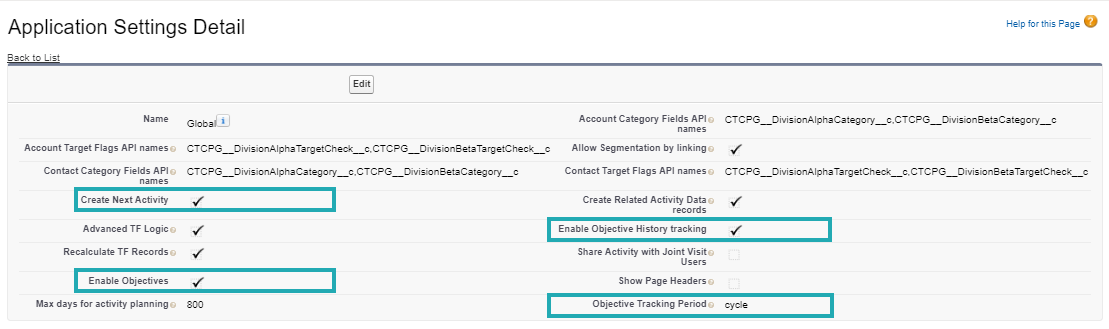
Specify the following:
-
Select Enable Objectives;
-
Select Enable Objective History Tracking to view objectives history in the reports;
-
Set up Objective Tracking History to track objectives for the specified period;
-
Select Create Next Activity if you want to copy objectives to the next activities via the Next Activity functionality.
-
-
Click Save.
The setup is complete.