Calendar Settings: Drag & Drop Settings
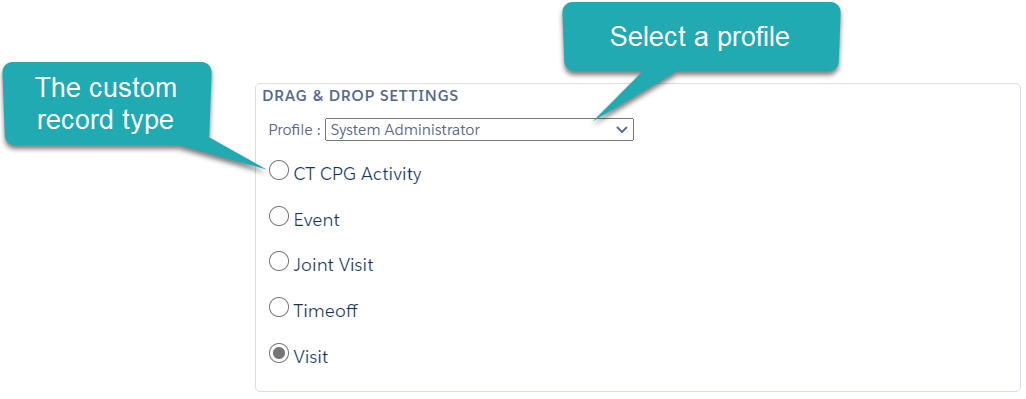
In this section, select the CT CPG Activity record type that will be used to create a new CT CPG Activity record by a drag-and-drop.
-
Select a profile to whom the drag-and-drop is enabled. If you do not have any configured profiles, the Global setting will be displayed in the field and will be applied to all non-configured profiles.
-
The custom record types are also available to a drag-and-drop.
Use the drag-and-drop action on the Table View tab by selecting an Account or Contact record from the list view table.
Use the drag-and-drop action on the Hierarchy View tab by selecting an Account or Contact record from the hierarchy tree.
-
Additionally, enable the Use target frequency option.