Reference Guide
| You can configure your custom business logic without configuring the targeting and marketing cycles process. |
In this section:
-
Get familiar with the default Targeting settings, such as records of Division Target Frequency Settings and Target Frequency Settings.
-
Learn about the Marketing Detail Tracking object and the preconfigured Marketing Cycle record.
-
Read field description for the Marketing Detail Tracking, Marketing Cycle, and Target Frequency objects.
Configure targeting based on a marketing cycle according to your business needs.
Division Target Frequency Settings
By default, the Alpha and Beta records of the Division Target Frequency Settings are created. These divisions are specified in the default Global record of the Application Settings.
-
Alpha

-
Beta

You can create new divisions and specify them in the Default Target Frequency Settings records.
Target Frequency Settings
The Target Frequency Settings records are not in use.
Marketing Cycle
There is an active Sample Marketing Cycle record for the Alpha division. The pre-configured records of the Marketing Detail Tracking object are created for Alpha division categories. CT CPG Activities with the Visit record type will be automatically linked to the Sample Marketing Cycle record.
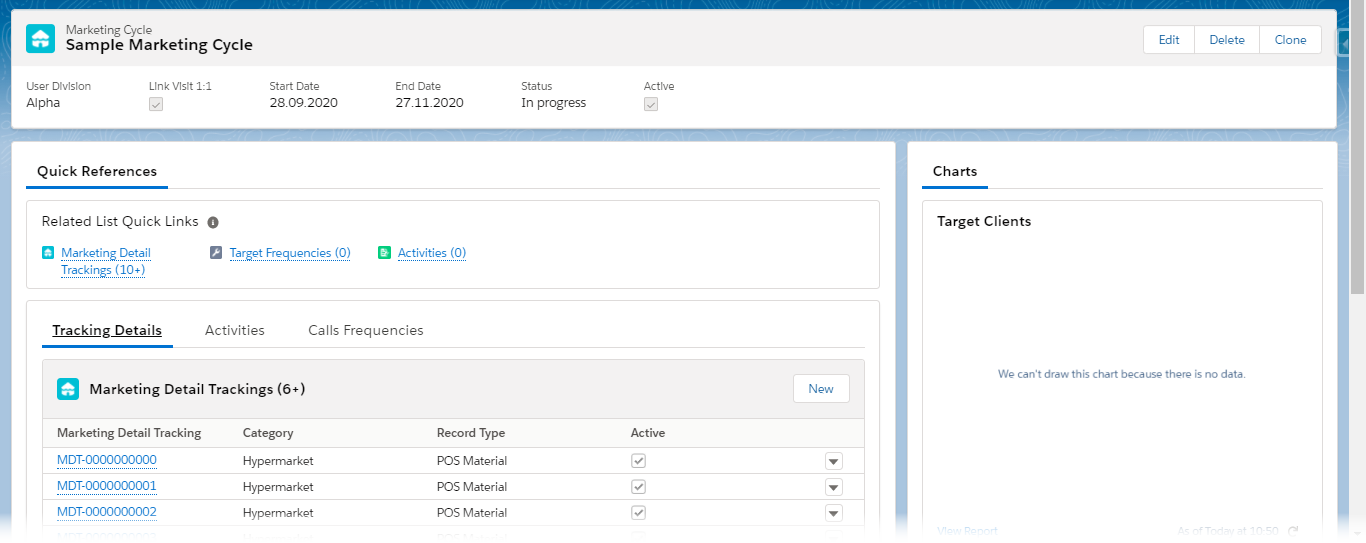
Create a new Marketing Cycle record with the appropriate parameters and enable the required activity linking.
Marketing Detail Tracking
For the Marketing Detail Tracking object, there are a few pre-configured record types.
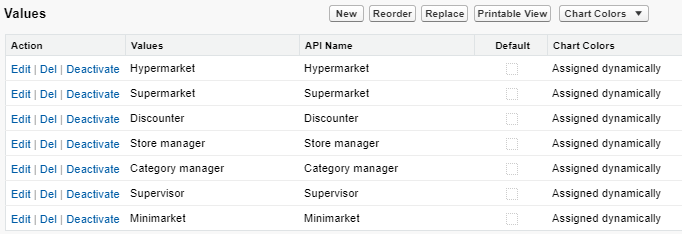
For the Category field on the Marketing Detail Tracking object, the following values are created according to the Alpha and Beta division categories.
Marketing Detail Tracking Record Types
By default, the following record types are available.
Call Rate
The Call Rate record type is intended to set up the number of planned activities per each required division category of the target Account or Contact record.
The Target Frequency record, which is automatically created to the target Account or Contact record, inherit the values from the Planned Calls, Category, and Marketing Cycle fields of the Call Rate record, if:
-
the Call Rate record is active;
-
the Call Rate record is assigned for the same division category that is specified for the Account or Contact record.
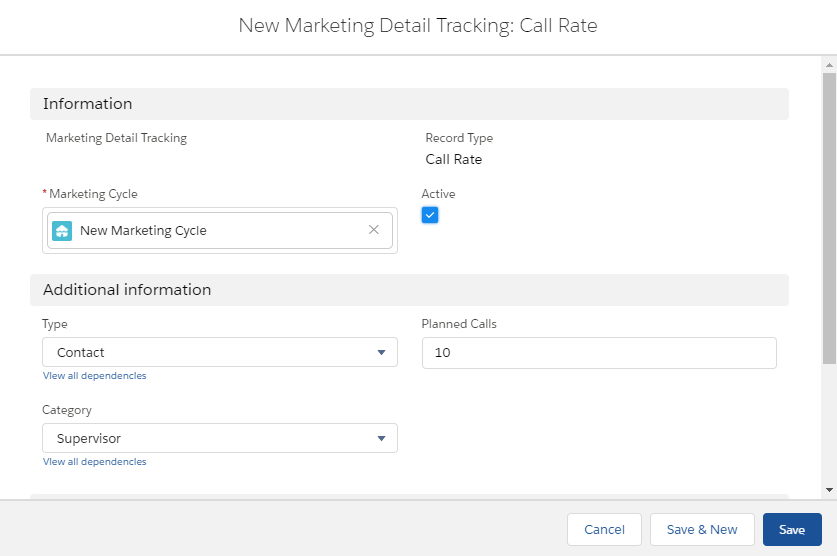
While creating the Marketing Detail Tracking record:
-
The related Marketing Cycle record is already set.
-
Set Active to activate the Call Rate record.
-
In the Type field, select the related object.
-
In the Category field, select the required division category.
-
In the Planned Calls field, enter the number of planned activities.
Company Product Tracking
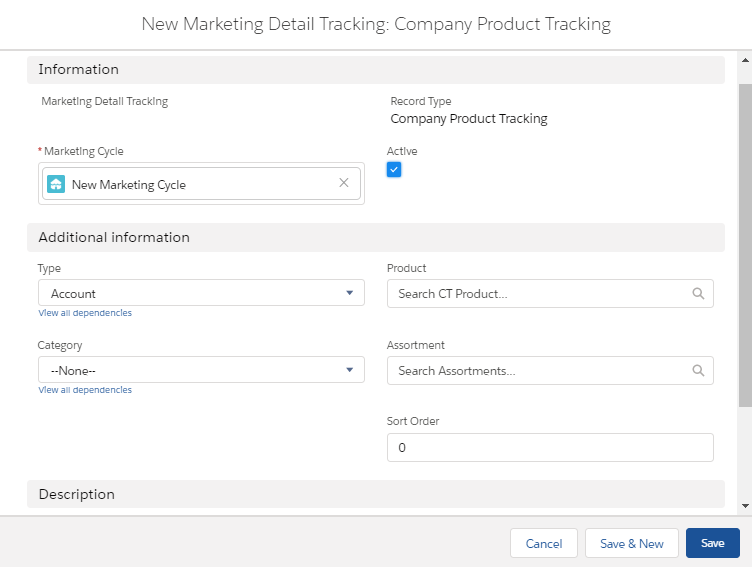
The Company Product Tracking record type is intended to track the required products or assortments of your company within the Activity record with the Visit record type of the target Account or Contact record.
For example, you can track products and assortments quantities and actual presence at customers.
Customize the Activity Report page to view the tracking company products for the Activity record.
While creating the Marketing Detail Tracking record:
-
The related Marketing Cycle record is already set.
-
Set Active to activate the Company Product Tracking record.
-
In the Type field, select the related object.
-
In the Category field, select the required division category.
-
Specify the tracking Product or Assortment.
-
Specify the Sort Order and, optionally, add a description.
Competitor Product Tracking
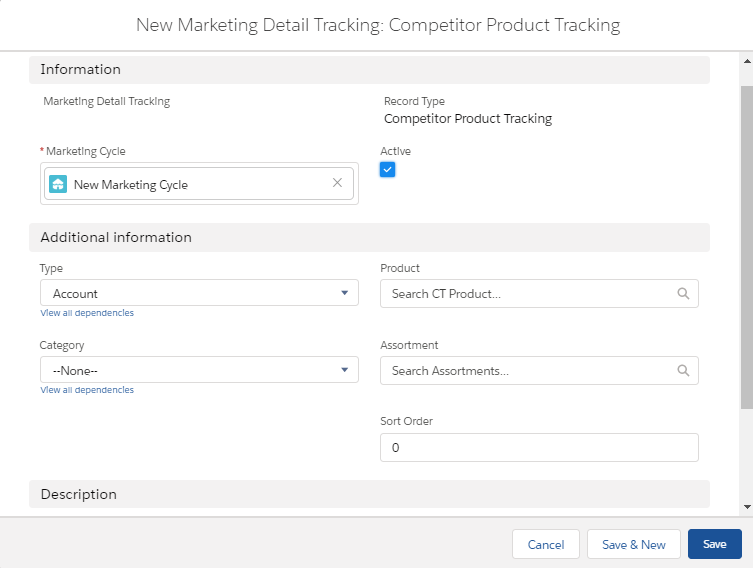
The Competitor Product Tracking record type is intended to track the required products or assortments of other companies (competitors) within the Activity record with the Visit record type of the target Account or Contact record.
Customize the Activity Report page to view the tracking competitor products for the Activity record.
While creating the Marketing Detail Tracking record:
-
The related Marketing Cycle record is already set.
-
Set Active to activate the Competitor Product Tracking record.
-
In the Type field, select the related object.
-
In the Category field, select the required division category.
-
Specify the tracking Product or Assortment.
-
Specify the Sort Order and, optionally, add a description.
POS Material
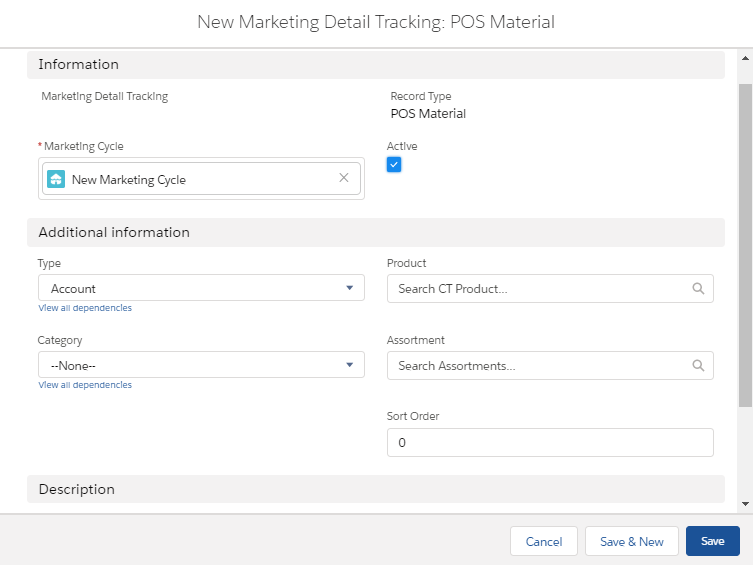
The POS Material record type is intended to track marketing materials distributed during the Activity record with the Visit record type of the target Account or Contact record.
Customize the Activity Report page to view the tracking POS Materials for the Activity record.
While creating the Marketing Detail Tracking record:
-
The related Marketing Cycle record is already set.
-
Set Active to activate the POS Material record.
-
In the Type field, select the related object.
-
In the Category field, select the required division category.
-
Specify the tracking Product or Assortment.
-
Specify the Sort Order and, optionally, add a description.
Special Tracking
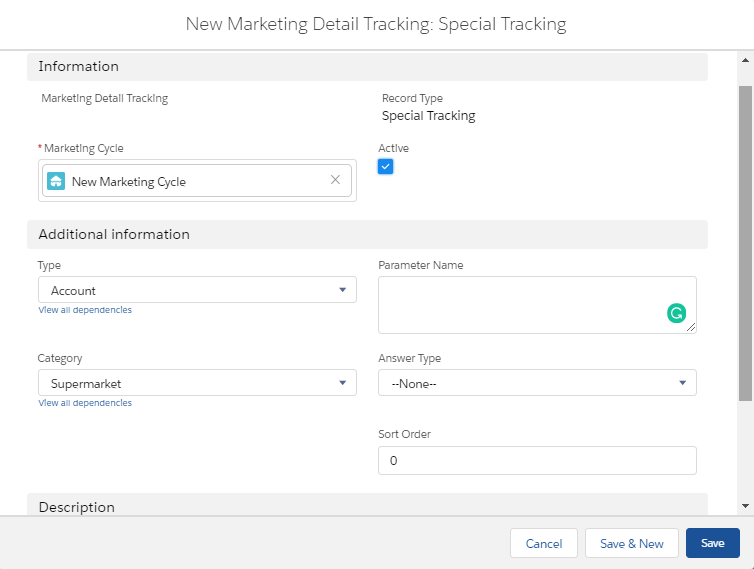
The Special Tracking record type is intended to track tasks and objectives within the Activity record with the Visit record type of the target Account or Contact record. You can specify a question on the Special Tracking tab of the Activity Report page by creating a few Marketing Detail Tracking records of the Special Tracking record type.
| Customize the Activity Report page to view the special tracking for the Activity record. |
While creating the Marketing Detail Tracking record:
-
The related Marketing Cycle record is already set.
-
Set Active to activate the Special Tracking record.
-
In the Type field, select the related object.
-
In the Category field, select the required division category.
-
Specify the Parameter Name.
-
Select Answer Type. The available values:
text,boolean(yes/no answers),number,currency. -
Specify the Sort Order and, optionally, add a description.