Create and Update a Dynamic CPG Group
Create a dynamic CPG group and manage its members.
Create a Dynamic CPG Group
To create a static CPG group:
-
Go to the Groups tab.
-
Click New.
-
Fill in the CPG group parameters, such as:
Read the description of each parameter here.
-
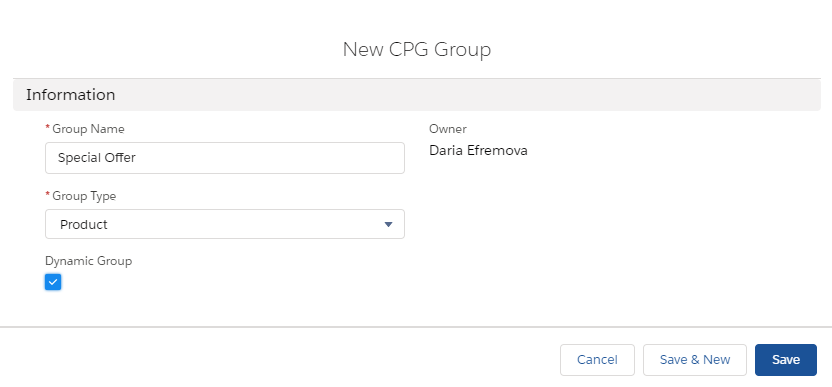
Enter Group Name;
-
Select Group Type;
Group Type cannot be changed after saving the group.
-
Select the Dynamic Group checkbox.
-
-
Click Save.
-
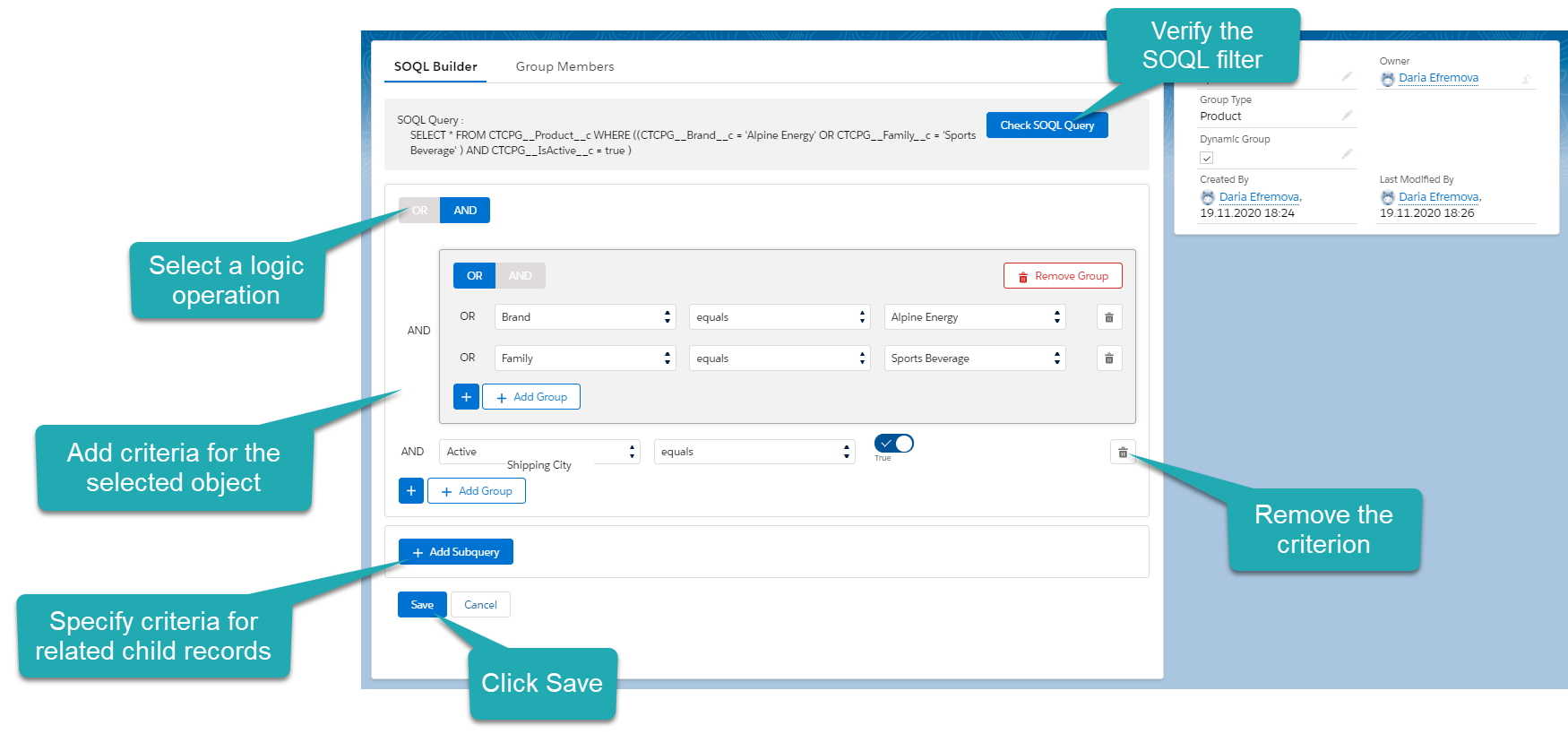
The dynamic group of records is created. The SOQL Builder tab opens.
-
Enter criteria using the OR / AND buttons.
-
Check the SOQL Query record above the builder.
-
-
Click Save and confirm.
The dynamic group is created.
Manage Dynamic CPG Group Members
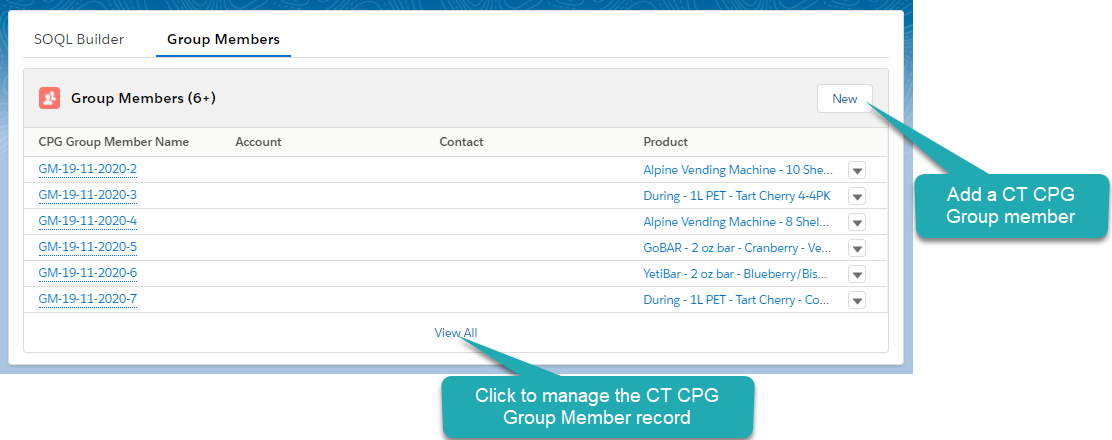
To view dynamic CPG group members, go to the Group Members tab.
-
Click New to manually add a CPG group member.
-
A CPG Group Member record will not be recalculated after changing the SOQL criteria.
-
To recalculate a CPG Group Member record, uncheck the Manual field on the added CPG Group Member record.
Add the Manual field to the Group Member page layout.
-
-
An empty record cannot be added as a CPG Group Member record;
-
Only the records of the selected Group Type on the CPG Group record can be added as a group member.
Update a Dynamic CPG Group
To update a dynamic group, you can choose between recalculation per record, dependent on the Apex trigger activation, or scheduling recalculation manually.
Recalculation per Record
If a user creates, updates, or removes a record of the object that matches the criteria of the dynamic group, the GroupMemberProcess trigger immediately recalculates the dynamic group. It checks specific fields of the record and updates the corresponding dynamic group(s).
|
Object records will not be recalculated if only the records of the child objects have been changed. |
Schedule Recalculation
By default, the dynamic groups are updated daily. The special Apex Schedule_DynamicGroup class will be run to update all the dynamic groups according to all the criteria for each parent and child objects.
|
Manually added group members cannot be recalculated. To recalculate this record, uncheck the Manual field. |
For further information, please refer to Developer Salesforce: Apex Scheduler.