Assigning a Division to a New Marketing Cycle
In order to create a Marketing Cycle for your custom division, you need to add required division to the Marketing Cycle record types.
-
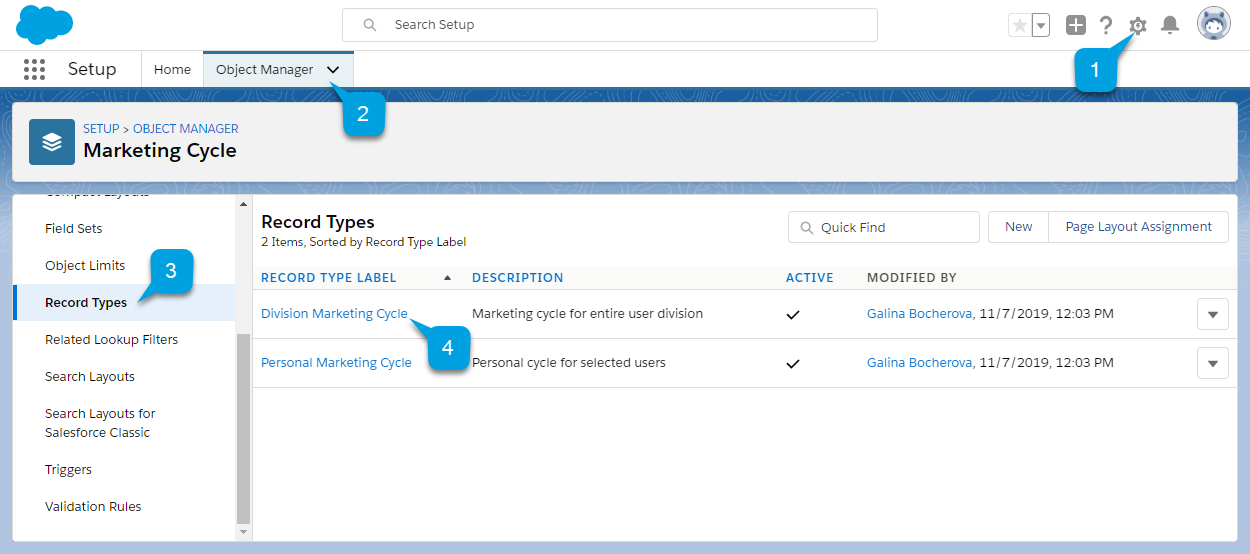
Go to Setup (1) → Object Manager (2) → Marketing Cycle → Record Types (3).
-
Select a record type, for which you want to add a new division (4).
-
On the record type detail page that opens, go to the Picklists Available for Editing section and click Edit next to the User Division field.
-
Select Theta from the list of available values (1) and click the Add button.
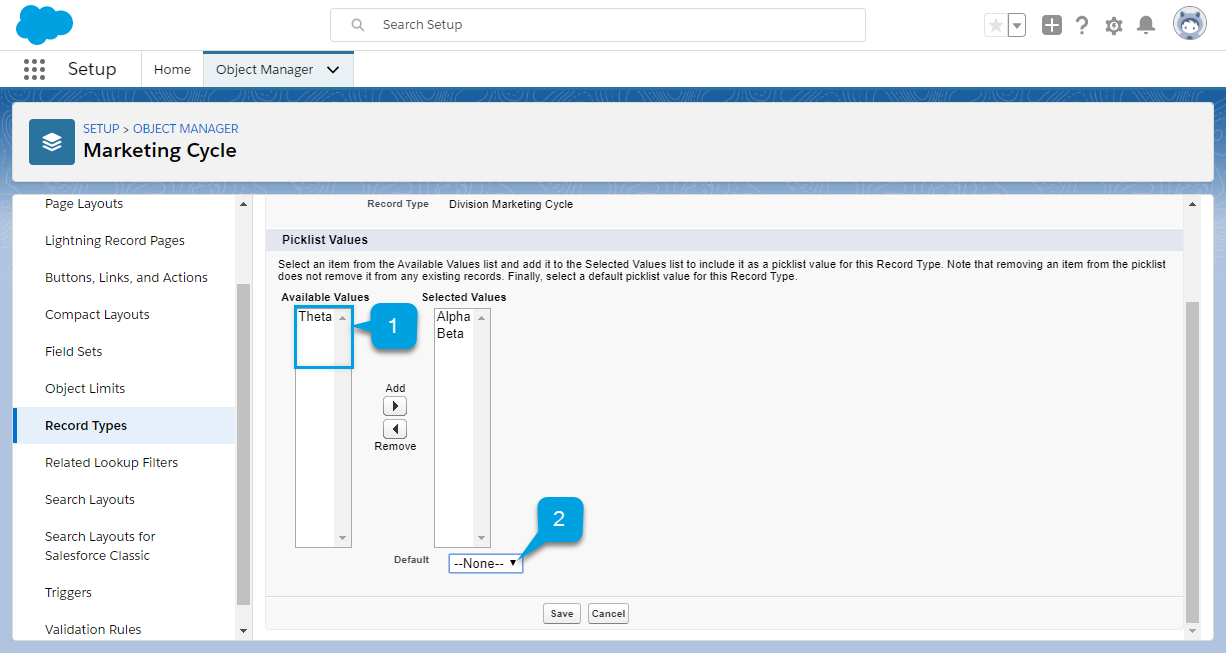
You can select a default value for the selected record type from the picklist (2). The default division is displayed on the New Marketing Cycle form for each record type. -
Click Save.