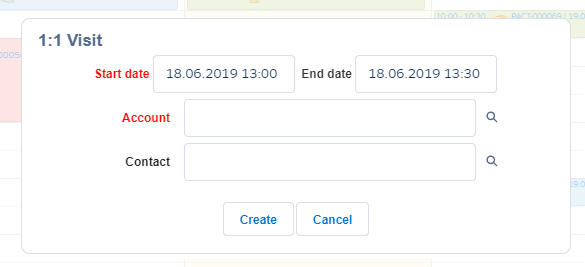
Calendar Settings: Event Creation Pop-up Window Setup
In this section, customize a pop-up that will be displayed after a user selects a record type to create a Pharma Activity record.
To create a pop-up:
-
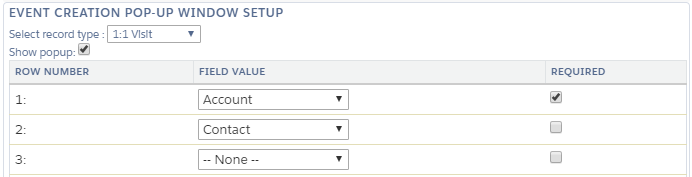
On the Calendar: Settings tab, in the Event Creation Pop-up Window Setup section, select a record type.
-
Set the Show popup checkbox to enable the pop-up to display.
-
Specify the following:
-
In the Field Value field, select a field. Specify up to 10 fields to display in a pop-up.
-
Set the Required attribute if the field should be filled out in the pop-up. If the representative leaves this field blank, the Create button will be locked.
-
-
Click Save.
The setup is complete.
When a representative left-clicks/right-clicks on the Calendar grid and selects the appropriate Pharma Activity record type, the pop-up will be displayed.
| The Start Date and End Date fields are displayed by default and cannot be hidden. |