Specify Questions for Quiz
To specify questions for the Quiz record:
-
Go to the Quiz tab and click the appropriate Quiz record.
-
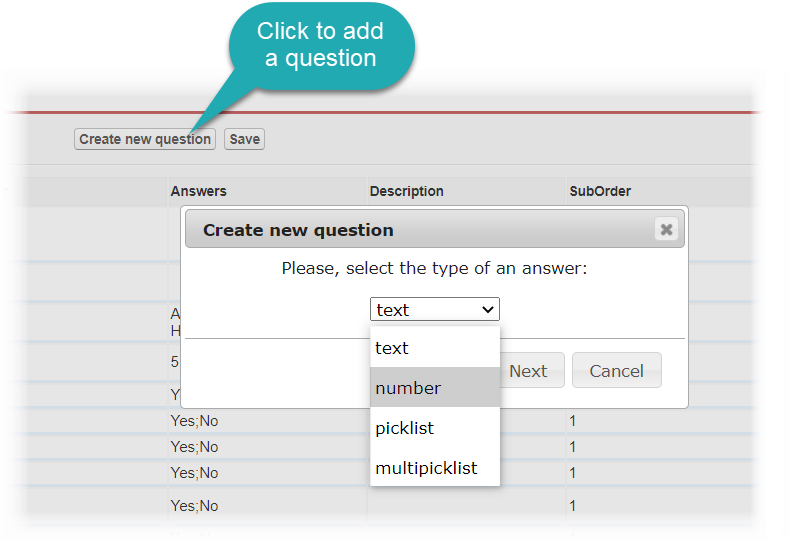
Go to the Questions section and click Create new question.
-
Select the Question type and click Next.
-
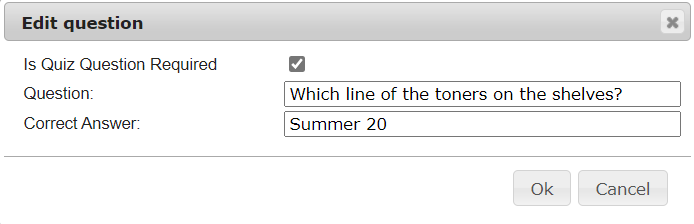
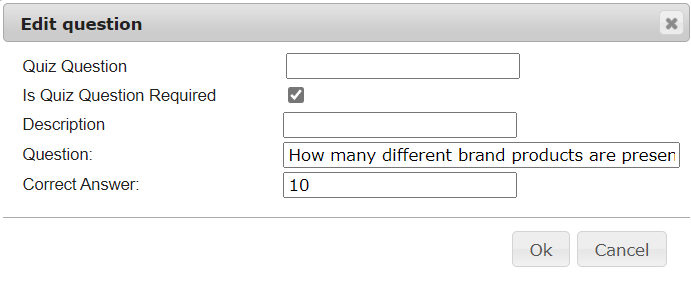
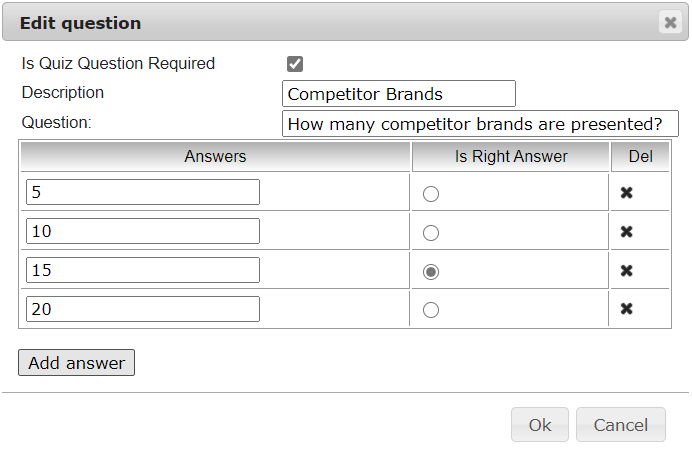
Specify the question.
-
with the text type
-
with the number type
-
with the picklist type
-
with the multipicklist type
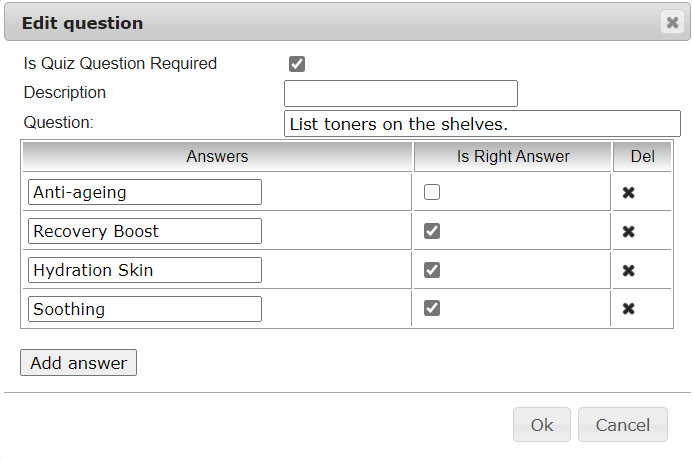
-
-
Click Save.
-
Repeat steps 2–5 for all questions in the quiz.
The questions are added. Next, specify users as quiz partakers.