POS Material Tab Settings
POS Materials is an entity to track the marketing materials distributed for particular clients within a visit.
Customize POS Material related tab by adding the required fields to the POS Material Tab field set.
To customize the view of the POS Material tab:
-
Go to Setup (1) → Custom Code → Custom Settings (2).
-
Click Manage (3) next to POS Material Tab Settings.
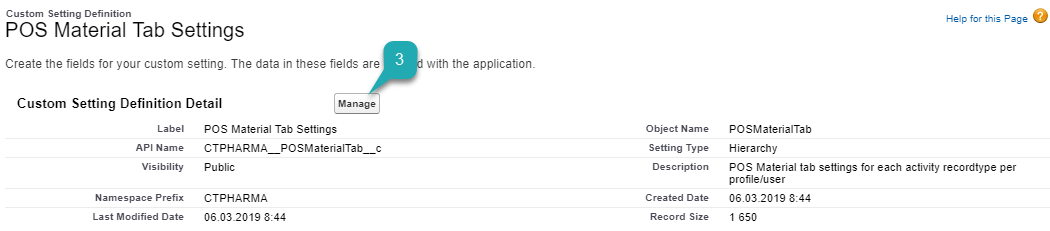
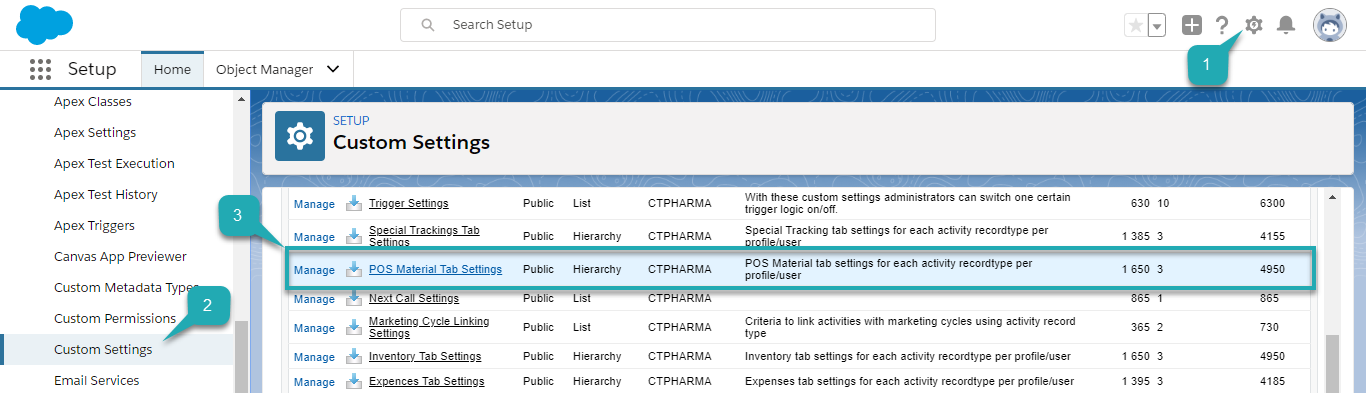 The POS Material Tab Settings Detail page opens.
You can also click POS Material Tab Settings and then click Manage (3) on the POS Material Tab Settings page.
-
Click Edit to manage Default Organization Level Value.
Click New to create a new organization level value. 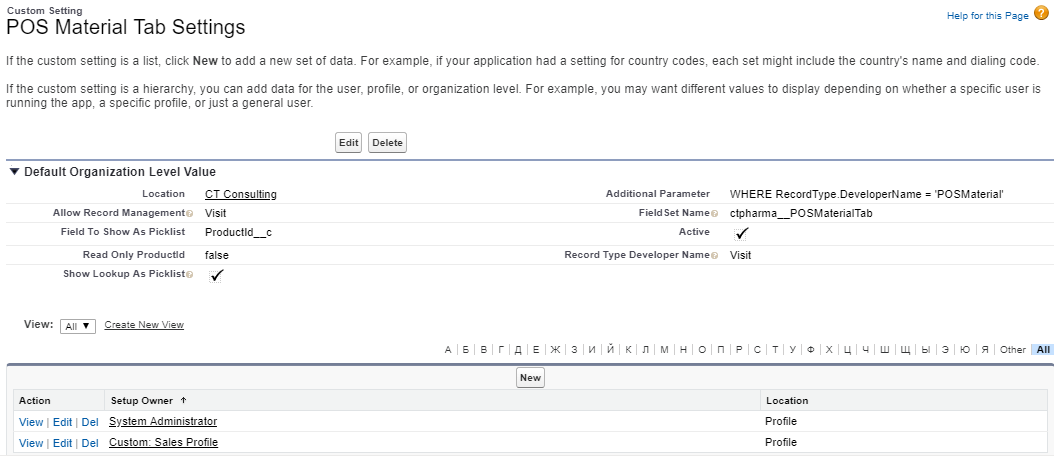
Check the description of the fields.
| Setting Name | Type | Description | Example |
|---|---|---|---|
Active |
Checkbox |
If selected, that setting is active, and the Activity Report page uses it. |
|
Additional Parameter |
Text (255) |
Additional SOQL-criteria are in use to the list of available records for the object, relation to which is specified in the Field To Show As Picklist field. They are used only when the Show Lookup As Picklist checkbox is checked and the Field To Show As Picklist field is populated. |
WHERE RecordType.DeveloperName ='POSMaterial' |
Allow Record Management |
Text (255) |
Specifies the values true or false for each record type developer name specified in Record Type Developer Name field for enabling add or delete record functionality.
|
true,false |
Field Set Name |
Text (255) |
Specify Activity Data field set API name for each record type specified in Record Type Developer Name field. Use comma delimiter for multiple records. |
CTPHARMA__POSMaterialTab |
Fields To Show As Picklist |
Text (255) |
The field API-name with lookup type displays as a picklist in a selected order. |
ProductId__c |
Read Only ProductId |
Text (255) |
Specifies the values true or false for each record type developer name specified in Record Type Developer Name field.
|
true,false |
Record Type Developer Name |
Text (255) |
Specify the list of API names for Activity object record types, in order to display the tab on the Activity Report page when creating an activity with the specified record type. |
Visit |
Show Lookup As Picklist |
Text (255) |
If selected, the lookup field is replaced with the picklist with values that are available according to conditions specified in Additional Parameter field. |
The view of the tab is customized.
| Also, you can customize POS Material Tab for each Profile on the CT Pharma Control Panel: Activity Report tab. |
Now, you can edit the POS Material Tab field set:
-
Go to Setup (1) → Object Manager → Pharma Activity Data (2).
The Pharma Activity Data page opens.
-
Go to Field Sets (3) and click POS Material Tab.
The field set template opens.
-
Edit a visible field set by dragging any of the fields to the In the Field Set list and click Save.
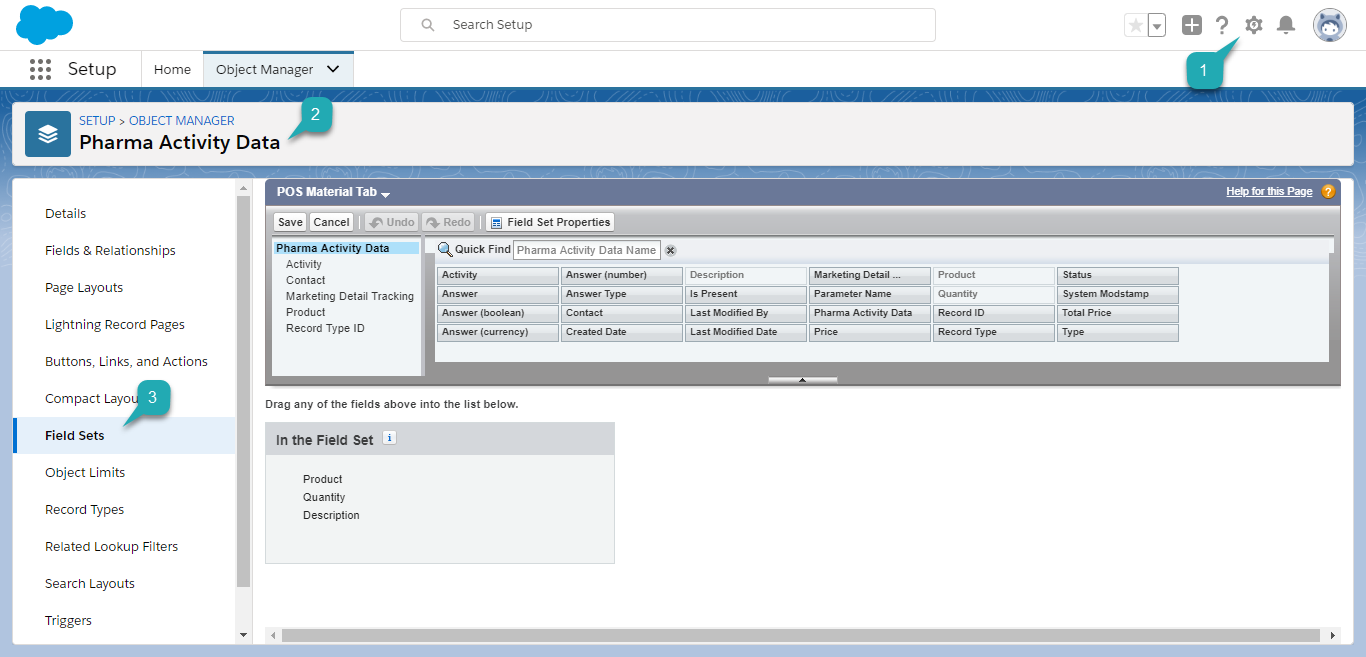
The POS Material Tab field set is customized.
According to these settings, the POS Material tab displays on an Activity Report page.

See also: