Creating a Joint Visit Report
To create a Joint Visit report:
-
In the created Joint Visit, click the JV report button and click New.
-
Select template and click Submit.
-
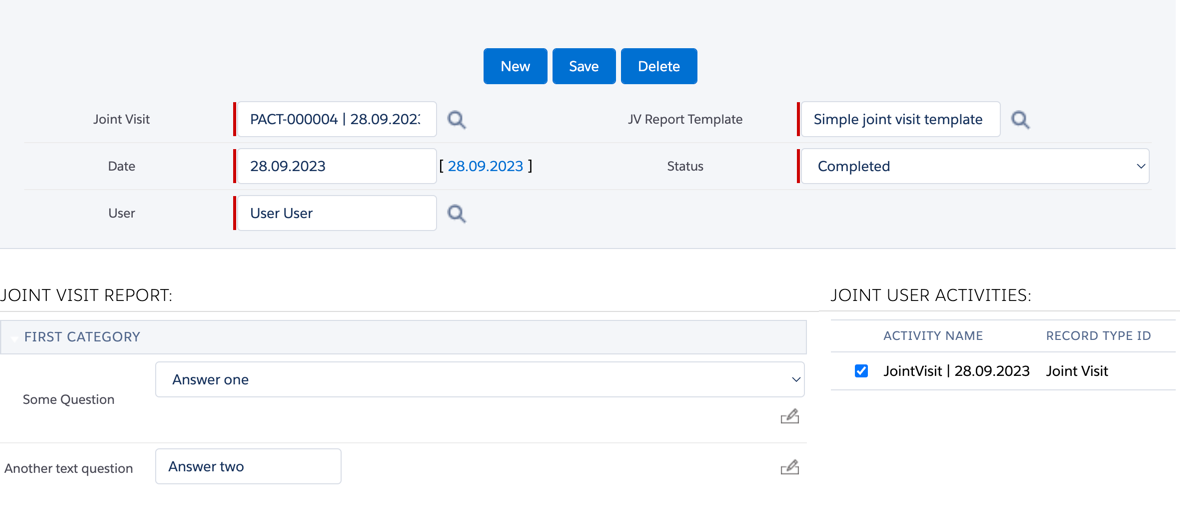
In the Joint User Activities section, select the user’s activity (one or several) to evaluate.
-
Respond to questions and click Save.
The result will be saved to the CTPHARMA__SkillMark__c object.