Calendar Settings: Link Setup
In this section, specify useful links for the representative work. It is possible to add up to 10 useful links.
To add useful links:
-
On the Calendar: Settings tab, in the Link Setup section, select a record type.
-
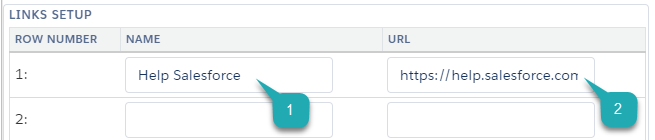
Enter the Name (1) of a link.
-
Enter the URl (2) of a link.
The setup is complete.
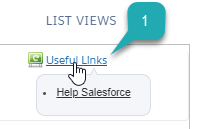
The Useful Links (1) section is displayed in the top right corner on the Table View, Hierarchy View, and/or Employees Calendar tabs.